Apps / Restaurant ordering, kitchen & checkout
Sushi Order
System
One order, from menu to kitchen to table.
A demo that takes an order from a photo menu through kitchen preparation and serving to checkout in the management screen. Switch between guest, kitchen and management views to try the restaurant's full workflow.
Open demoEach browser uses its own virtual restaurant. Orders and edits do not affect other visitors, and the entry screen lets you restore the initial state.
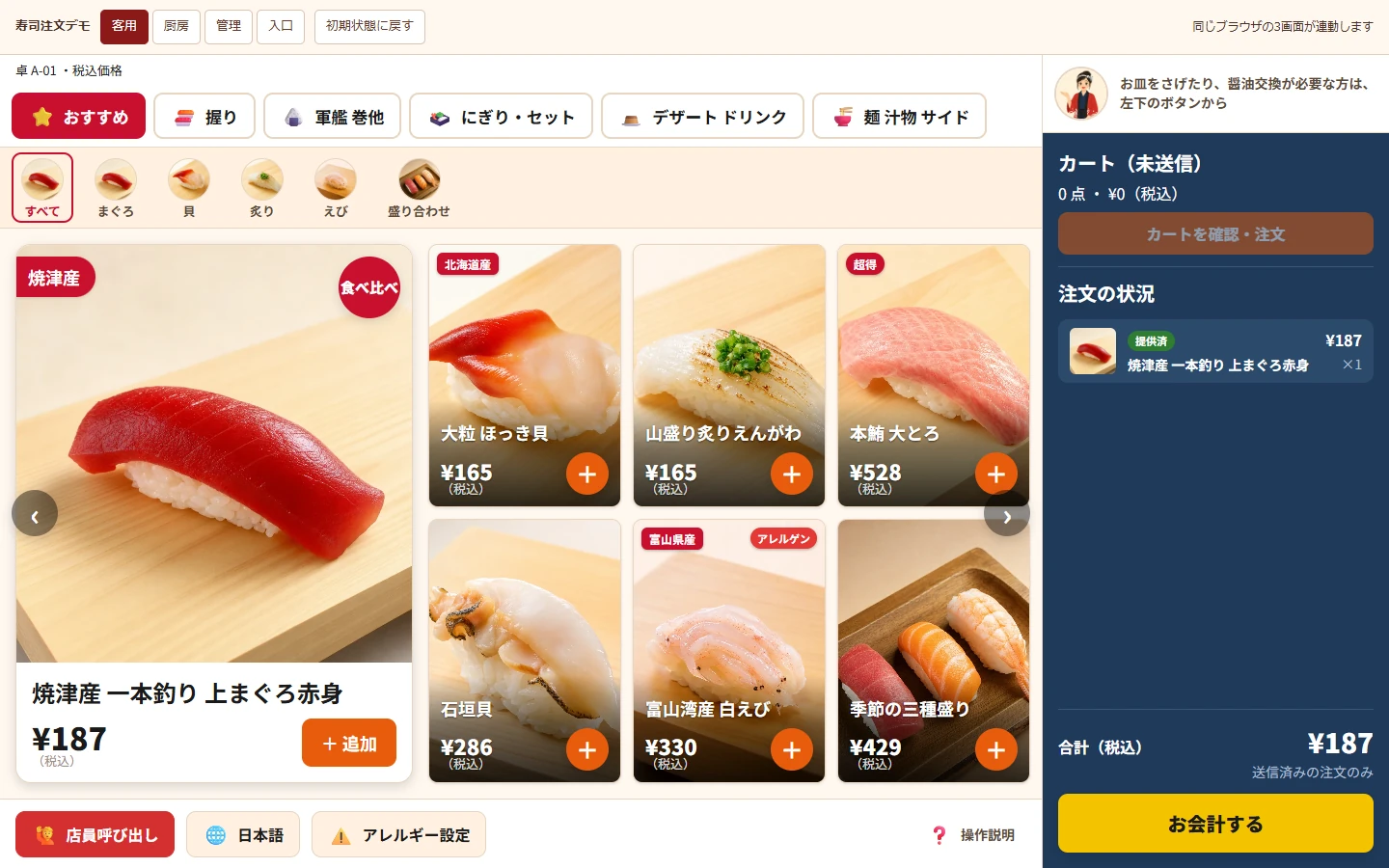
Find the dish you want with ease.
The menu presents 48 products with photographs and tax-inclusive prices, filterable by category and type. Choose a quantity in the product detail, review the cart and place an order. Ordered items show whether they are received, being prepared or served.
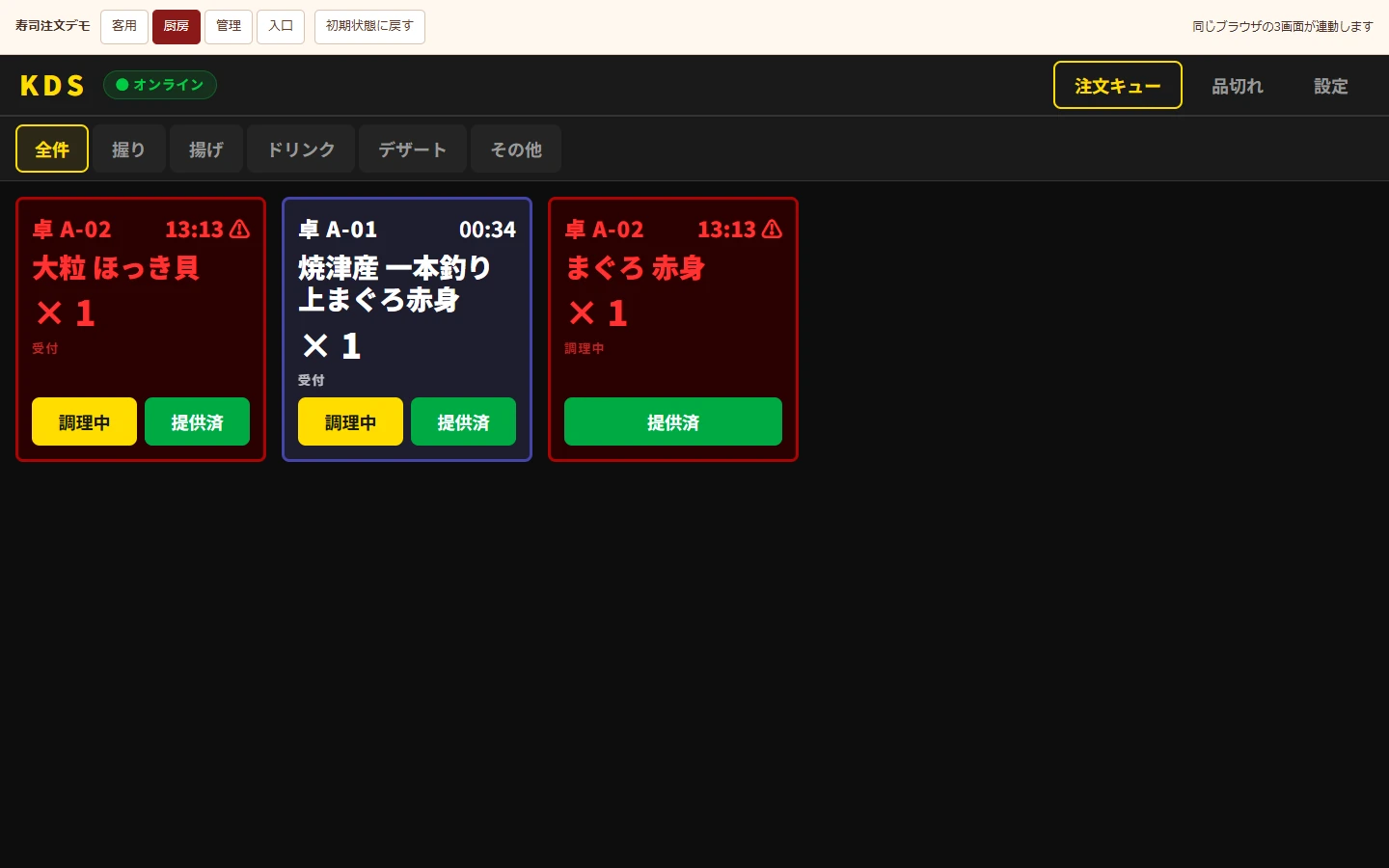
See what to prepare next.
Kitchen cards group table number, item, quantity and elapsed time. Staff can filter by preparation station, such as nigiri (hand-pressed sushi), fried food or drinks, and update cooking and serving status. Availability changes also appear on the guest menu.
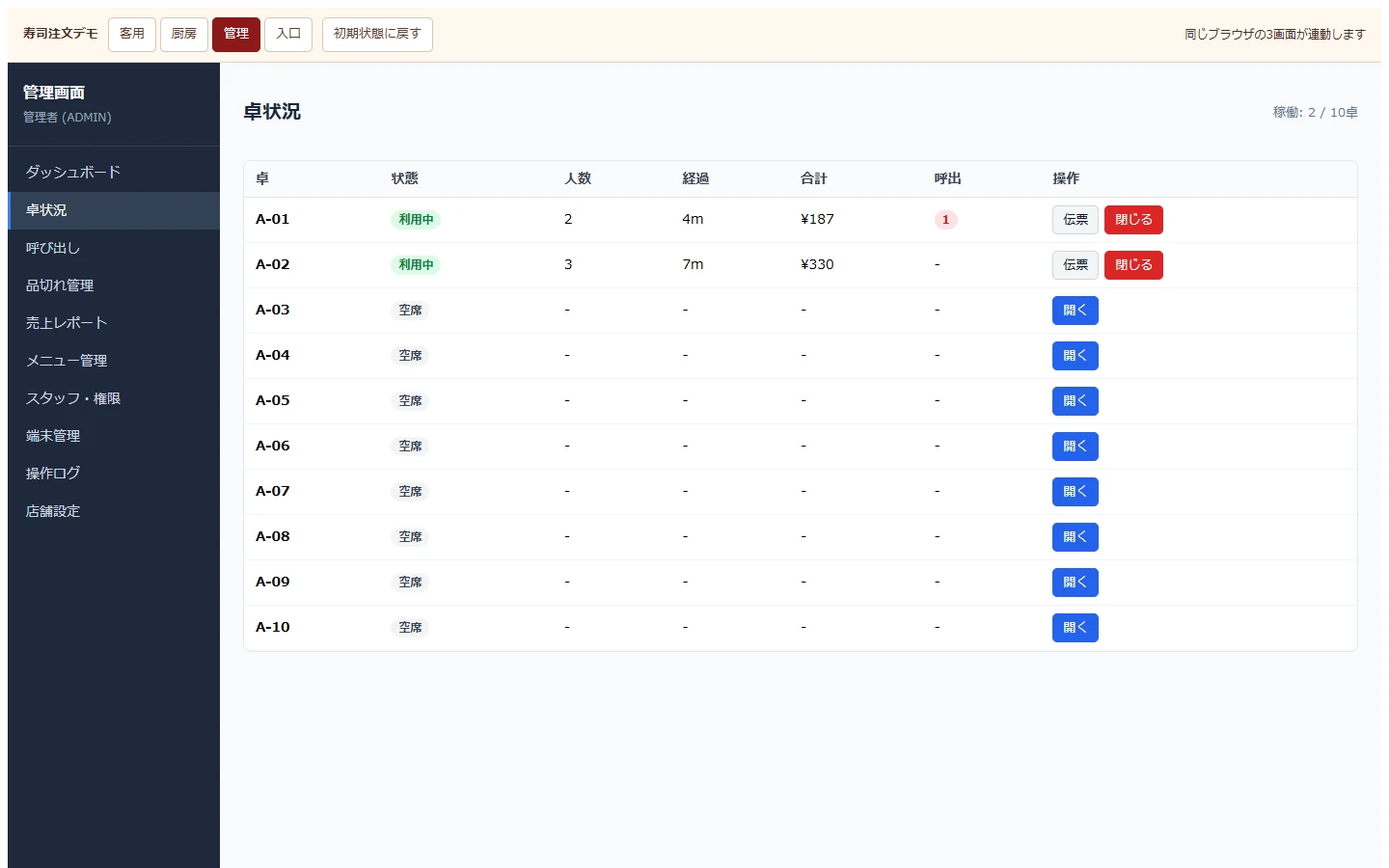
From the order through to checkout.
Review table status and bills, then complete checkout to close the table on the guest screen too. The demo includes product editing, service-call handling, stock availability and sales reports. Staff, device and restaurant settings in the public demo are view-only.
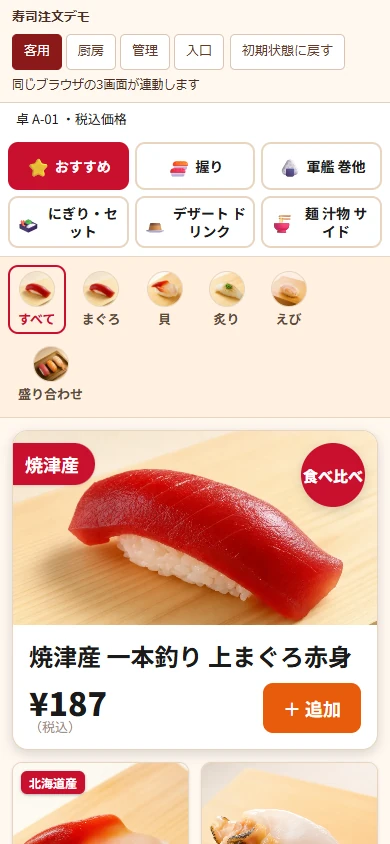
Photos and controls fit small screens.
On mobile, category buttons wrap and products stack vertically. After adding an item, the bottom cart button opens the order. Management lists become cards with field labels, keeping edit and checkout buttons within view.
Project details
- Version
- 0.1.0
- Project type
- Independent project / restaurant ordering demo
- Scope of work
- Interface design, development, mobile support & deployment
- Technologies
- React / TypeScript / Vite
NestJS / Prisma / SQLite
WebSocket - Supported screen sizes
- Desktop, tablet & mobile