Wix Studio / Recruitment site
Masato Kozai Recruitment Site
Easy for recruiters
to update after launch.
A recruitment site for new graduates and mid-career hires at Masato Kozai Co., Ltd., a fictional steel trader in Kurashiki, Okayama, that stocks, sells and processes steel. It was built in Wix Studio from a blank site. Fixed pages about the company, why it is a good place to work, the working environment, a message from the president, job requirements, internships, a message from the recruiting team and an entry form are joined by job descriptions and employee interviews on CMS dynamic pages, and news on Wix Blog. The focus is on letting the recruiting team update the site themselves after launch, explained with the live screens and the editor screens side by side. Entries are not sent.
Open the Wix site (Japanese)This work is an original adaptation of a commissioned project. Because the site is on a free Wix plan, a Wix banner appears at the top of the screen.
Content in tables and a blog
code in only two places.
What keeps changing on a recruitment site is the job descriptions, employee interviews, news and hiring figures. Job descriptions and employee interviews live in CMS collections (tables), news lives in Wix Blog, and the pages read and display that content. Text and photos can be edited in the dashboard, in the collection tables and the blog post screens.
Velo (code written in Wix) is limited to the two places that Wix's own elements could not handle: switching fields in the entry form and counting up the figures on the homepage. The count-up reads the number from the text on screen, so changing a figure only means editing the text in the editor.
Some elements were placed by a script inside the editor while building, but everything placed is a standard Wix Studio element or animation. Select one in the editor and it can be edited like any other element.
Add one row
and a page appears.
Job descriptions (4) and employee interviews (5) both have one page per row. Each has two dynamic page templates, a list (/jobs, /interviews) and an item page (/jobs/sales and so on). Adding a row adds a card to the list and creates an item page. The previous and next buttons on item pages follow the order in the collection's sort order field.
News items are Wix Blog posts: write one in the dashboard and publish it, and it appears at the top of the list. The author name on posts is set to the Masato Kozai recruiting team.
The editor is where the text and figures on each page are changed, along with the homepage's Four jobs section and the five employee cards. The homepage cards link photos and names to their pages, so adding a job or an employee means adding one card in the editor.
Three screen widths
three arrangements.
Wix Studio has three breakpoints, desktop (1001px and up), tablet (751–1000px) and mobile (750px and below), and each element can be arranged separately for each one. In the section on why it is a good place to work, photos and text alternate left and right on desktop and stack with the photo on top on tablet and mobile. The homepage's Four jobs section goes from four cards in a row on desktop to a single column on mobile.
Text sizes shrink with the screen width between a set minimum and maximum. Japanese headings break between phrases so that words are not split. Every page was checked at widths of 1280, 768 and 390 for overlapping elements and horizontal overflow.
Consistent titles
lighter photos first.
Page titles take the form of the page name followed by the site name. With the site name entered in the settings, pages added later follow the same pattern. Job descriptions, employee interviews and blog posts each have their own title and description pattern per template.
Before upload, the 56 photos were resized to JPEGs of 1536×1024 (landscape) and 1122×1402 (portrait). Wix serves images scaled to their display size. The count-up figures are already at their final values in the HTML the server returns, so search engines read the final numbers too.
Project details
- Version
- 1.0.0
- Project type
- Fictional website
- Scope of work
- Design and build in Wix Studio (from a blank site)
- Tools
- Wix Studio / Wix CMS
Wix Blog / Velo - Pages
- 10 fixed pages, 2 CMS lists and 9 items, 1 blog list and 6 posts
- Breakpoints
- 1001px and up / 751–1000px / 750px and below
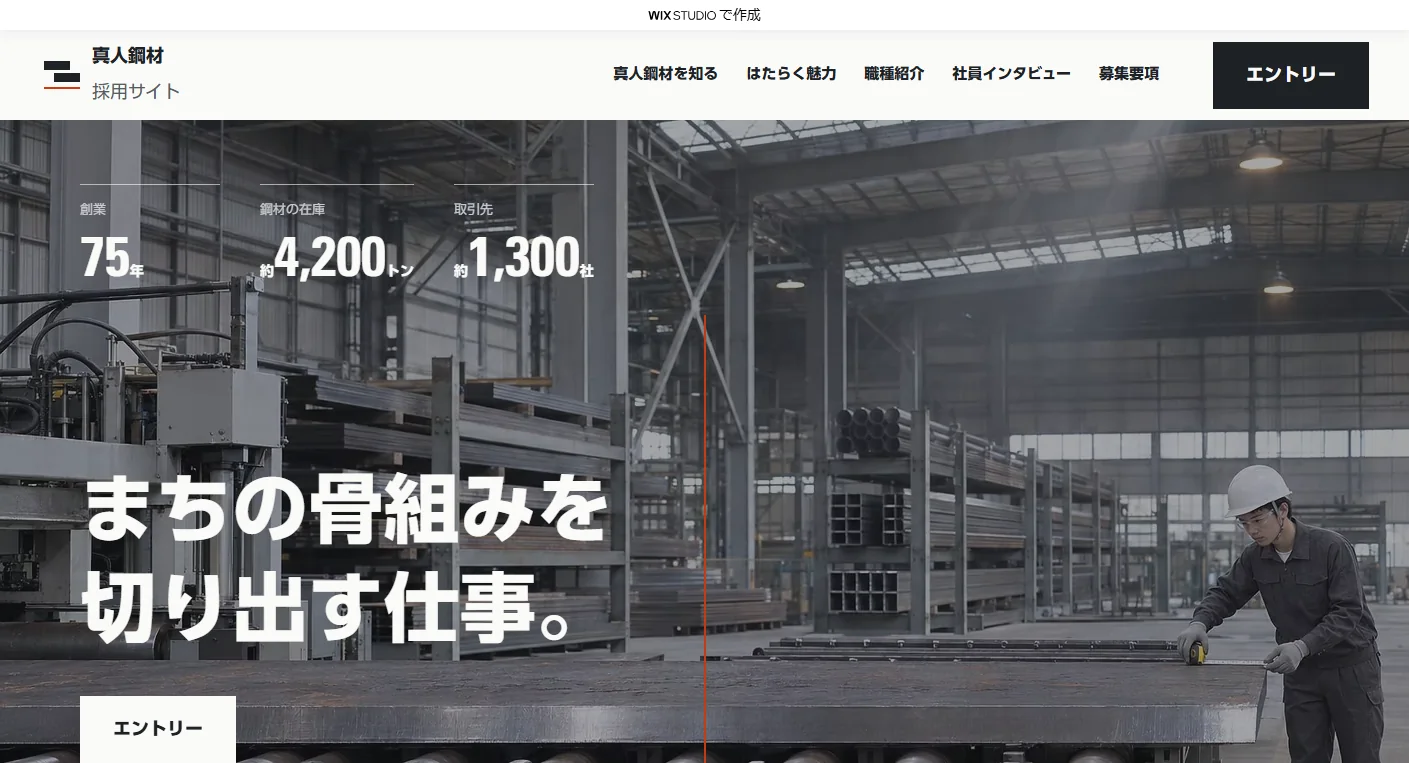
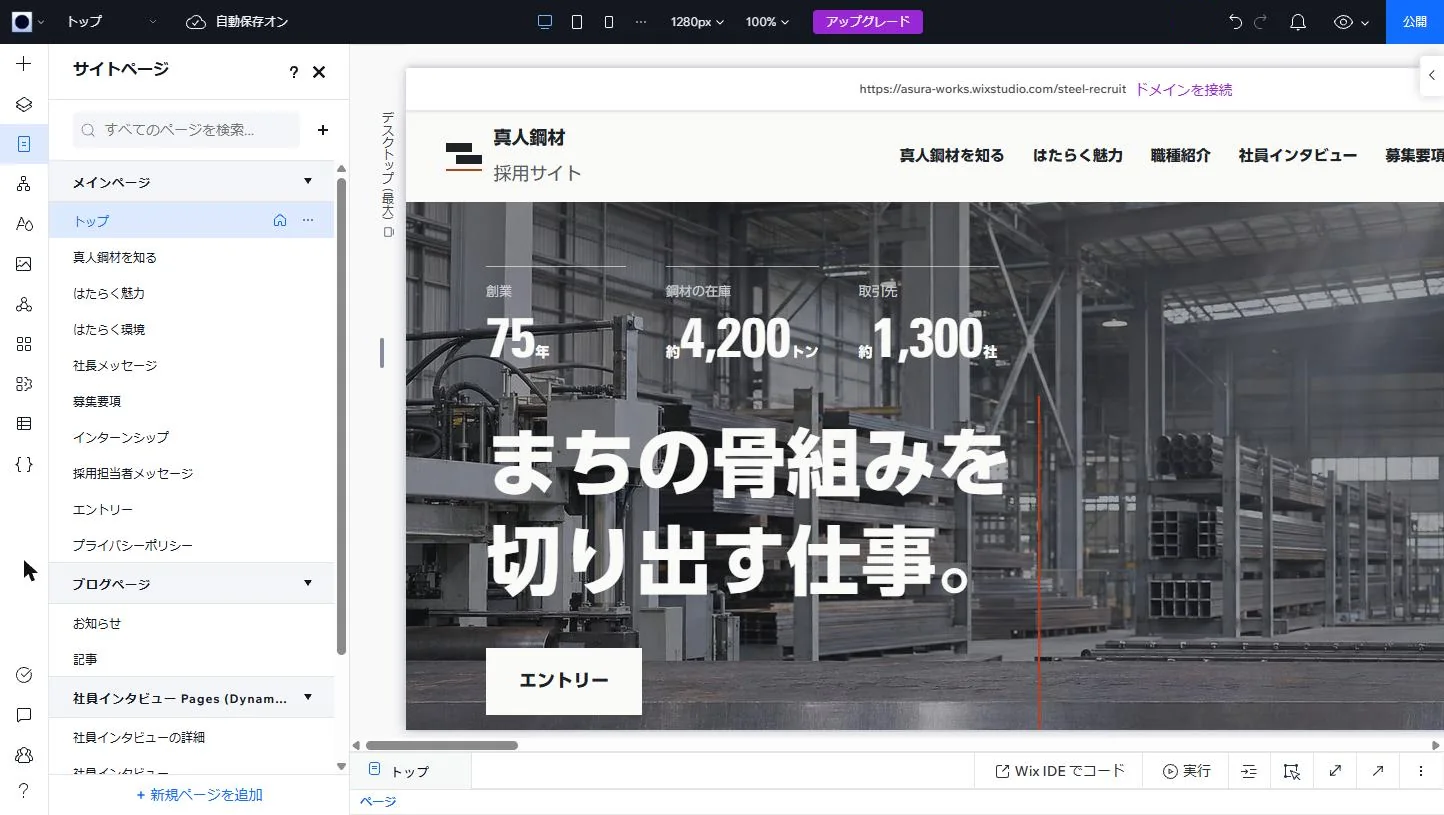
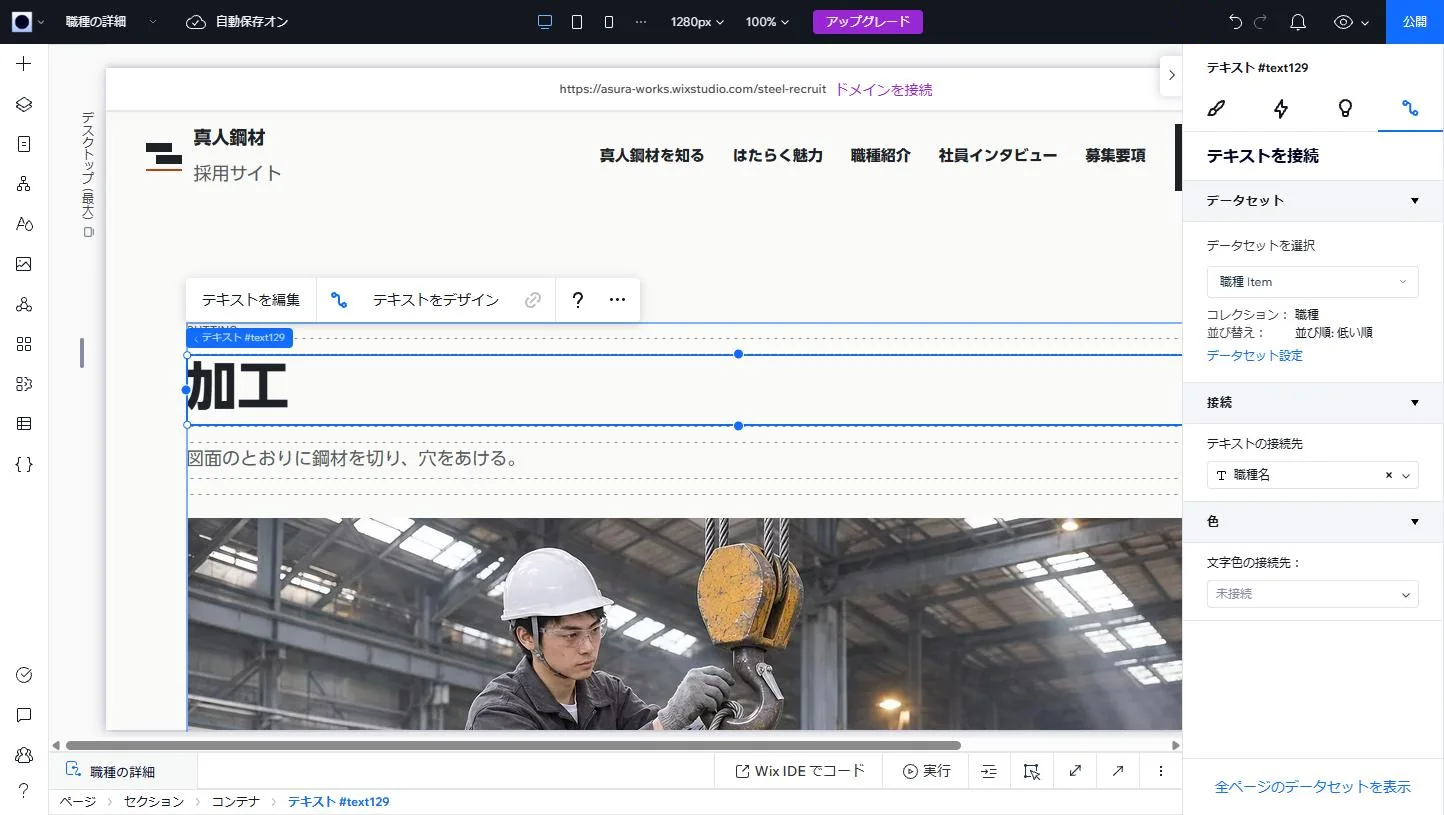
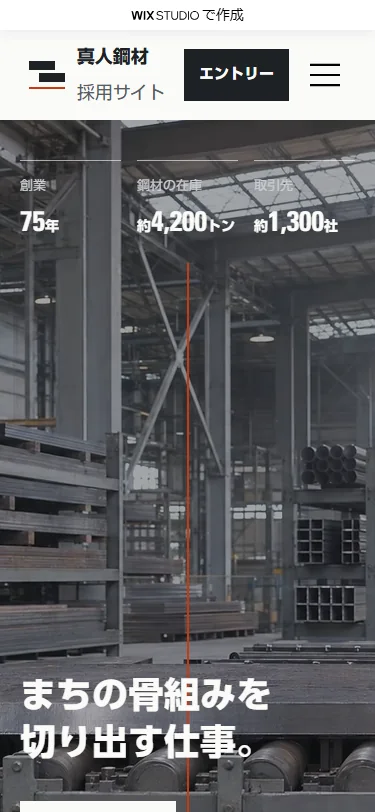
The live site
beside the editor.
Seven main features, each shown with the live site beside the Wix Studio editor or dashboard.
-
01How one length of steel is delivered
Midway down the homepage the screen holds still while six scenes, from receiving stock to delivery, slide sideways. Inside a tall section, a box the height of the screen is pinned to the top, and the strip of six scenes carries a Wix Studio scroll animation (Move). No code is used.
Scene photos and label text can be replaced in the editor. If a visitor has turned on reduced motion on their device, Wix stops this animation.
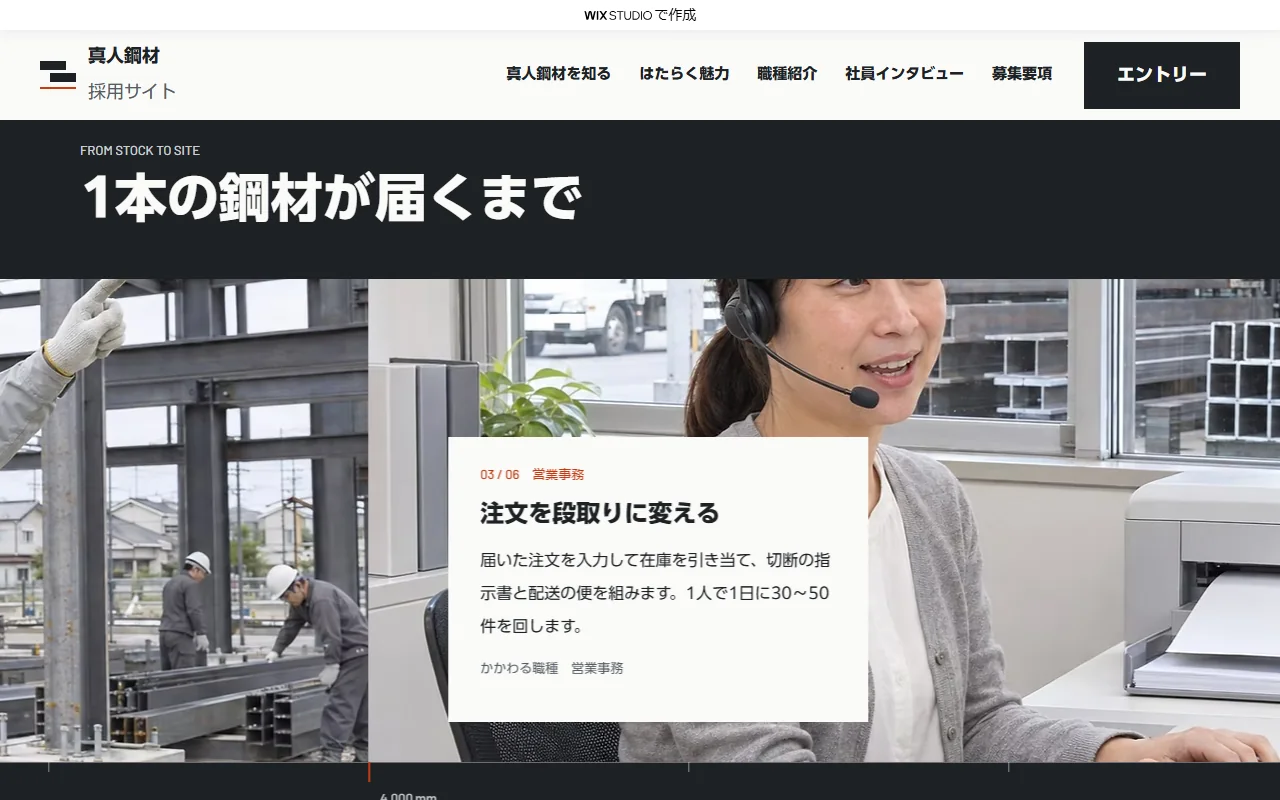
Live site 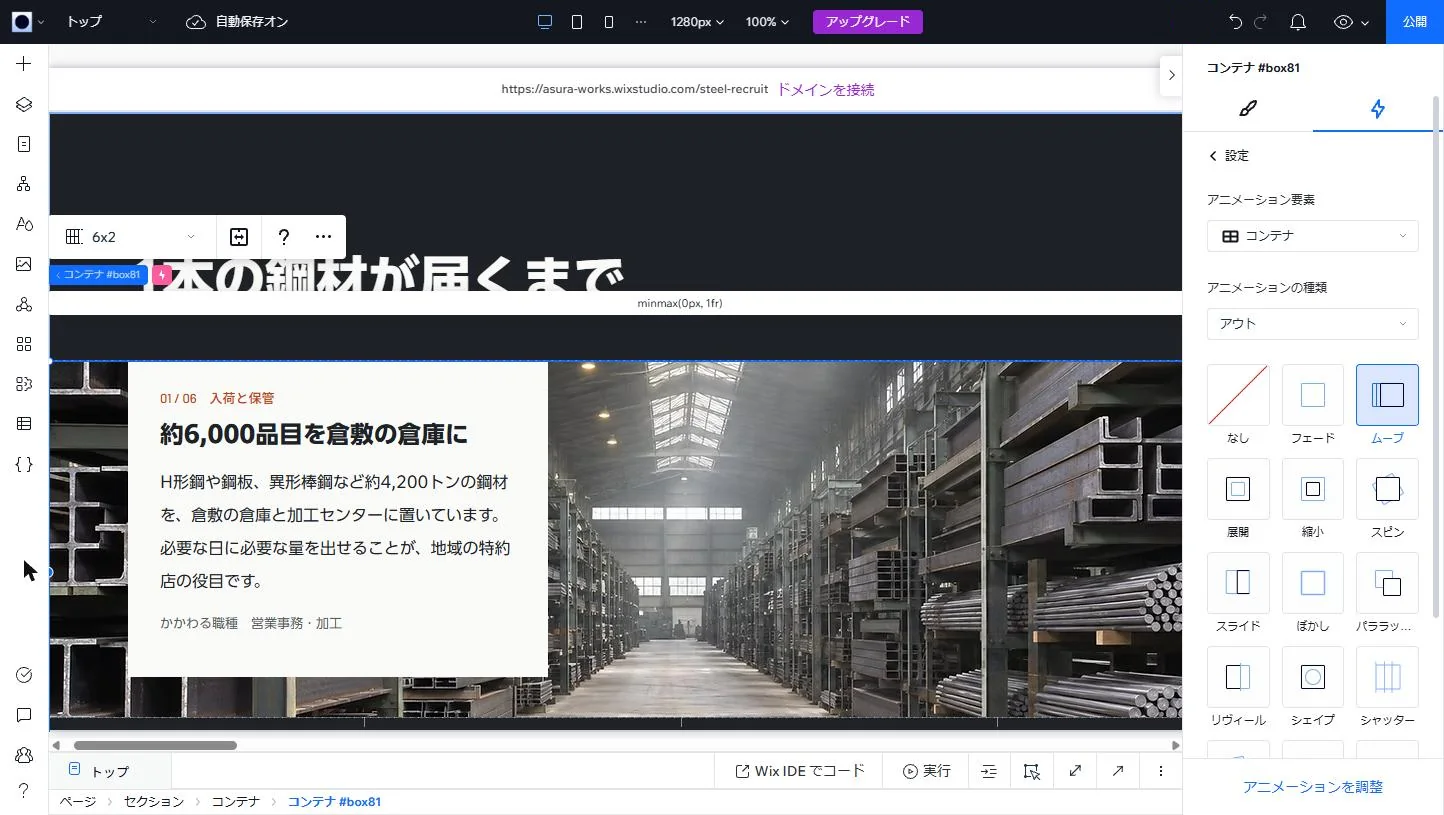
Editor -
02Counting up the figures
The three figures in the hero and the four in the by-the-numbers section count up from 0 over one second when they come into view. Wix Studio's animations have no count-up, so this part is written in Velo.
The code finds seven text elements by ID and reads the first number in the displayed text. Figures and units can be rewritten freely in the editor. Visitors who have turned on reduced motion on their device see the final figures without counting. Velo cannot read that setting, so a 1px HTML embed checks it and reports to the page code.
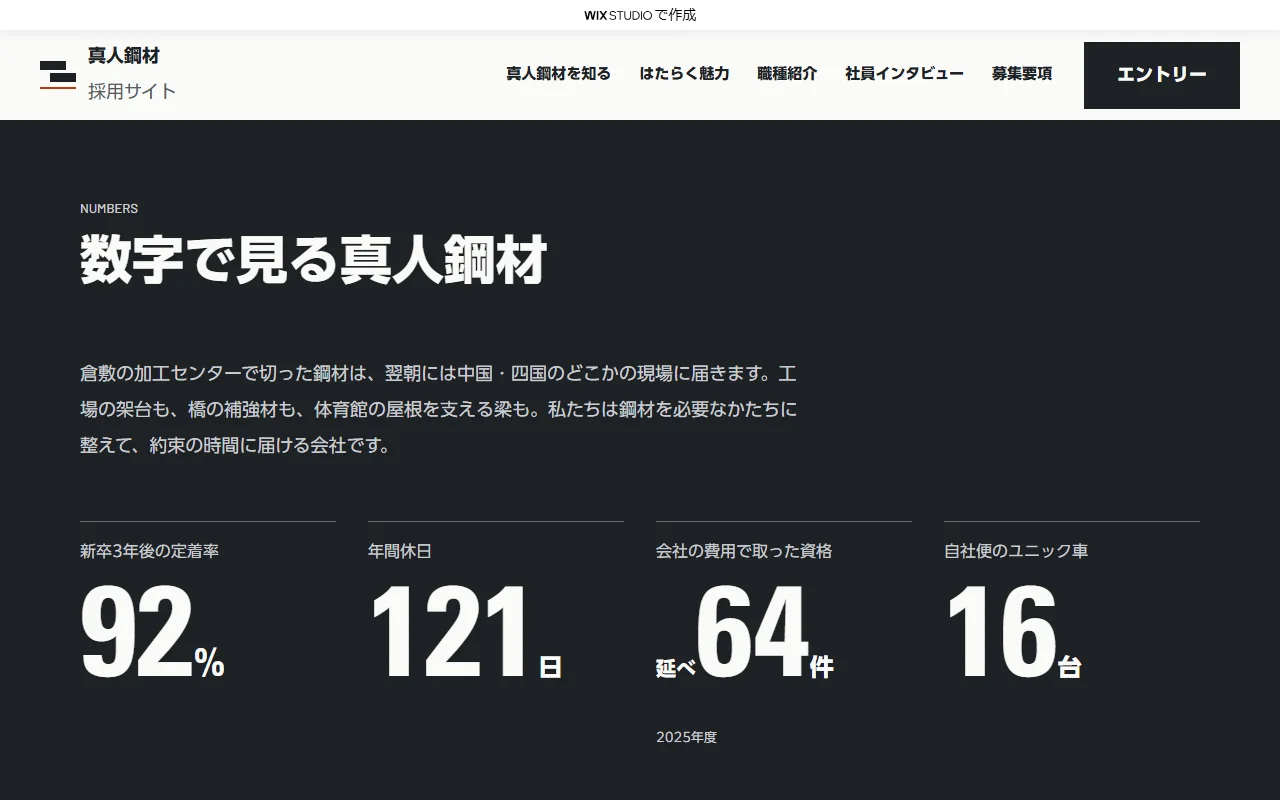
Live site 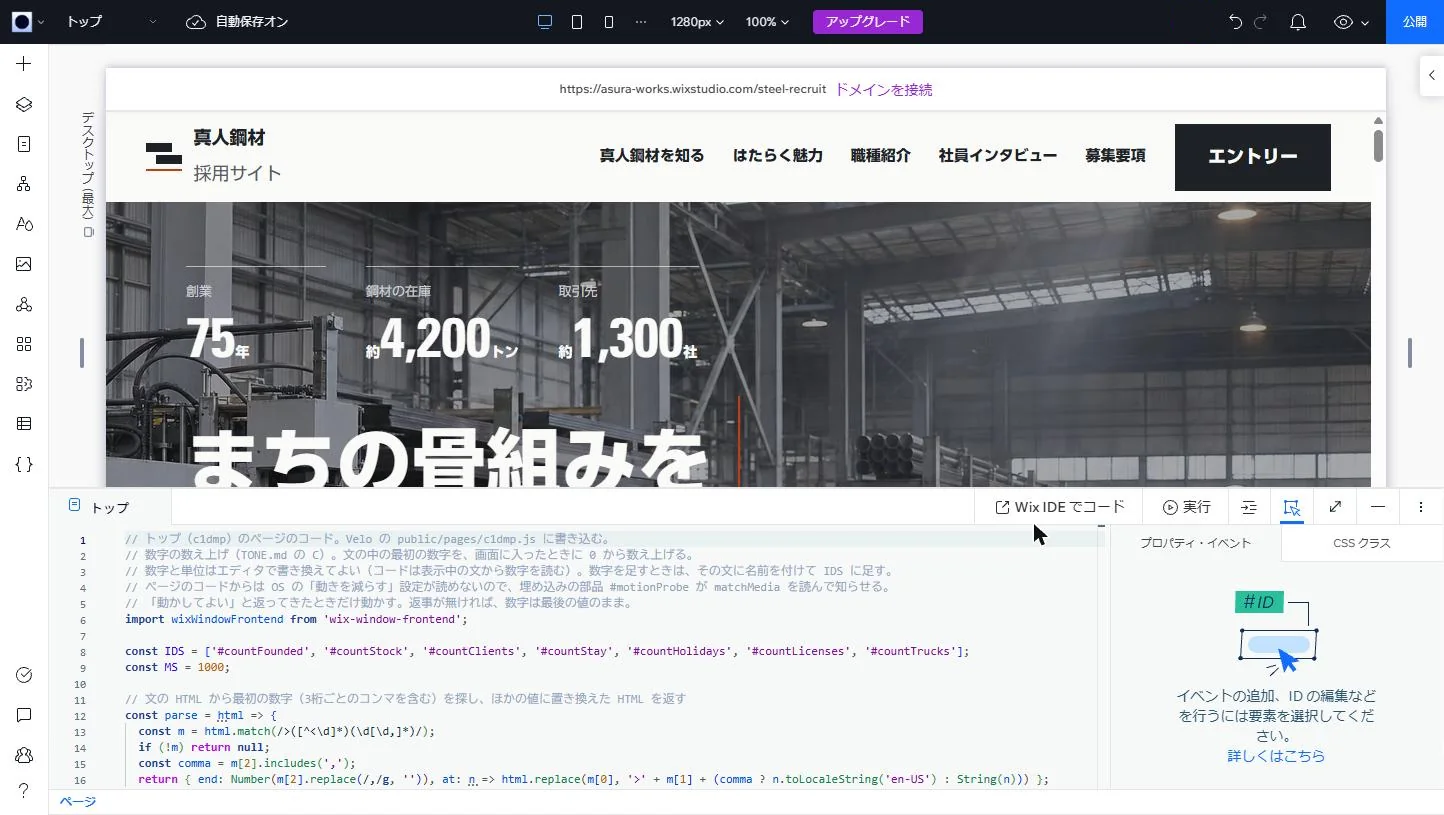
Editor -
03Job descriptions and employee interviews
The job pages come from one template, which becomes four pages such as /jobs/sales, one for each row in the CMS jobs collection. Headings and photos in the template are connected to the collection's fields through a dataset.
The previous and next job buttons at the bottom follow the collection's sort order, and on the first and last pages one of them is shown in a disabled color. Employee interviews are built the same way, with pages for five people.
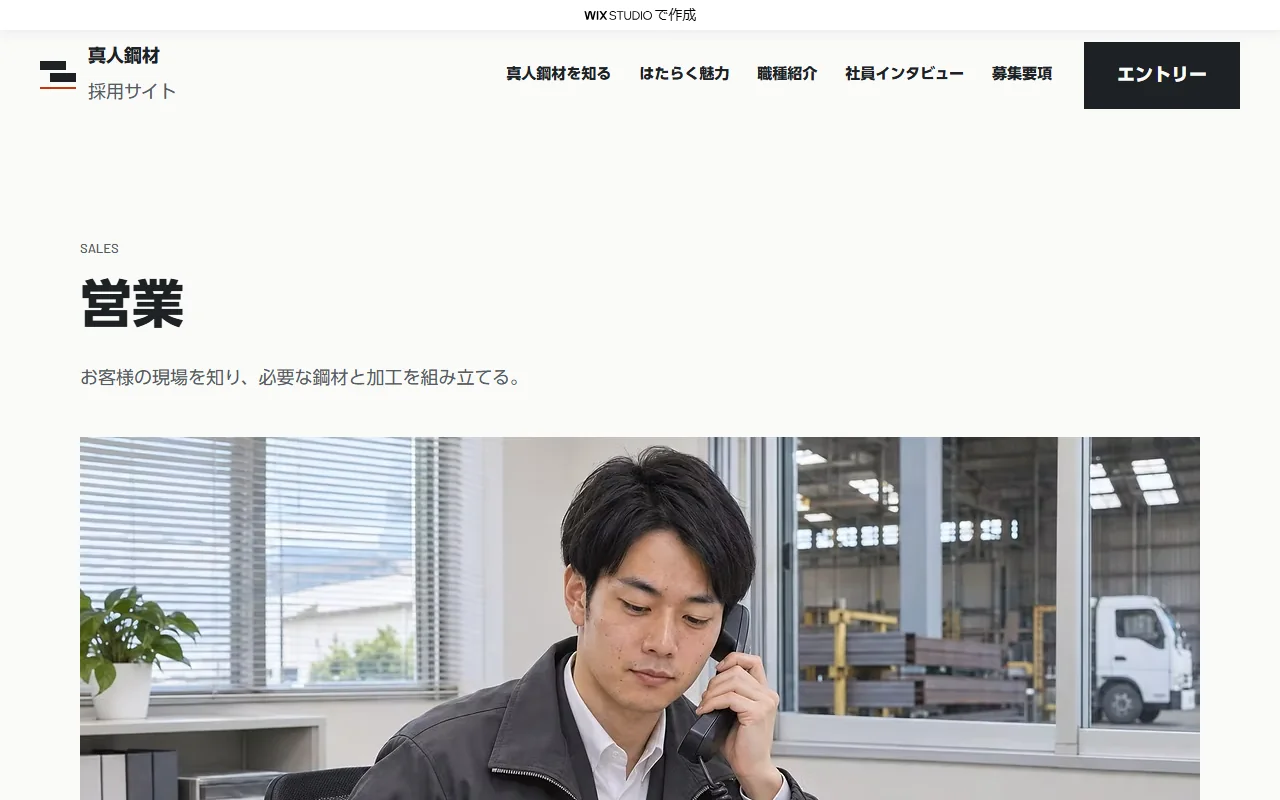
Live site 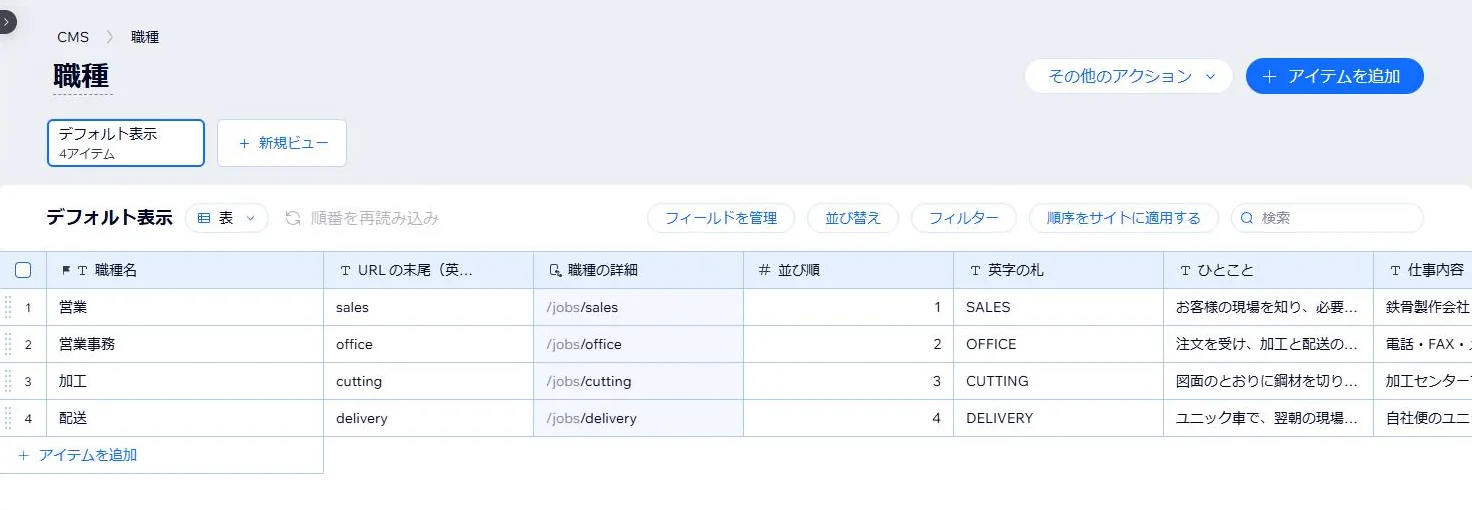
Dashboard (CMS) -
04News
News runs on Wix Blog. Posts are written and published in the blog section of the dashboard. The list shows photos and titles side by side, ten posts per page.
Because these are recruiting announcements, the author name, reading time, view count and comments are hidden. On mobile, the blog element switches to a layout with the photo on top.
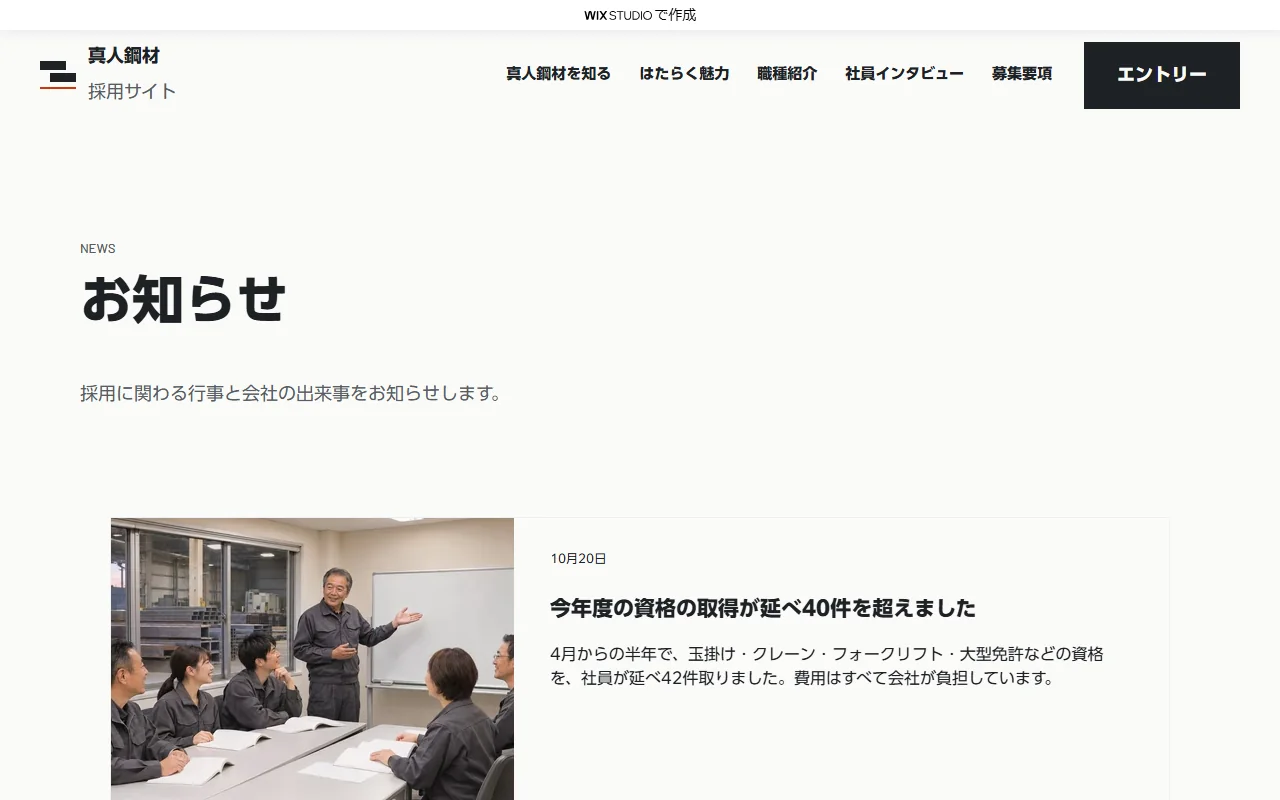
Live site 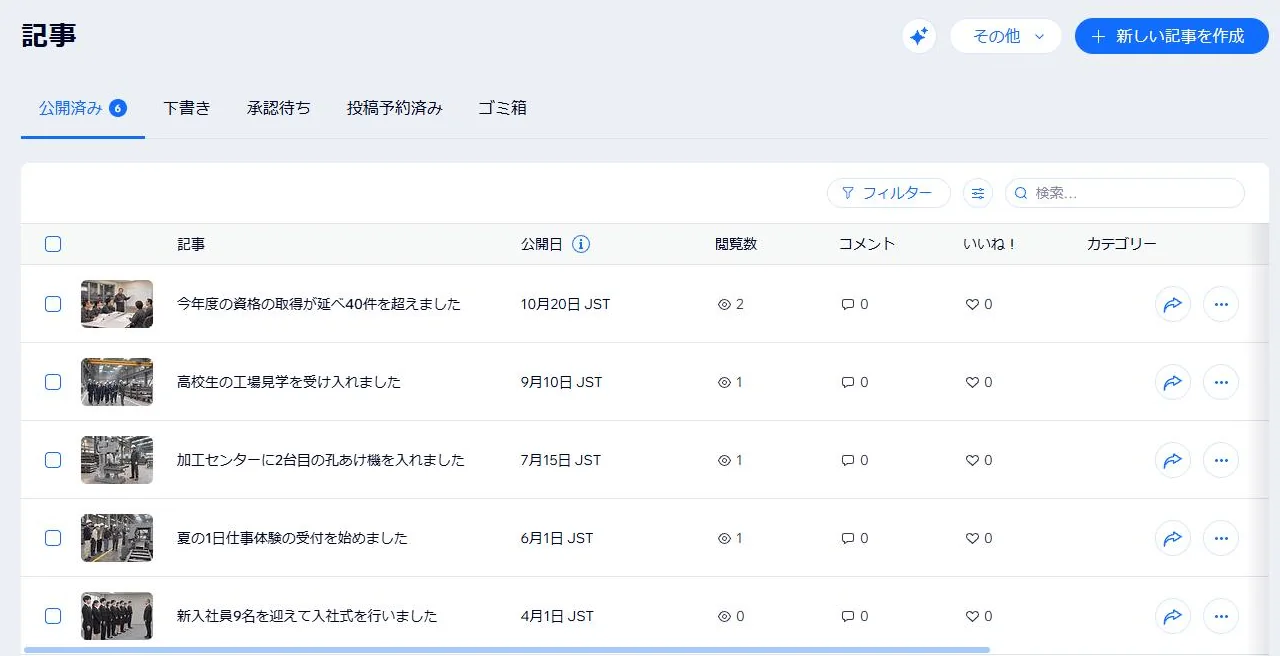
Dashboard (blog) -
05Entry form
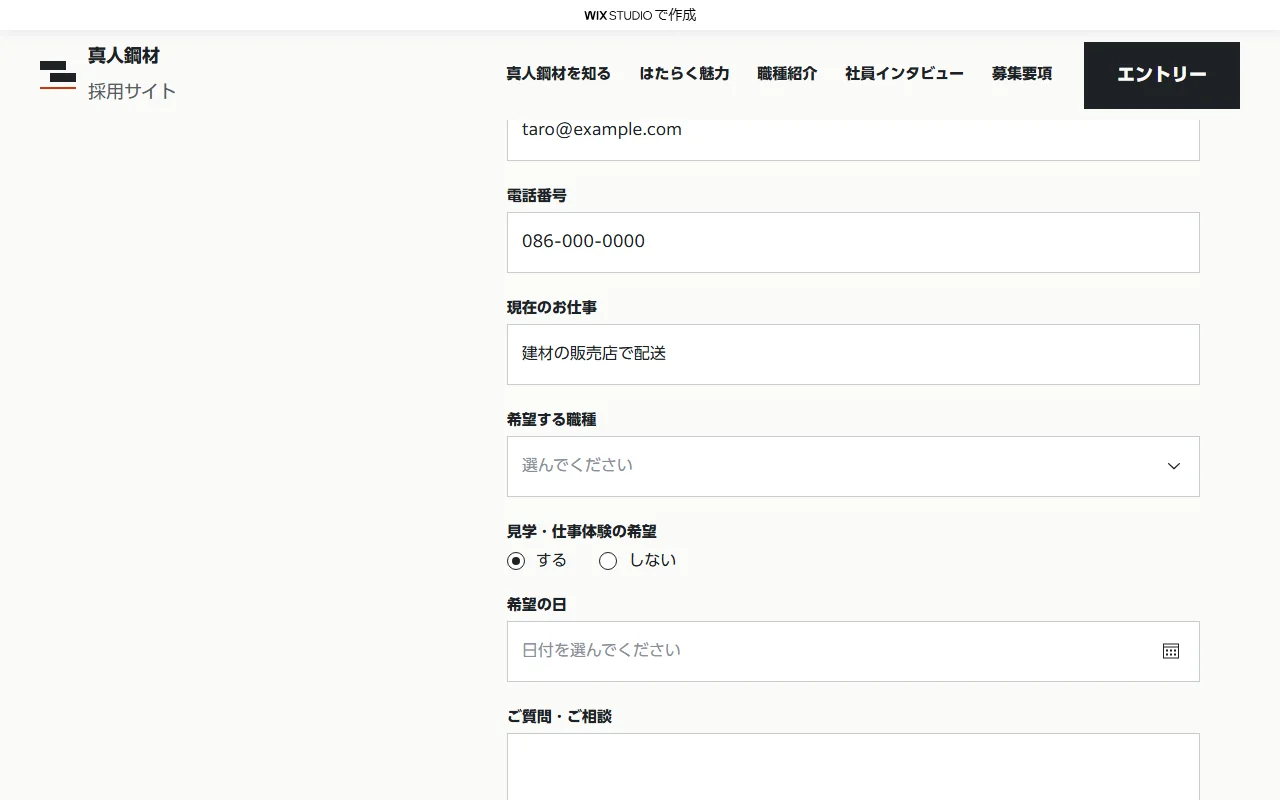
Choosing mid-career swaps the school and faculty field for a current job field, and choosing yes for a visit opens a field for preferred dates. On submit, the form checks the required fields, collapses the inputs and shows a completion message.
The form is built with Velo for these switches, and in this project it sends nothing. In production it would be built with Wix Forms, so that entries arrive in the dashboard's inbox.
Live site 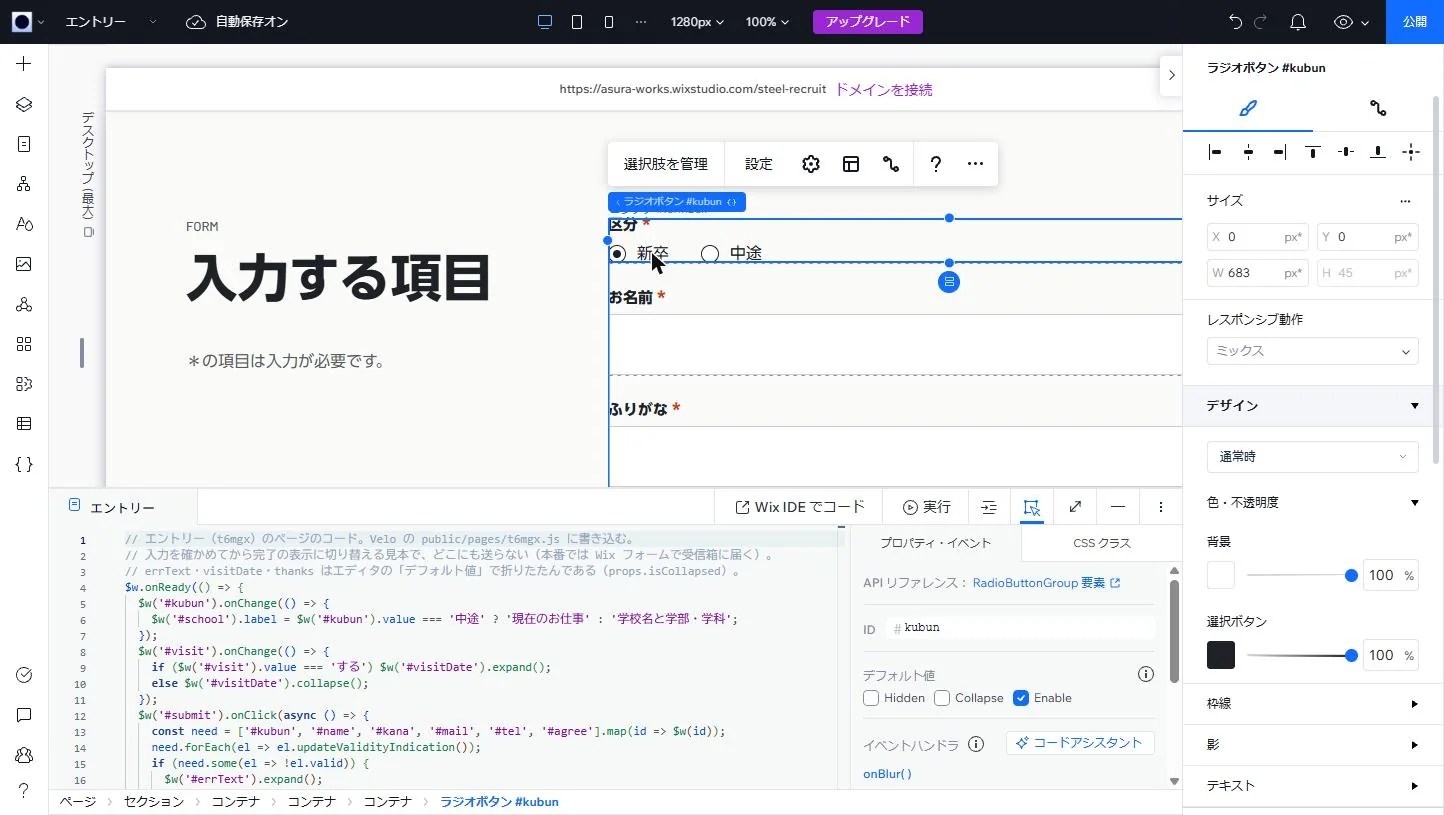
Editor -
06Mobile layout
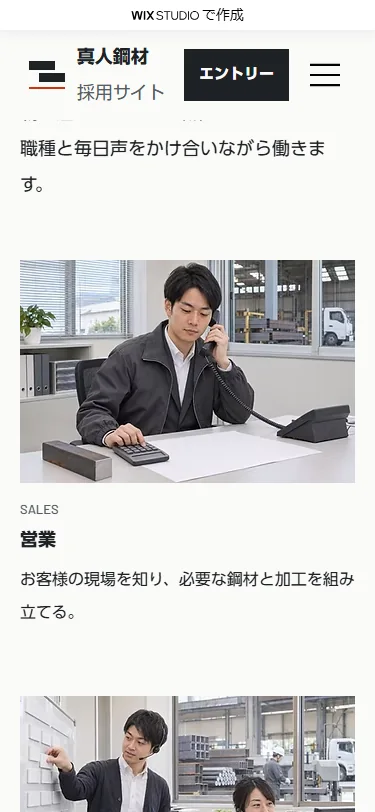
Switching the screen width at the top of the editor lets you set a layout for that width alone. The homepage's Four jobs section lines up four cards in a row on desktop and stacks the photo, job title and summary in a single column on mobile.
Live site 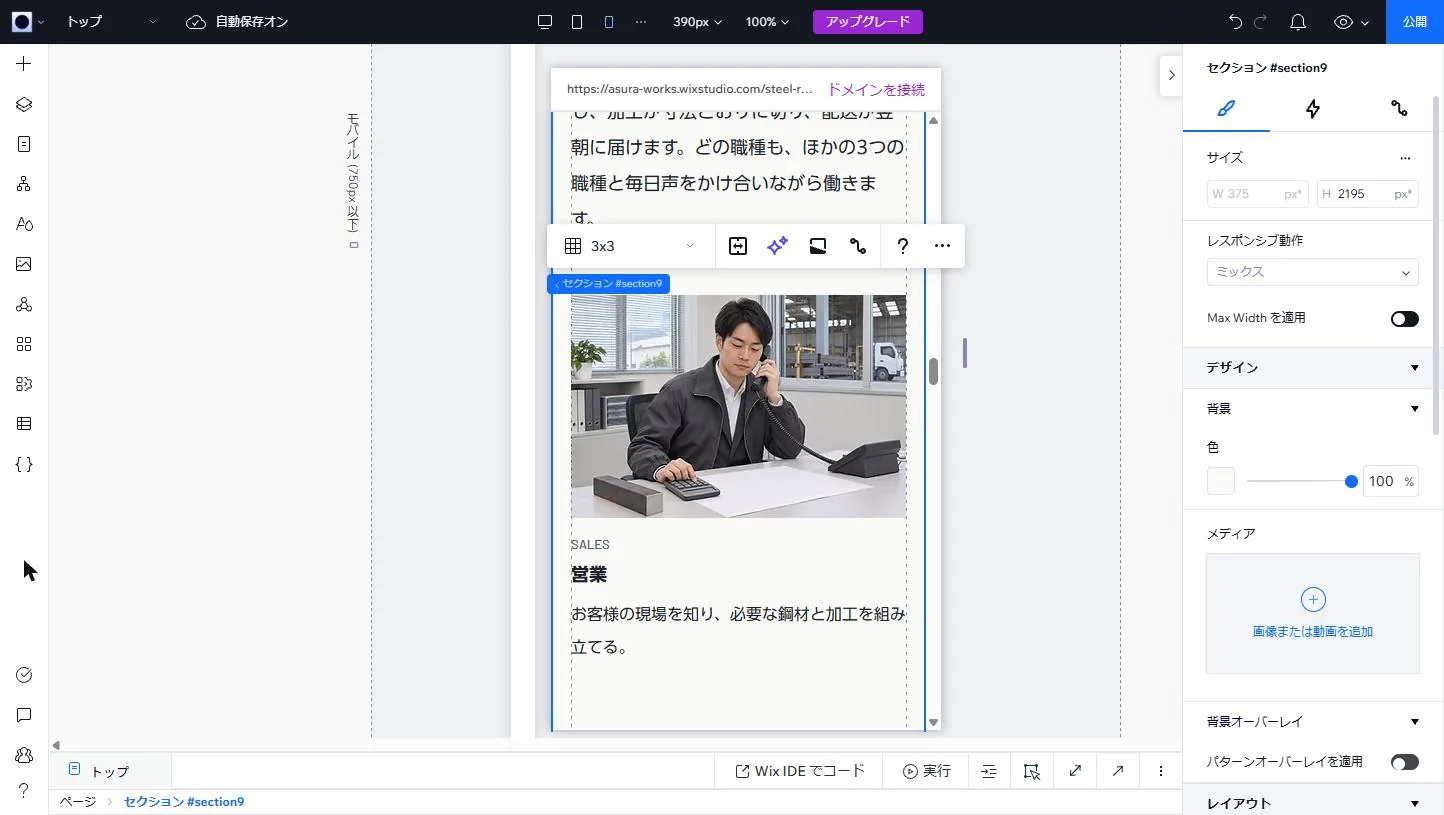
Editor (390px wide) -
07Publishing settings
The site name and URL slug are set in the dashboard settings, and page titles are built from the site name. In the SEO settings, title and description patterns can be set for each page type.
Because this is a portfolio piece, the setting that lets search engines index the site is turned off. In production, turning it on is all it takes to appear in search results.
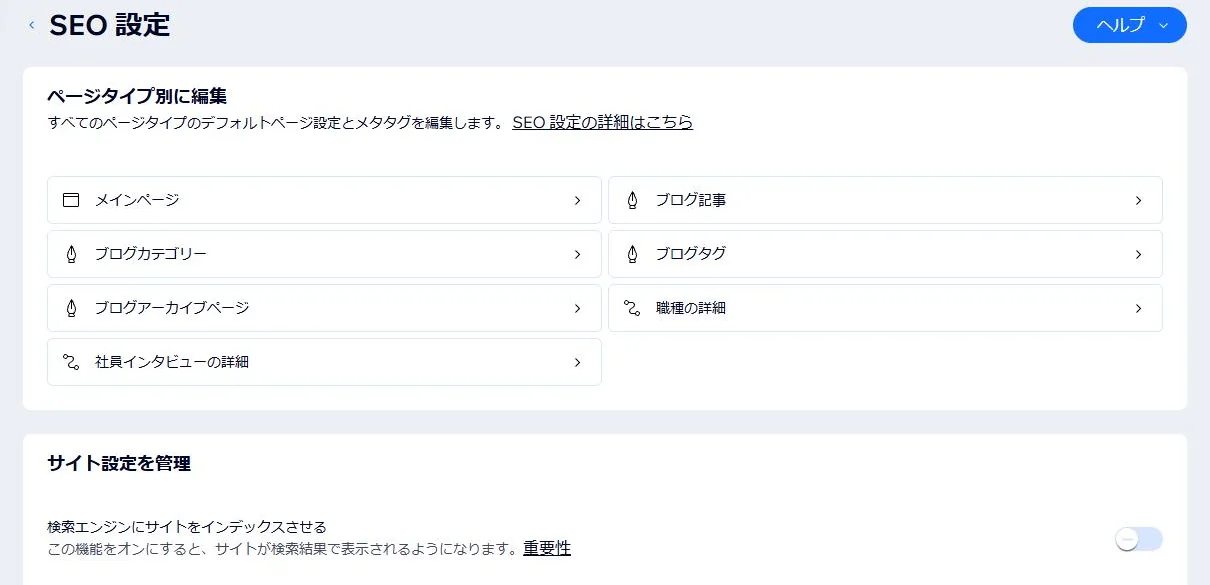
Dashboard (SEO settings)