Landing Pages / At-home light-based beauty device
MIRANAGE
Cool first. Keep going.
A product landing page told through temperature.
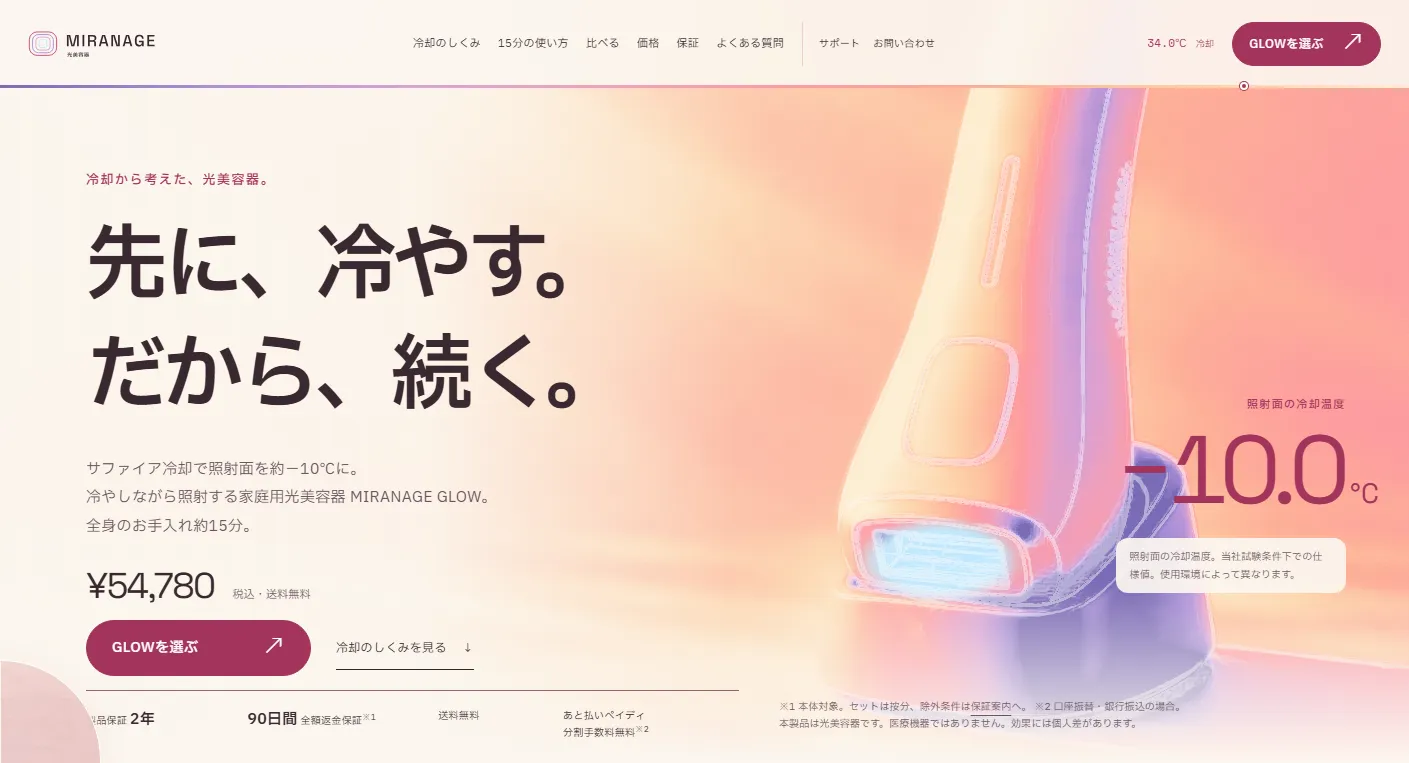
A product landing page and six-page site, including purchase and support, for the MIRANAGE GLOW at-home light-based beauty device. Thermal-image colors illustrate its defining feature: sapphire cooling that keeps the treatment surface at approximately −10°C. The page moves through concerns, barriers to regular use, cooling, instructions, comparisons, price, warranty and precautions, then into product selection, checkout entry and review. Eighteen new photographs were created with image generation.
View the live project (Japanese)This work is an original adaptation of a commissioned project.
Help visitors choose
a routine they can maintain.
The audience is women aged 25–34 who can no longer visit a salon or found its total cost too high. For people who stopped using a home device because getting it out was inconvenient, the page addresses three obstacles—cooling preparation, time and storage—with approximately −10°C cooling, an approximately 15-minute full-body routine, a weight of 238g and a freestanding stand.
The light-based beauty device is not presented as a medical device, and the page avoids promised results and before-and-after photographs. Comparisons are limited to time required, appointment needs, supported body areas and indicative costs; testimonials carry qualification notices. Restrictions on users and body areas, plus pre-treatment shaving, are visible without opening additional panels.
Scroll down.
Watch the temperature fall.
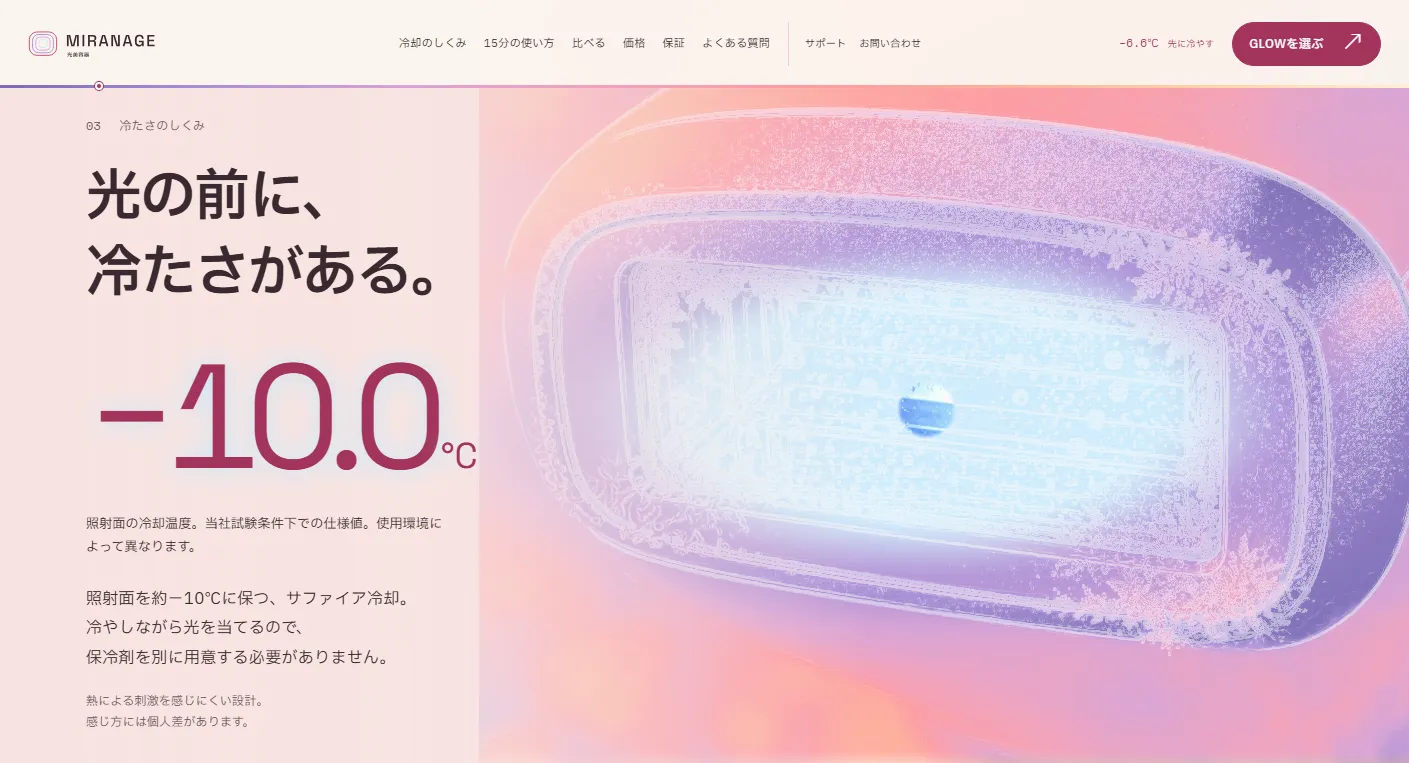
Pale cream and pink keep the beauty device approachable. Photographs can switch to thermal views, using pastel false colors from lavender through rose to coral, with white outlines to preserve the shape. Cool blue is reserved for the treatment surface. Japanese text uses IBM Plex Sans JP and numbers use Space Grotesk.
The opening begins with a thermal image of the product, then reveals the photograph through a circle expanding from the treatment window as visitors scroll. In the cooling section, the reading drops from 32.0°C to 12.4°C and then −10.0°C. Frost spreads from the edges before transitioning to a close-up photograph. A temperature line along the header's lower edge marks the current section.
Explore the temperature
and 15-minute routine.
On desktop, hovering over a photograph reveals a circular lens that swaps the area between photographic and thermal views and shows an estimated temperature. In the instructions, a timer advances from 00:00 to 15:00 while the face area, underarms, arms and legs cool in sequence on a body diagram.
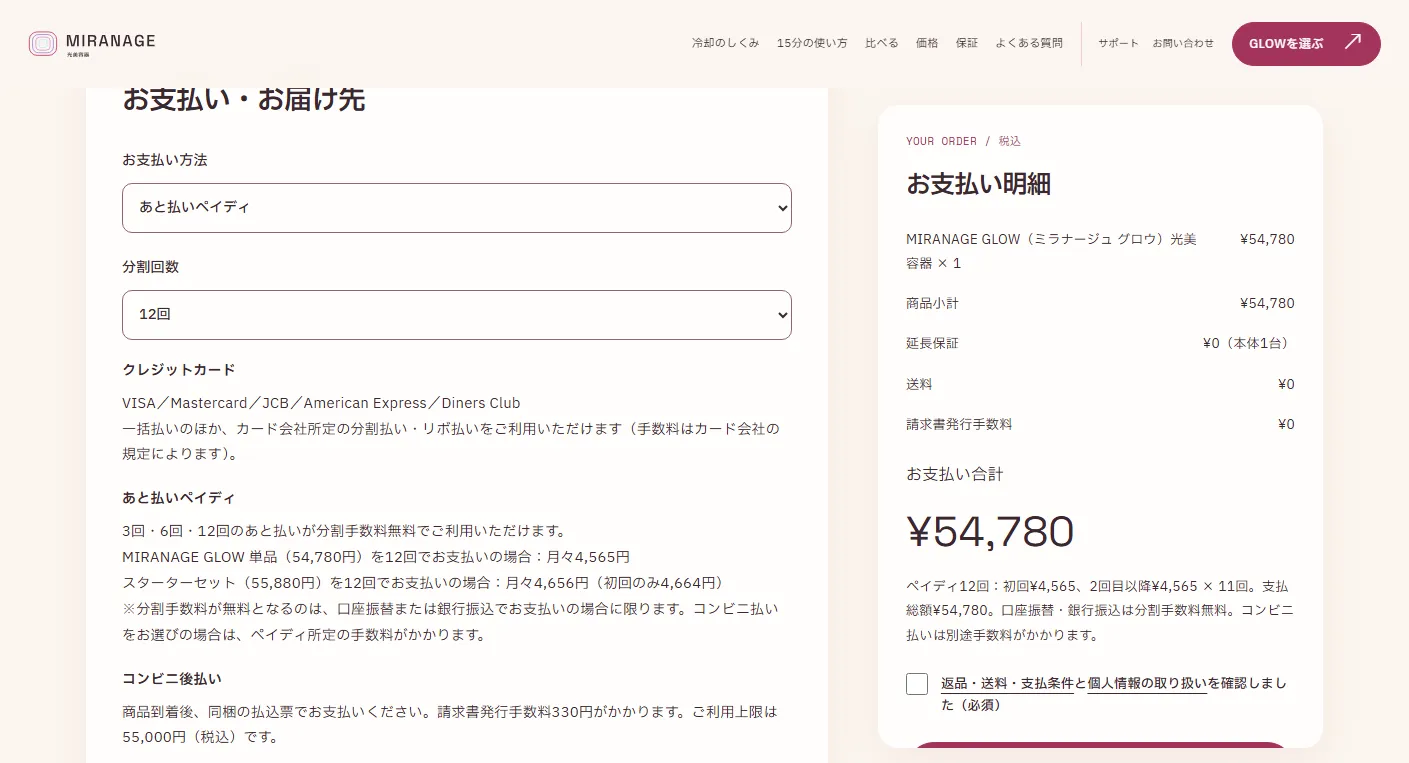
Choosing a product or bundle in the pricing section carries that choice into checkout. Selecting 12 installments with Paidy, a Japanese buy-now-pay-later service, displays ¥4,565 per installment and the total payment. Visitors can proceed through entry, review and completion. The form is a demo; no information is submitted and no payment is taken.
Price and purchase
within a vertical screen.
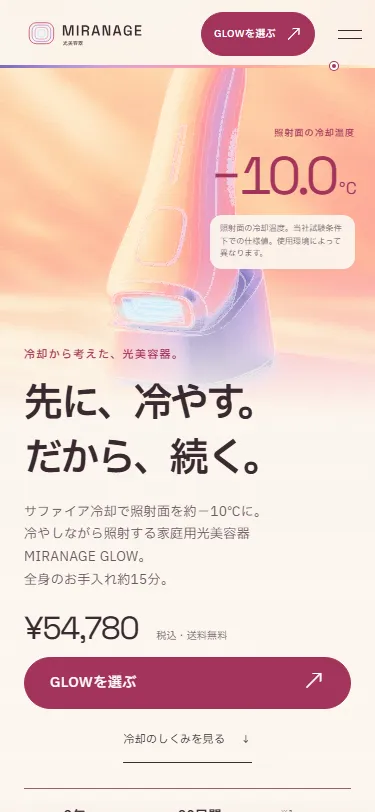
On mobile, the heading, price and purchase button fit into the opening screen, with the temperature beside the product. A compact body diagram stays fixed above scrolling instruction photos and text. After the opening, a bottom bar shows the price and purchase button. In the opening and cooling sections, the lens appears only while a finger touches the image. Reduced-motion settings stop the effects and show a still image of the cooled surface.
Project details
- Version
- 1.0.0
- Project type
- Fictional website
- Scope of work
- Structure, copy, design & development
- Technologies
- HTML / CSS / JavaScript
WebGL / GSAP / ScrollTrigger / Lenis / Vite - Supported screen sizes
- Desktop, tablet & mobile