Apps / Gym & studio class booking
FitStudion
Book a class. Get a ticket.
Enter by number.
A studio class booking app built around a gym with 12 locations in the Tokyo metropolitan area. Three interfaces share the same class and availability data: a public website for prospective members, a member booking app, and administration screens for branches and head office. Members spend credits to book, choose a seat in the studio and enter in the order their bookings were confirmed.
View the live projectThis work is an original adaptation of a commissioned project.
Designing bookings
to discourage no-shows.
Popular classes can fill with reservations that go unused. FitStudion limits simultaneous bookings by charging one credit per reservation and restoring credits one at a time as time passes. The website and app aim to make this system clear to both prospective and existing members.
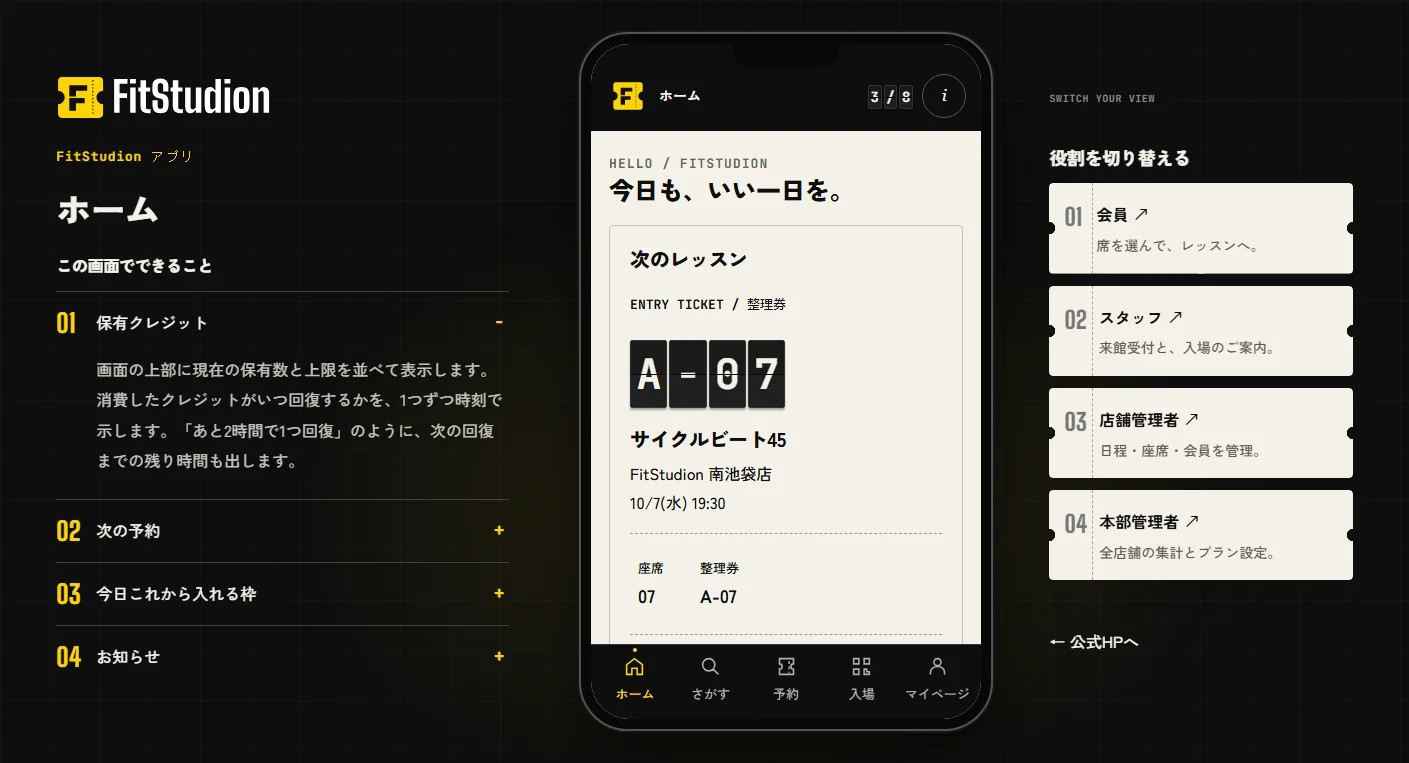
Visitors can try four roles without registering: member, staff, branch manager and head office administrator. Each has its own screens and permissions for seat holds, bookings, waitlists, check-in, membership plans and credit settings.
Departure boards
and paper tickets.
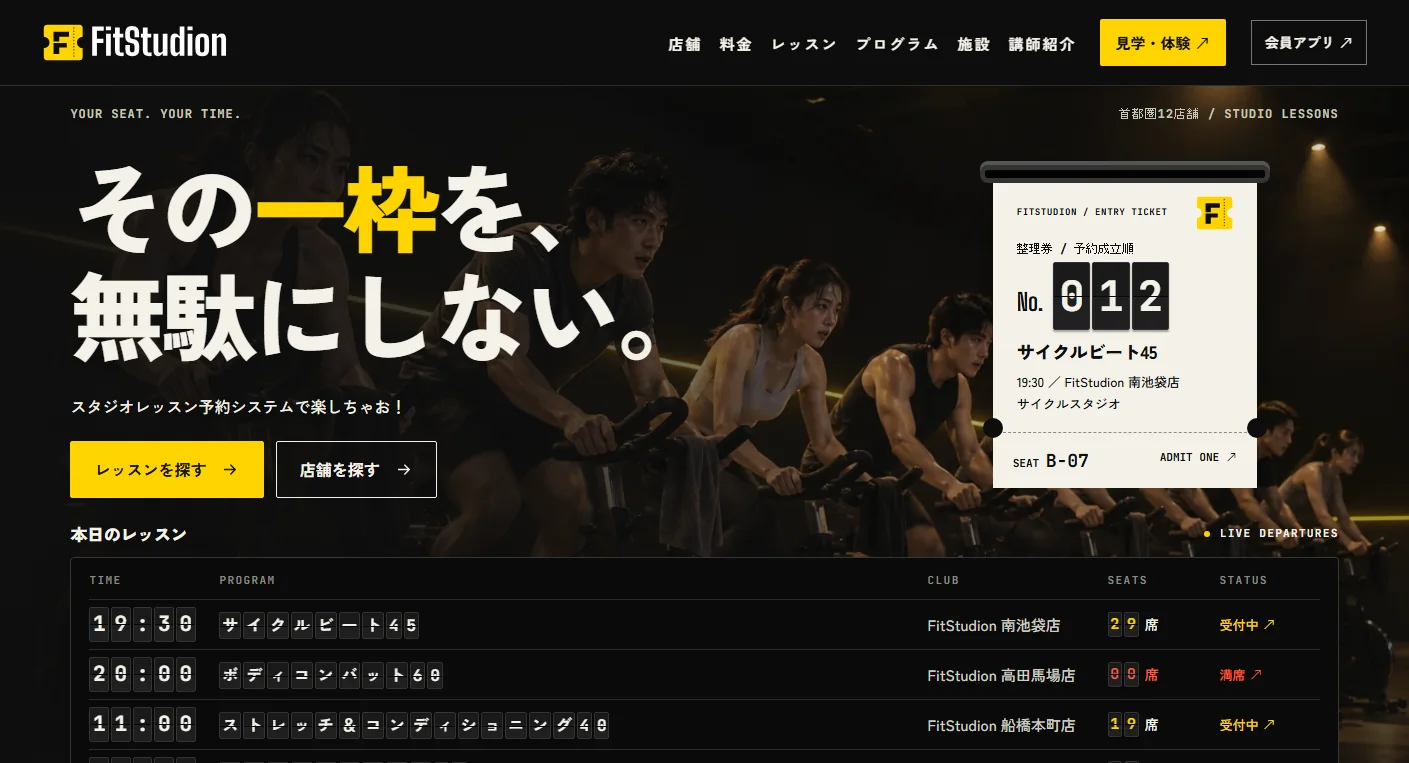
Signal yellow is the sole accent on an ink-black background, with paper tones reserved for tickets. Times, available seats, ticket numbers and page headings flip into place character by character like a station departure board. Condensed Big Shoulders Display handles Latin text and numerals, Zen Kaku Gothic New handles Japanese, and JetBrains Mono is used for numbers and times.
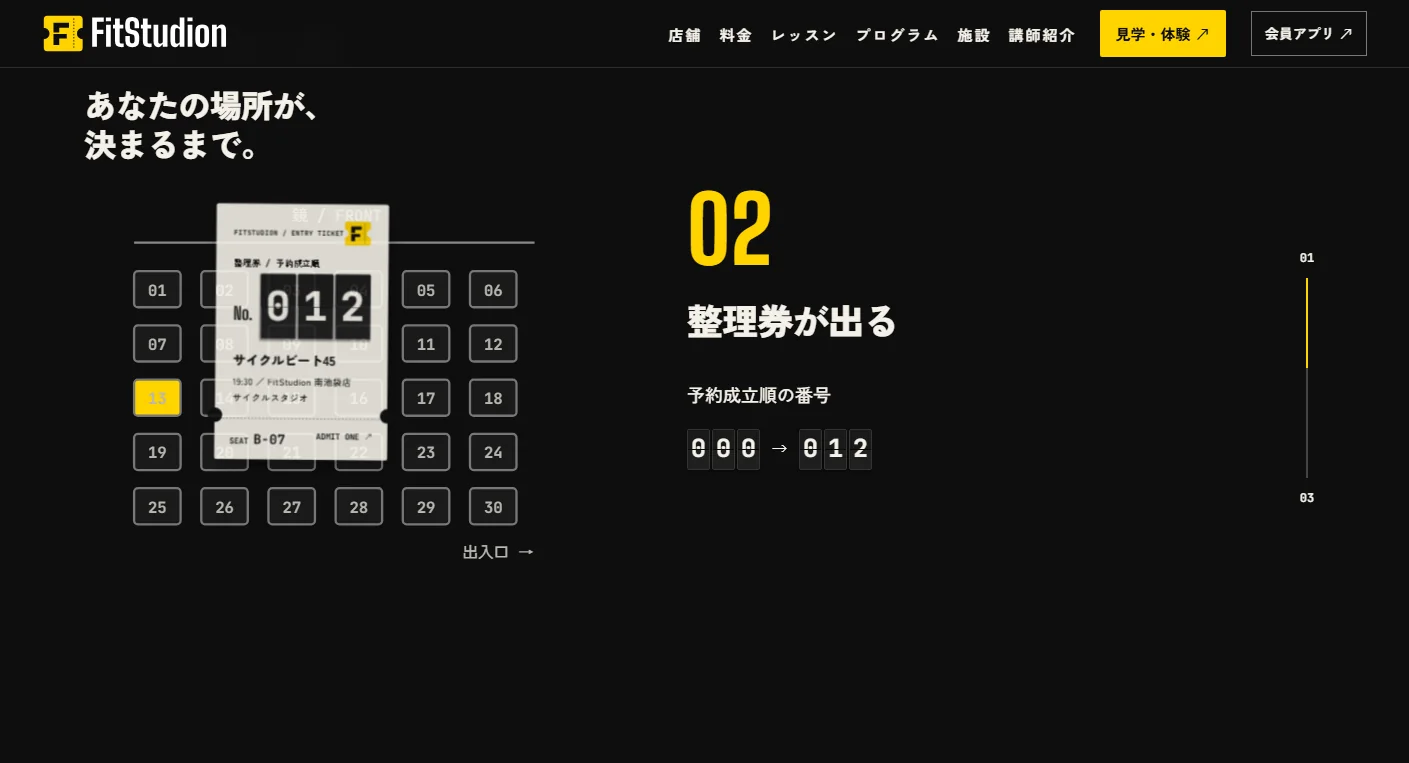
The opening displays today's classes with flip animations based on current availability, while a ticket emerges from a dispenser. Scrolling shows three steps: one seat lights up yellow, a number is printed on the ticket, and a display announces entry for numbers 001–015. All photographs share black walls, oak floors and lines of yellow light.
Choose a seat.
Enter by number.
Selecting a class in the member app opens a seating plan showing mirrors and entrances. Choosing an available seat places a temporary hold and opens a confirmation sheet with the credit cost and cancellation deadline. A confirmed booking issues a ticket number; an entry QR code appears when check-in opens.
On desktop, the member app runs inside a phone frame, with an explanation of the current screen on the left and role switching on the right. Eight credit slots show available and spent credits, plus the time until the next credit returns.
A full-screen app.
A vertically stacked site.
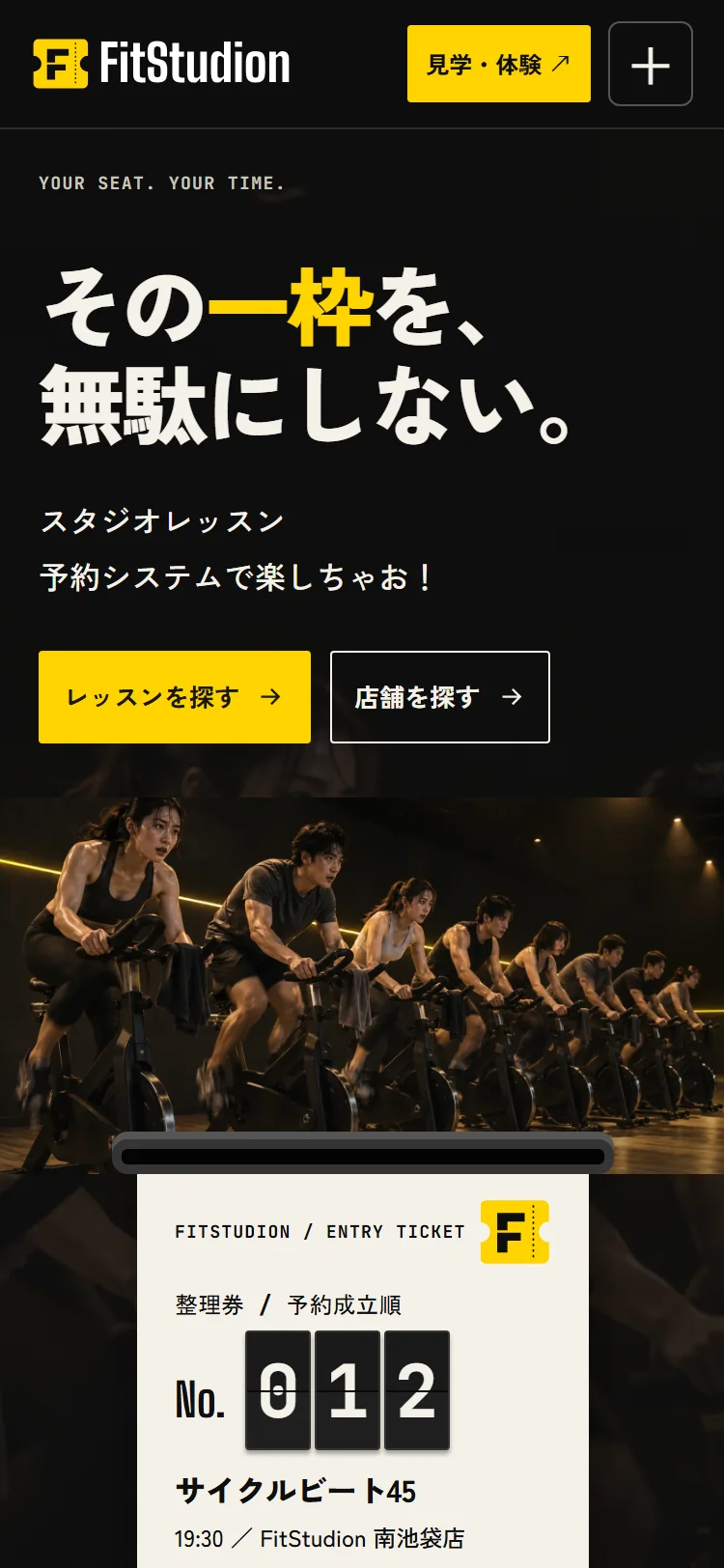
On mobile, the member app fills the screen without a device frame. Screen explanations move to a sheet opened from the top-right information button. The public website places the heading, buttons and today's classes in the opening section; its three booking-to-entry steps stack vertically and animate as they enter view.
Project details
- Version
- 0.1.0
- Project type
- Fictional website
- Scope of work
- Structure, copy, design & development
- Technologies
- TypeScript / Vite / Node.js / SQLite
GSAP / ScrollTrigger / Lenis - Supported screen sizes
- Desktop, tablet & mobile