WordPress / Salon website
& Skincare
Prices and openings
the owner edits in fields.
A website for & Skincare, a fictional facial salon where one therapist welcomes up to four guests a day in an apartment in Meguro, Tokyo. It is a site in a WordPress multisite network with ten pages: home, menus and prices, about, first visit, reviews, blog, booking, access, the legal notice required for specified commercial transactions, and the privacy policy. The five things that change often (menus and prices, campaigns, customer reviews, the blog and availability) are edited by the owner in the admin screens' input fields, without touching HTML. The page explains how, with the live screens and the admin screens side by side. The site is in Japanese only, and the booking buttons open a sample window that sends nothing.
Open the siteThis work is an original adaptation of a commissioned project.
A rose-beige ground
and 90 minutes in a row.
After comparing the structure of five independent salon websites, the design was chosen from four homepage mockups made with Codex: the rose-beige one. The ground is a warm white, the buttons and accents a muted rose, and headings are set in a Mincho serif. The 86 photos were made with Codex, including the 24 of customers arriving and leaving that go with the reviews, and the therapist looks like someone from a neighborhood salon rather than a model.
The homepage opens with a large photo of the therapist resting both hands on a guest's temples. On phones it switches to a tall photo of the same scene, with the title and the booking buttons laid over it, all within the first screen.
The showpiece below it lays out the 90 minutes. Seven stacked photos leave the stack one by one as you scroll and settle along a 90-minute ruler, from the welcome to the farewell. The large number at the top right counts from 0 to 90 minutes with the dot on the ruler. On phones, the photos sit in a row from the start and you swipe through them one at a time.
No wording promises results, and a check stops such words before each deploy. Tickets that meet the legal conditions get a notice about the Specified Commercial Transactions Act, and every review gets a note that it is a personal impression, without the owner typing either.
What changes often
is edited in fields.
The content is split into two layers. Text that rarely changes, such as the about page, the first-visit guide and the legal notice, is written by the builder in a web part (a block of HTML) per page. The five things that change often are edited by the owner in input fields. The earlier Acacia Animal Hospital wrote every page as part HTML, so this split is what sets this project apart.
Menus, campaigns and reviews are WordPress custom post types, with input fields made in ACF (Advanced Custom Fields). The field definitions live in the theme's code, and ACF's settings screen is kept out of the menu so the owner cannot break the fields themselves. The blog uses WordPress posts, and availability has its own screen added by the theme. The admin menu lists these five at the top, in the order the site shows them.
The content can be rebuilt from the project's repository with WP-CLI at any time, and the five things edited in the admin screens are written back to the repository, field values included. The deploy tool stops if you try to deploy before writing them back.
From any page
to the booking window.
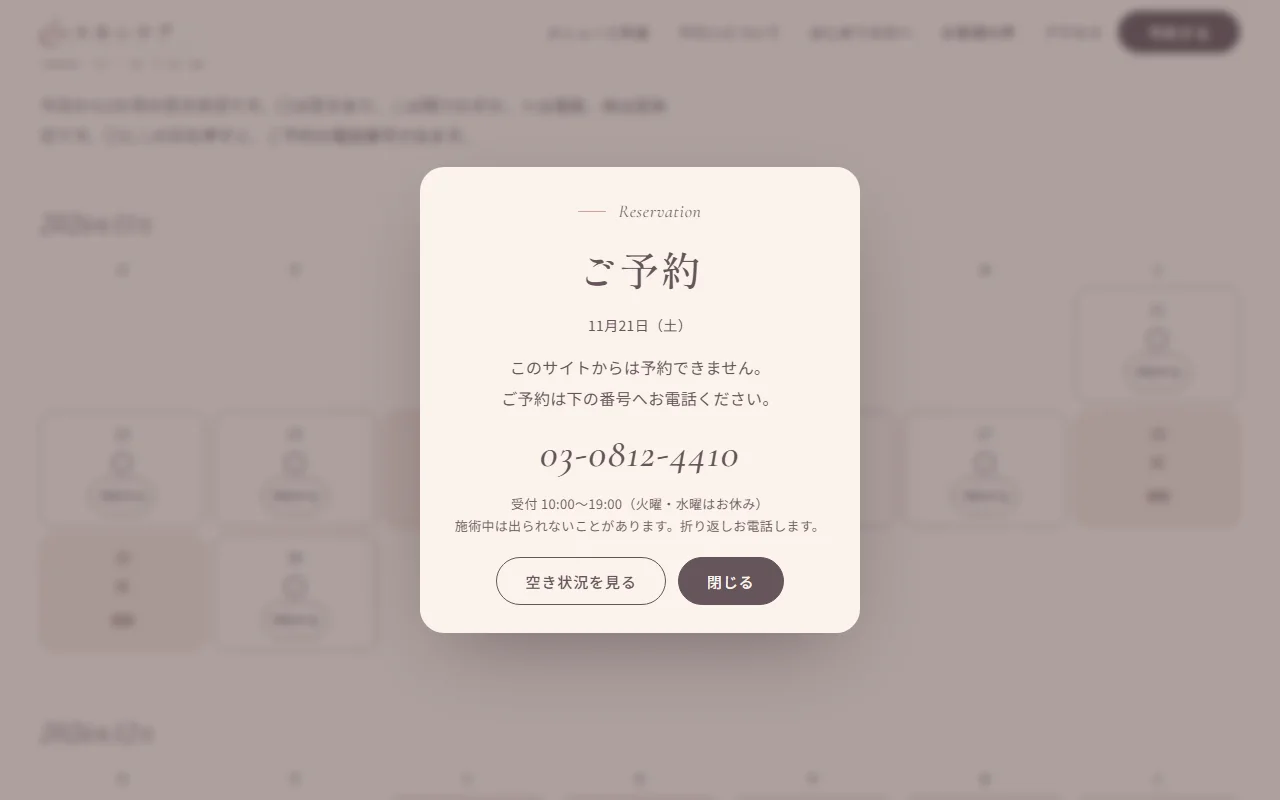
Book buttons sit in the header, on each menu card and on the open days of the availability calendar. On phones, three buttons (book, availability and access) stay fixed at the bottom of the screen. Pressing one opens a small window with the chosen menu or day and the phone number.
Because this is a portfolio piece, the window says that booking is not possible on this site, and the phone number is not a calling link. The window opens and closes with the keyboard too, and focus returns to the button that opened it.
With motion off
everything still reads.
The scroll effects are built with GSAP and ScrollTrigger, served from the theme rather than an outside server. Specks of light drift over the homepage photo, the 90 in the title and the visit counts count up, and headings rise one character at a time. The background shifts slowly from cream to blush to linen from section to section. Photos also drift slowly, the time bars in the price list grow, and a minute clock advances along the first-visit timeline.
With a mouse only, a soft light follows the pointer, buttons lean slightly toward it, and card photos zoom in a little on hover. Moving between pages, the next page rises from the bottom like a curtain (the browser's view transitions; browsers without them simply change pages). Visitors whose device asks for reduced motion see all of this still, in its final state.
Page titles follow the pattern "page name – & Skincare", made by WordPress. Search, date, author and category listings that the site does not use return 404. Only the photos on each page's first screen load right away, and the rest load as they come near. As a portfolio piece, no page is listed in search engines.
Project details
- Version
- 1.2.0
- Project type
- Fictional website
- Scope of work
- Design and build of a WordPress child theme, input fields and the availability screen
- Tools
- WordPress (multisite) / SQLite / WP-CLI / ACF
Web parts plugin / GSAP - Pages
- 10 pages, including the blog list; 15 menus, 3 campaigns, 12 reviews and 6 blog posts
- Languages
- Japanese
- Breakpoints
- 960px and up / 600–959px / 599px and below


The live site
beside the admin screens.
The five things the owner edits, each shown with the live site beside the input fields in the WordPress admin screens. Every one appears on the live site as soon as it is saved.
-
01Menus and prices
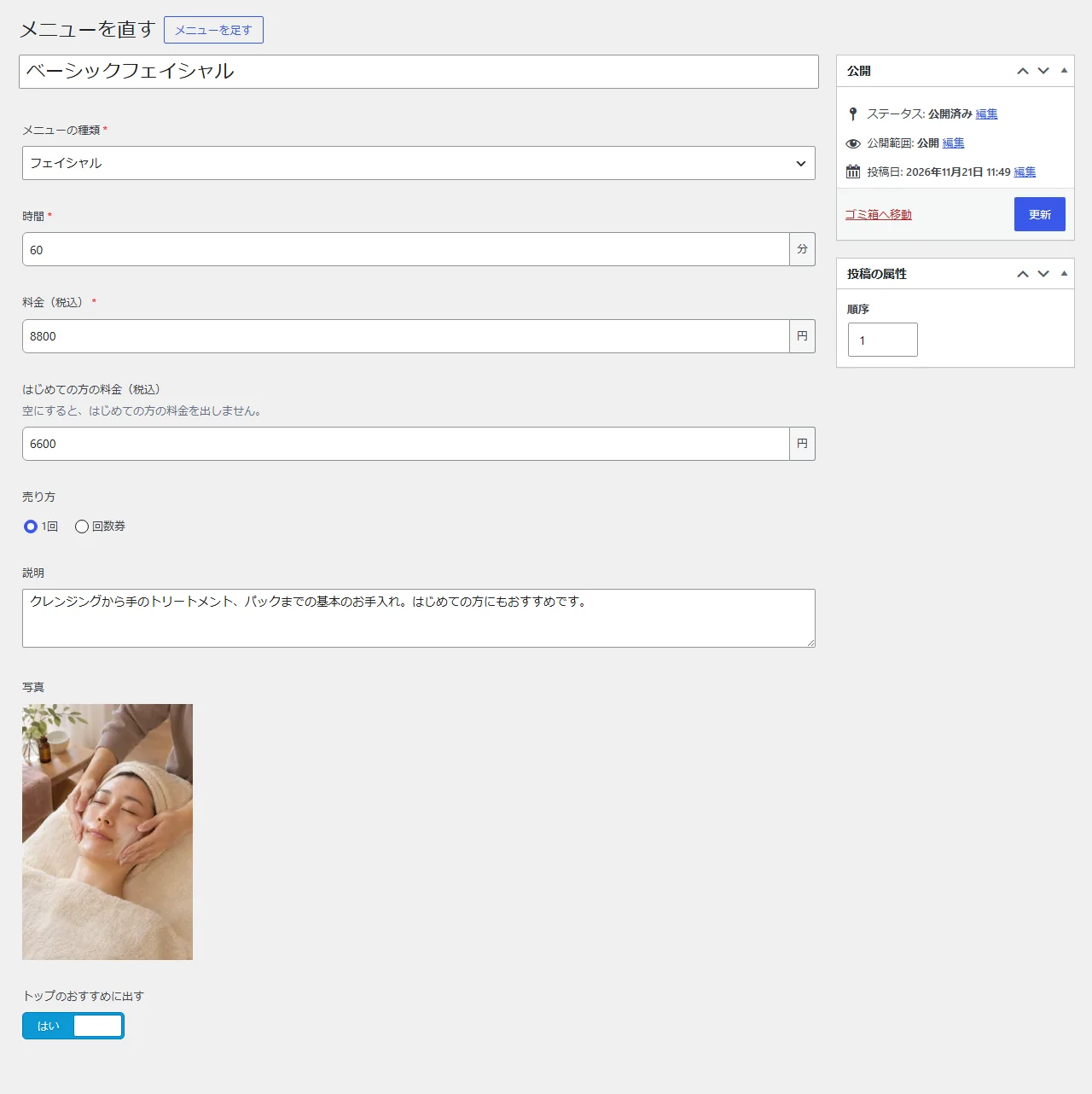
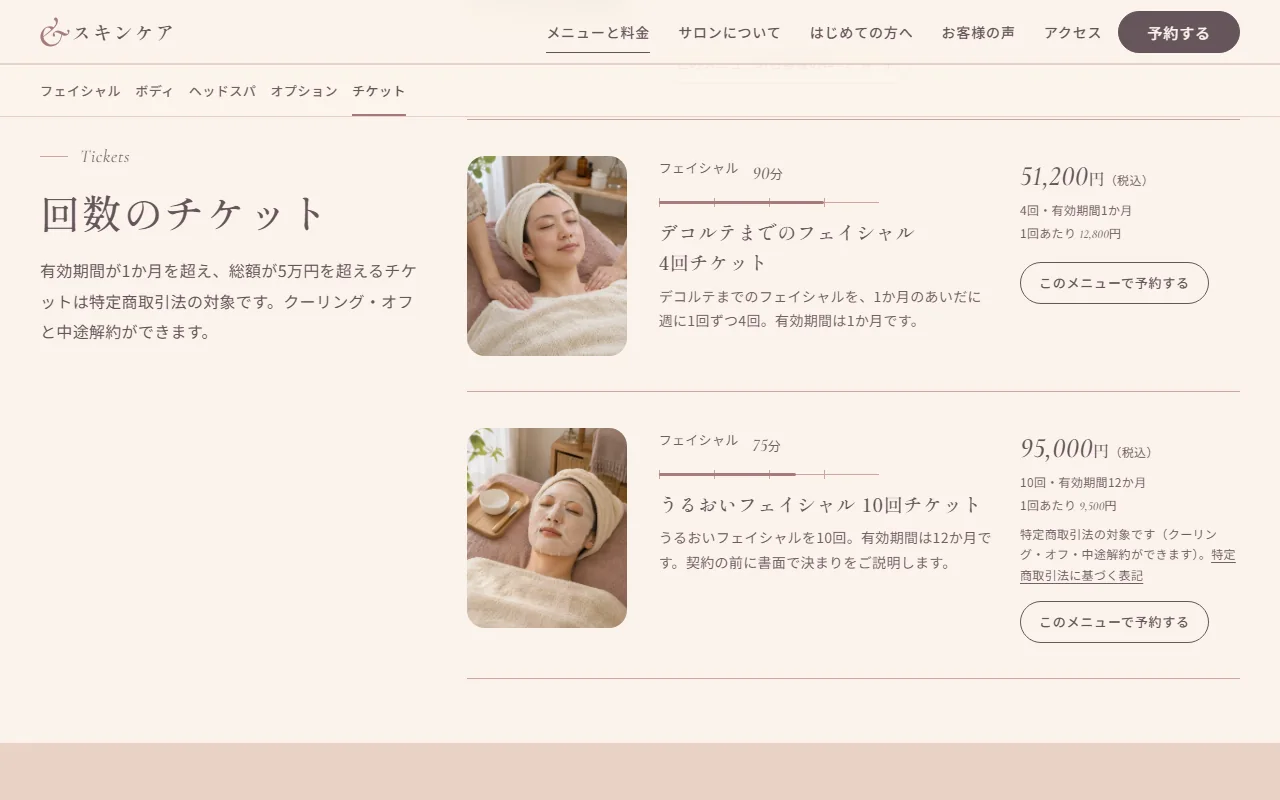
Each menu is added under Menus and prices. Fill in the menu type, time, price, first-visit price, how it is sold, description, photo and whether to feature it on the homepage, then update, and it appears as a card in its category on the menus and prices page. The time becomes a bar on a ruler up to 120 minutes, and that menu's reviews sit folded under the card.
Choosing tickets as the way it is sold reveals fields for the number of visits, the period and the total. Tickets valid for over one month that cost over 50,000 yen get a notice that the Specified Commercial Transactions Act applies, with a link to the legal notice. The four-visit ticket for exactly one month gets none; the ten-visit ticket for 12 months at 95,000 yen does.
Live site 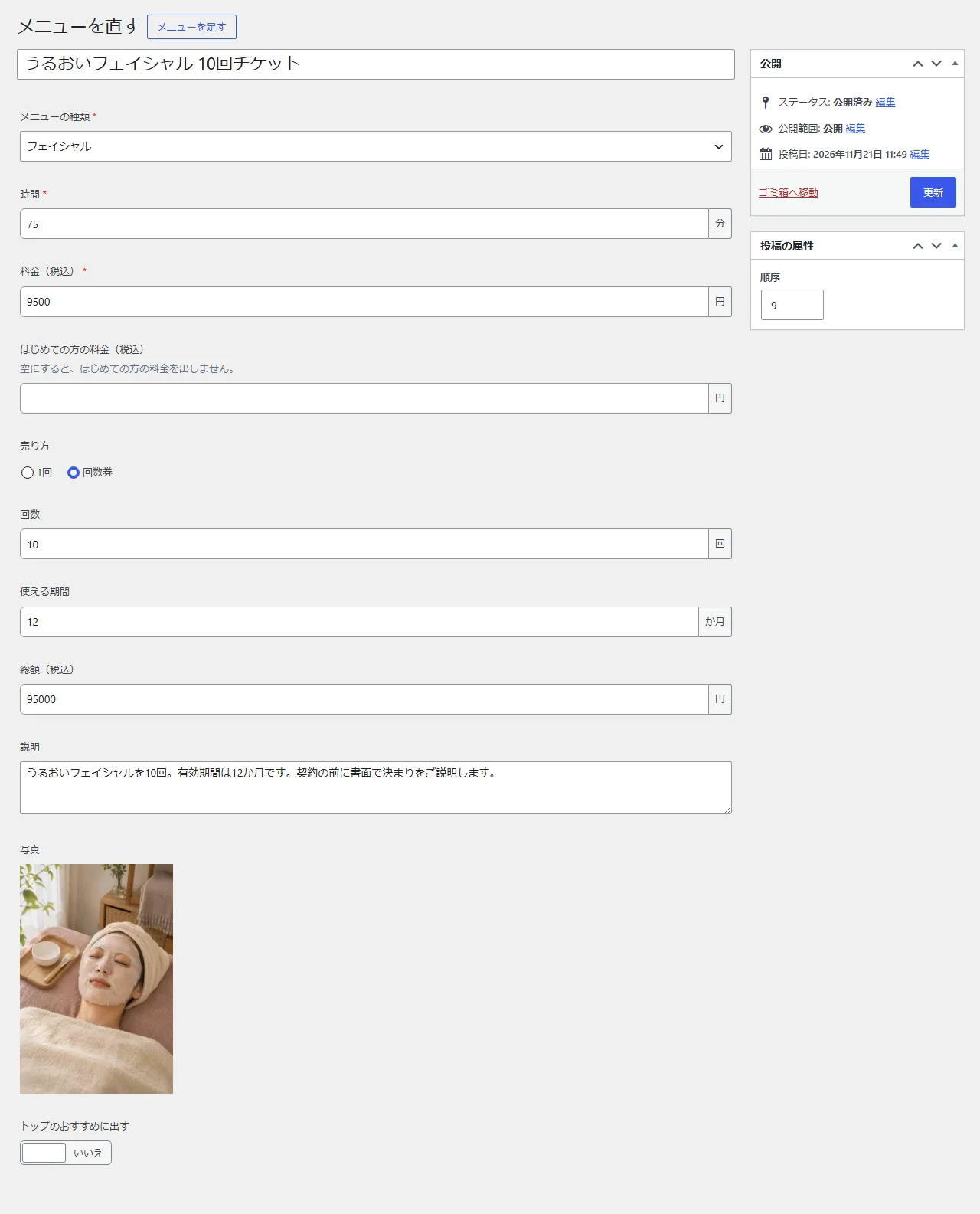
Admin screens (menu fields) -
02Campaigns
A campaign has fields for the description, target menus, period and photo. Target menus are picked from a list, and the matching cards on the menus and prices page get a mark. The period is either always or set dates; a dated campaign shows in the homepage band only from its start date to its end date, and its card says when it ends, such as until December 26.
Campaigns that have not started or have ended are hidden, and when none are left the band disappears. Ones with a missing date, or an end before the start, are hidden too, so a typo never breaks the live page. For these screenshots, one dated campaign was added.
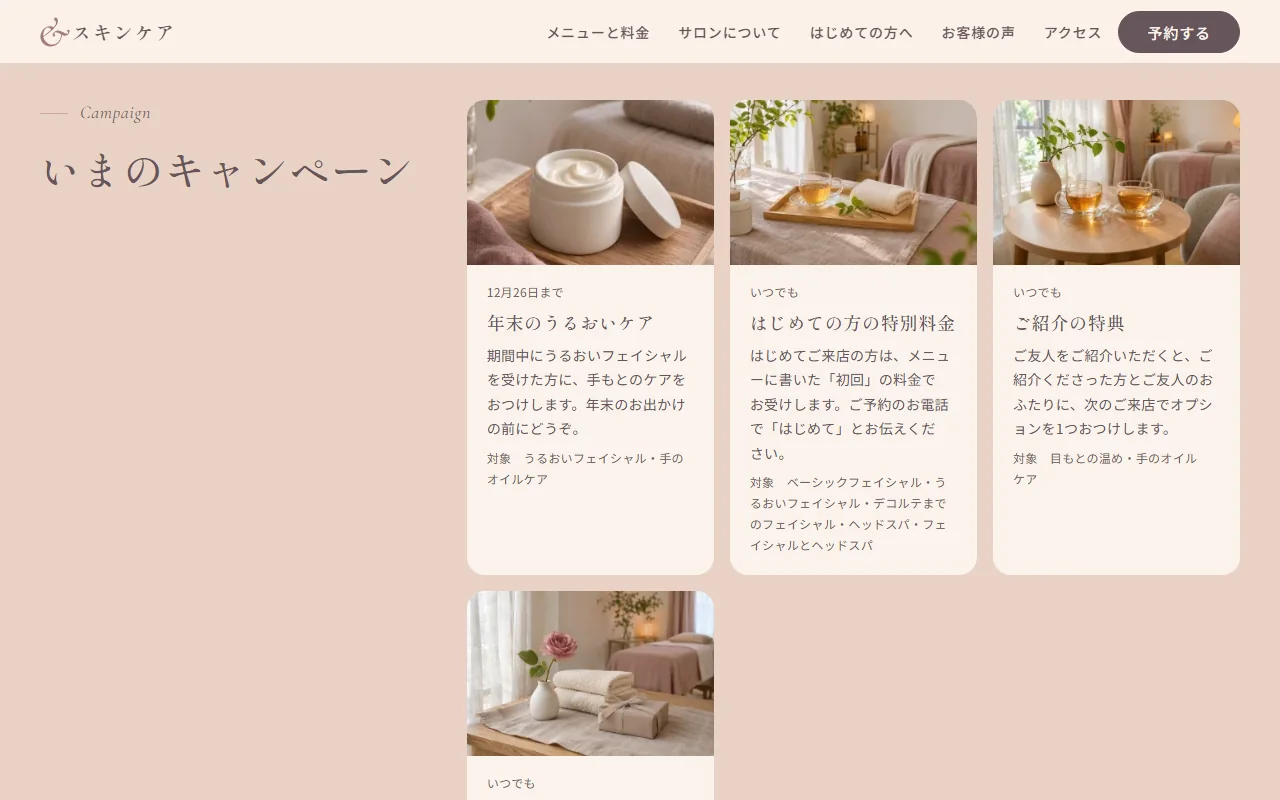
Live site 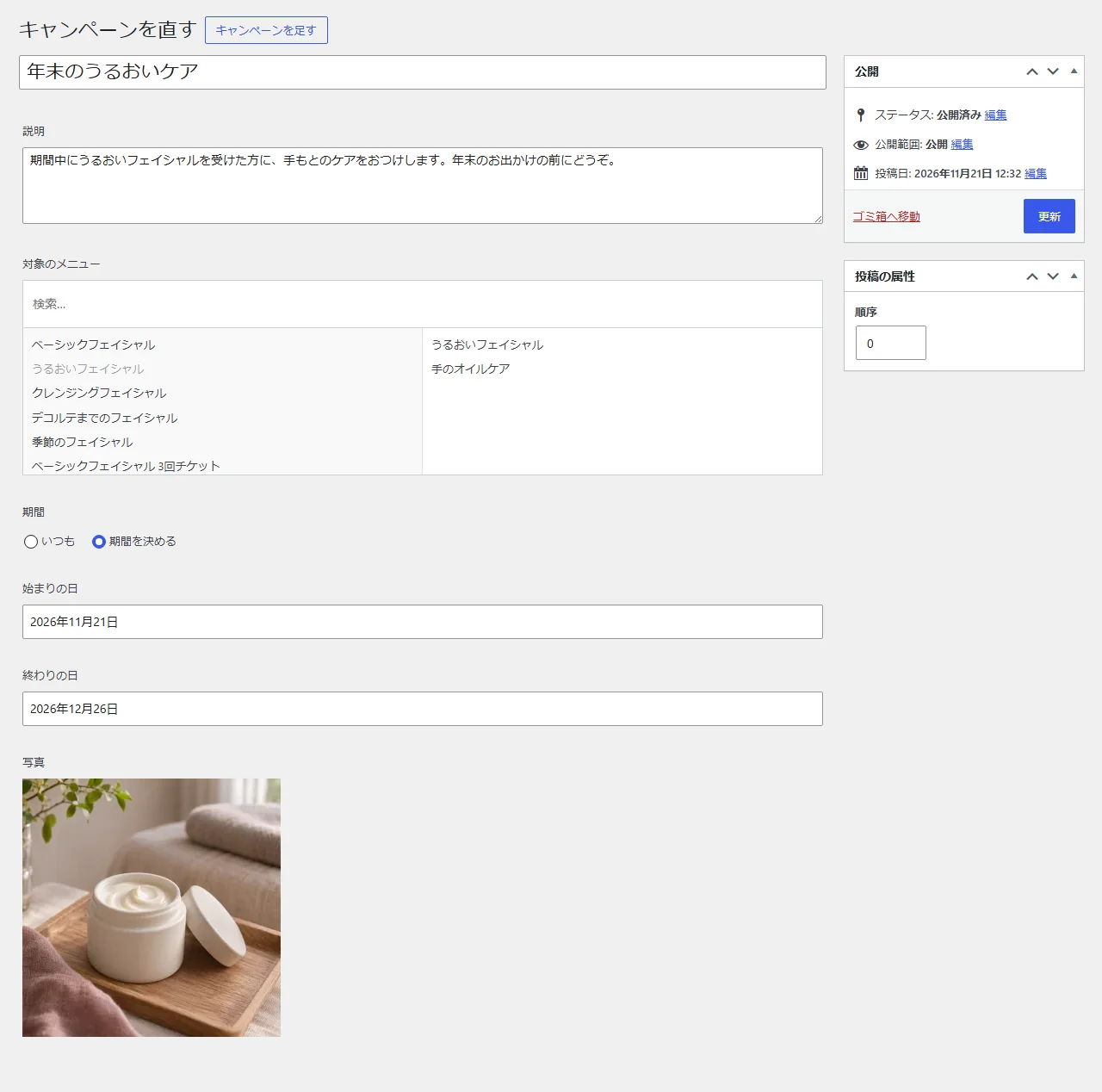
Admin screens (campaign fields) -
03Customer reviews
A review has fields for the displayed name (initials), age group, menu received, the review, the number of visits, and two photos: the customer arriving and leaving. With both photos set, they appear large above the review on the reviews page and the homepage. They show only a change in expression and mood, never a skin comparison that would read as a promise of results (the field instructions say so too). Once a menu is chosen, the menus and prices page lists the review under that menu. The homepage shows the first three in the set order.
Every review gets the note that it is a personal impression and promises no results, without the owner typing it. If the menu is later moved to the trash, the reviews page stays intact and only the menu name drops out.
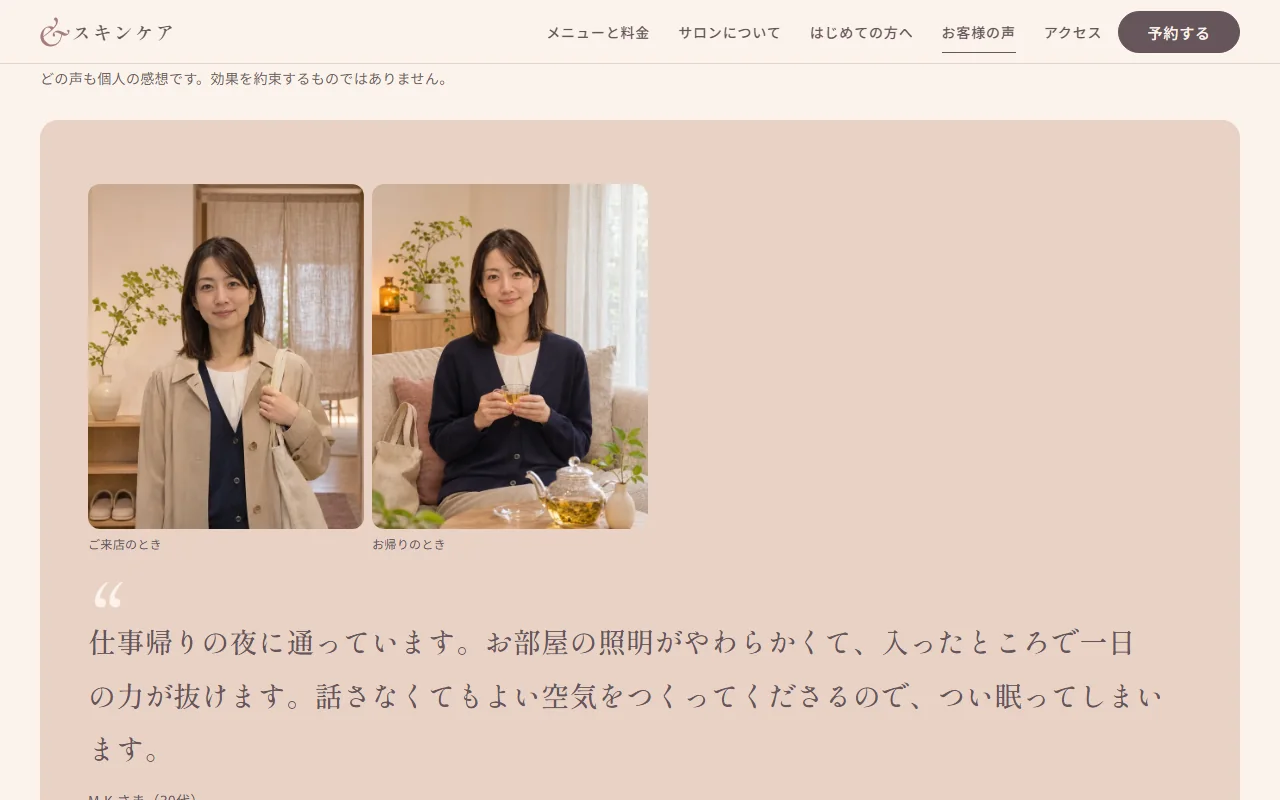
Live site 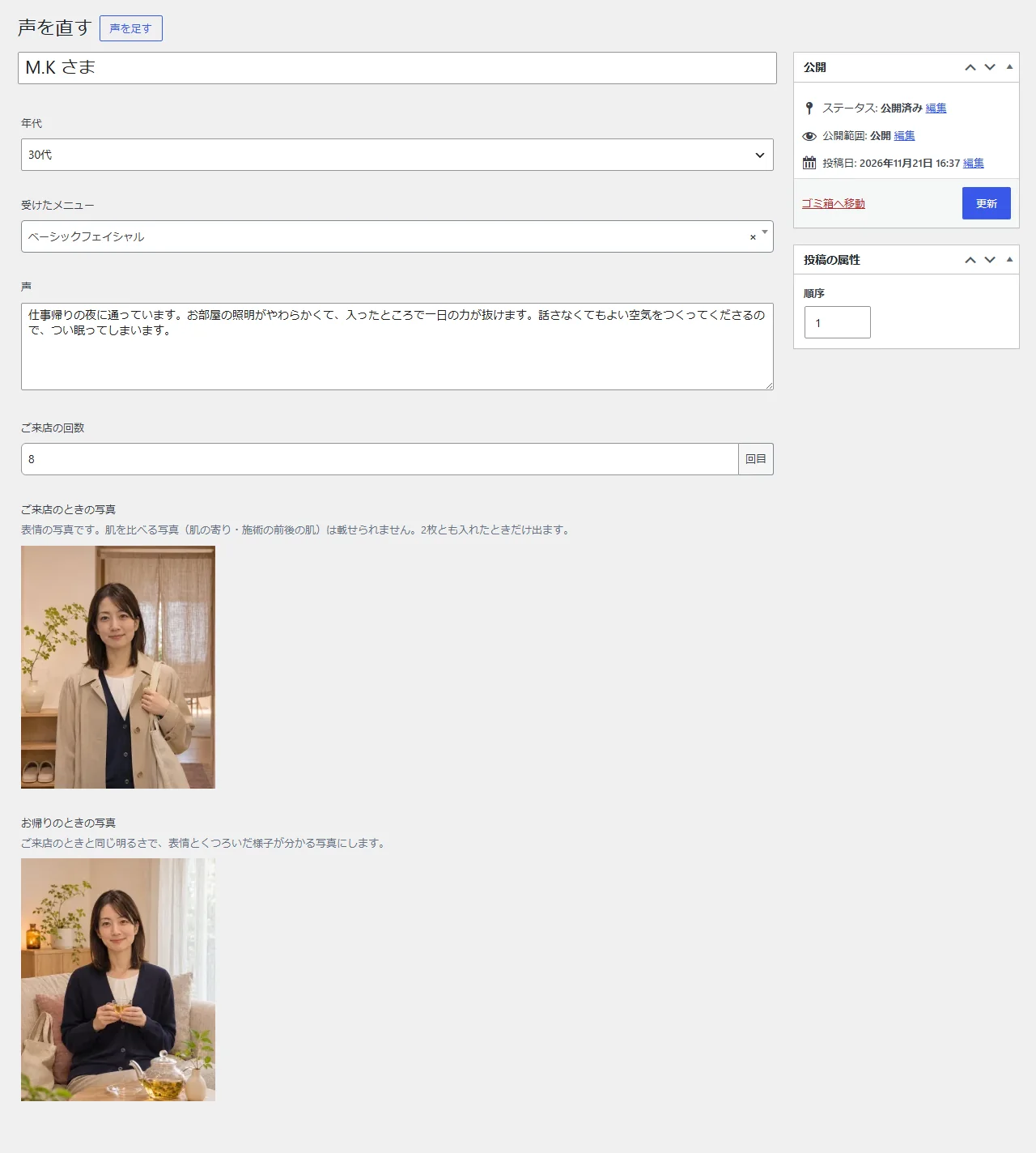
Admin screens (review fields) -
04Blog
The blog uses WordPress posts, with six samples. Publish a title, body and featured image, and the post leads the blog list and appears among the newest three on the homepage. It is where the salon shares seasonal skincare tips and news about the room.
The blog uses no categories, so the post list in the screenshot shows only titles and dates. Photos uploaded in the admin screens can be written back too, once the same file is placed in the repository's image folder.
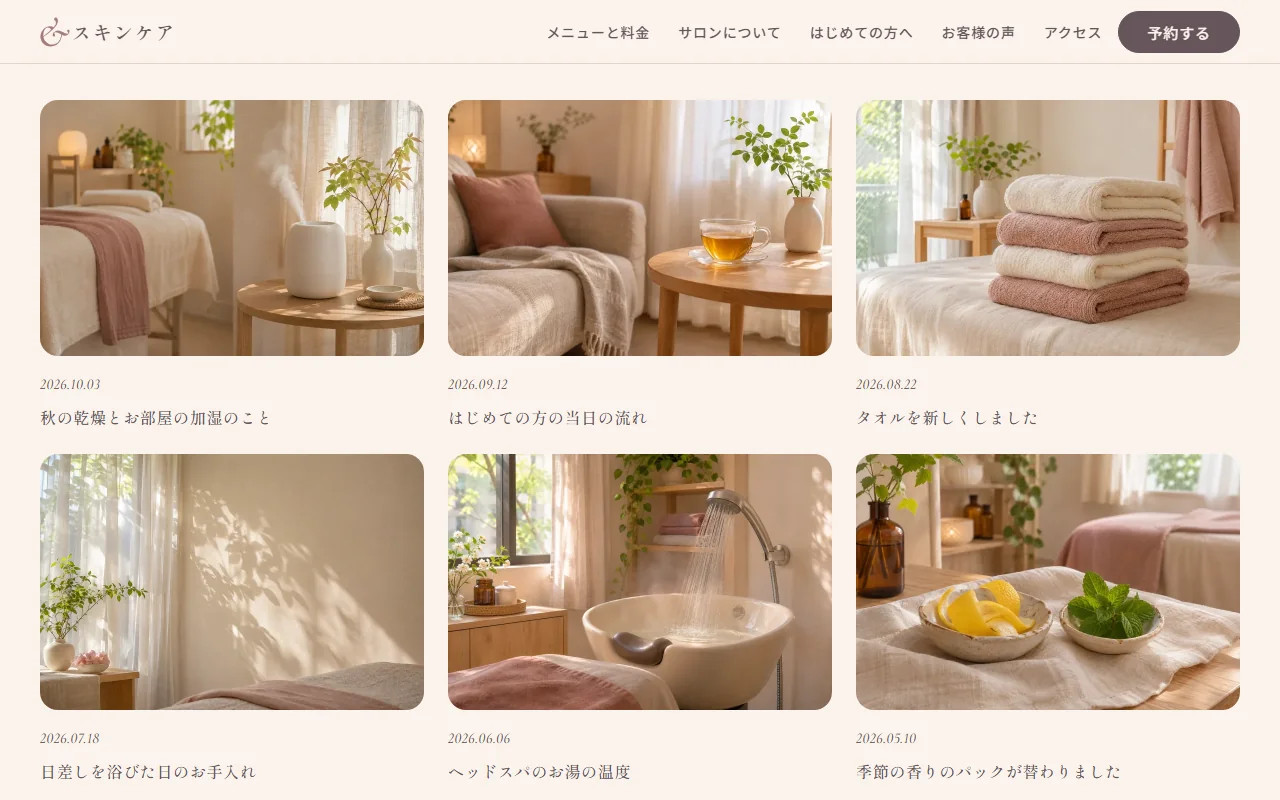
Live site 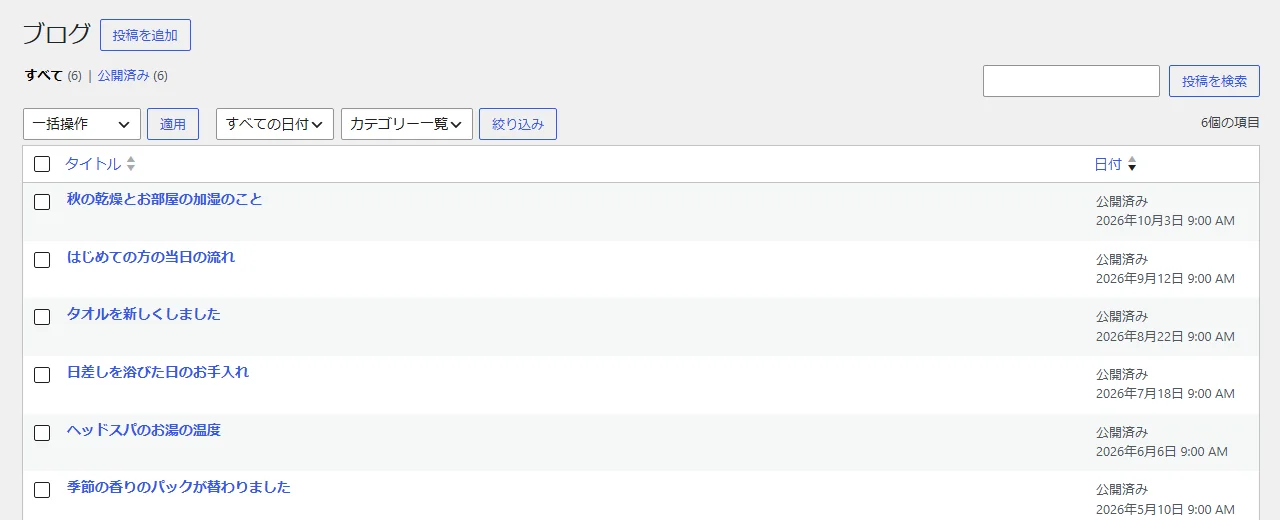
Admin screens (blog) -
05Availability
Availability is edited on its own screen added by the theme. Each click on a day in the two-month calendar steps through open, few left, full, closed and automatic, and the closed weekdays are checkboxes. Once saved, it appears in the two months on the booking page and the two weeks on the homepage.
Days the owner has not set, the automatic ones, are filled in by the site from the closed weekdays and how busy each weekday tends to be, so the calendar never looks empty months after launch. In the screenshot, the owner has closed December 29 to January 3 for the New Year holidays. Changing the closed weekdays also changes the closed-day wording in the header and on the access page.
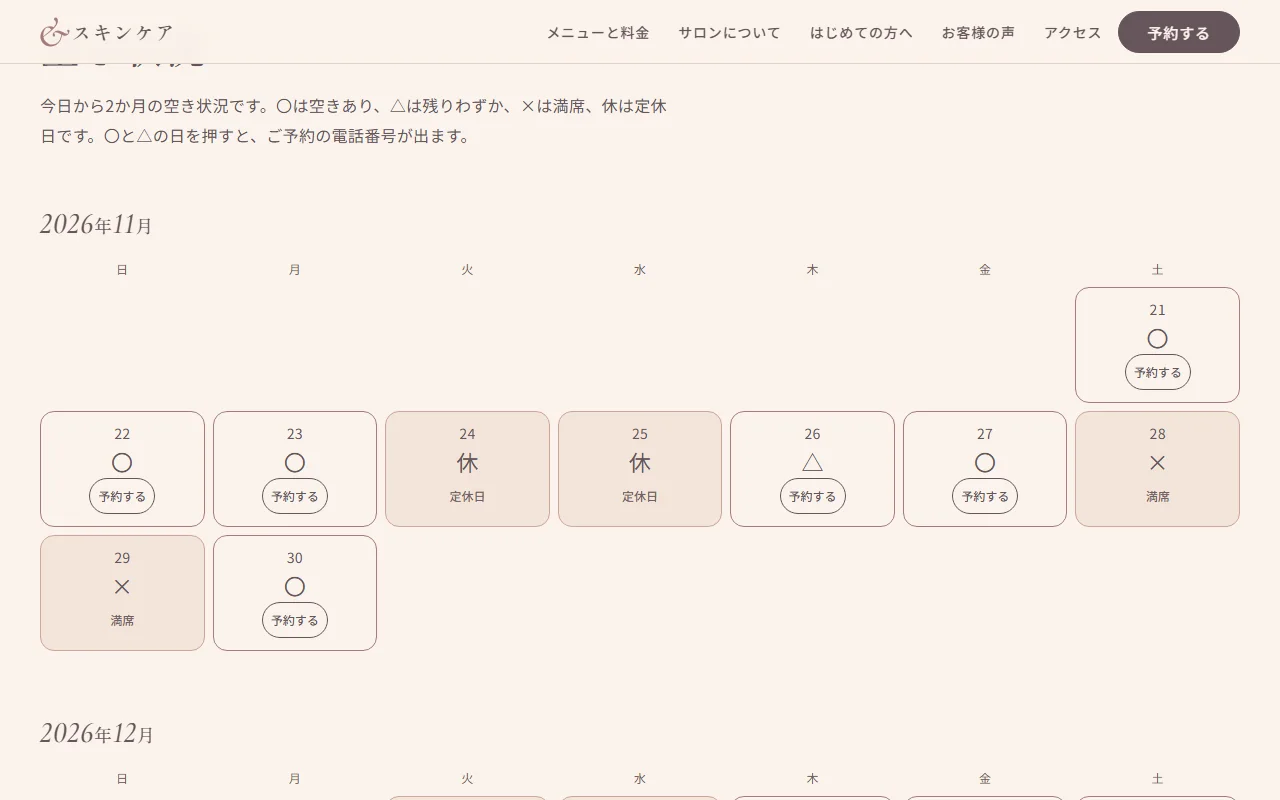
Live site 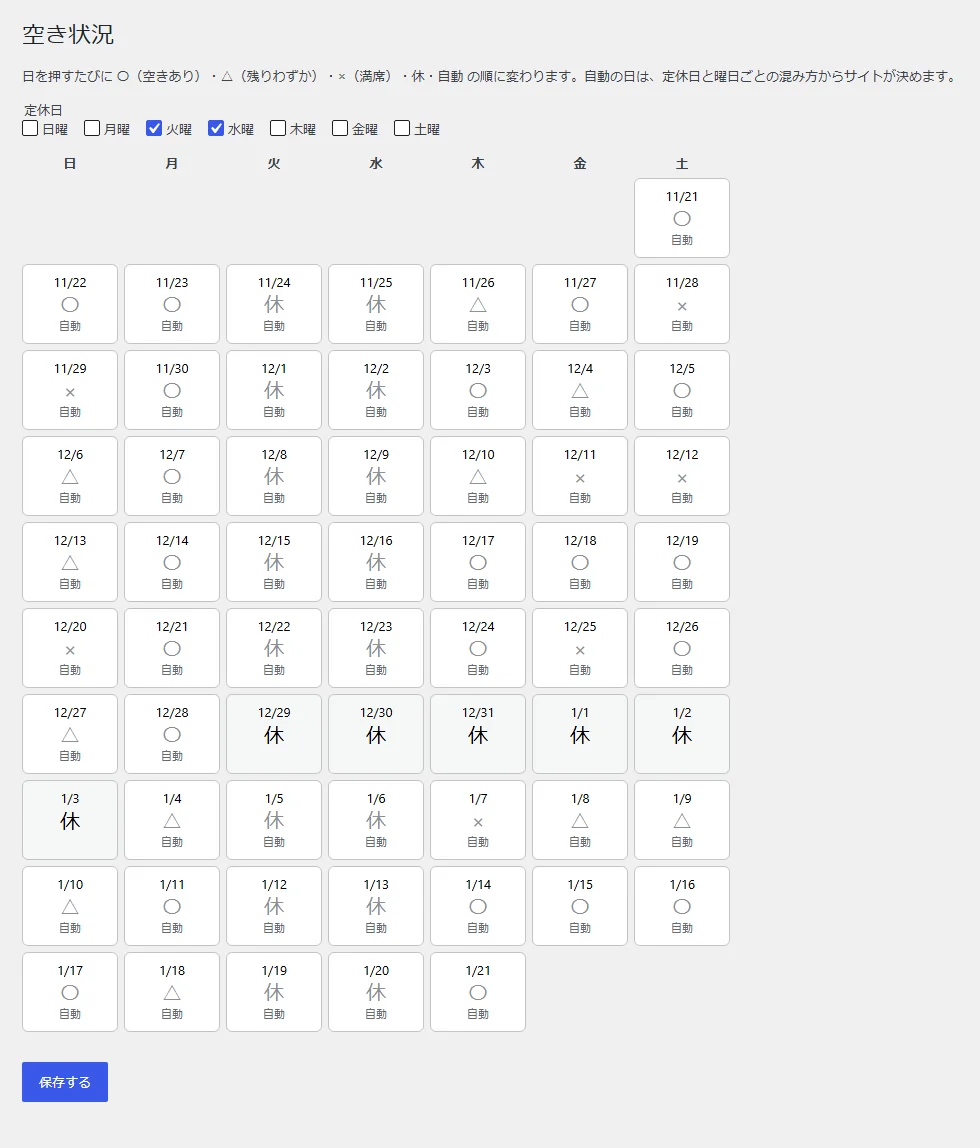
Admin screens (availability)