WordPress / Online store
DecoLabo Tune
Real orders to the end.
Products the shop can edit.
An online store for DecoLabo Tune, a fictional shop selling its own heavily decorated phone cases to young people. WooCommerce runs on a site in a WordPress multisite network, with four screens (home, product list, product page and checkout: cart, order details and confirmation) plus news, a My page and a sample LINE login. There are 40 products: 10 designs for 4 phone models. Visitors can really place an order as guests, without signing up, and orders are deleted after 24 hours. The focus is on letting the shop staff update the products and news themselves in the admin screens after launch, explained with the live screens and the admin screens side by side. The site is in Japanese only, and there is no payment, shipping or email.
Open the siteThis work is an original adaptation of a commissioned project.
Pink and silver
piled onto a case.
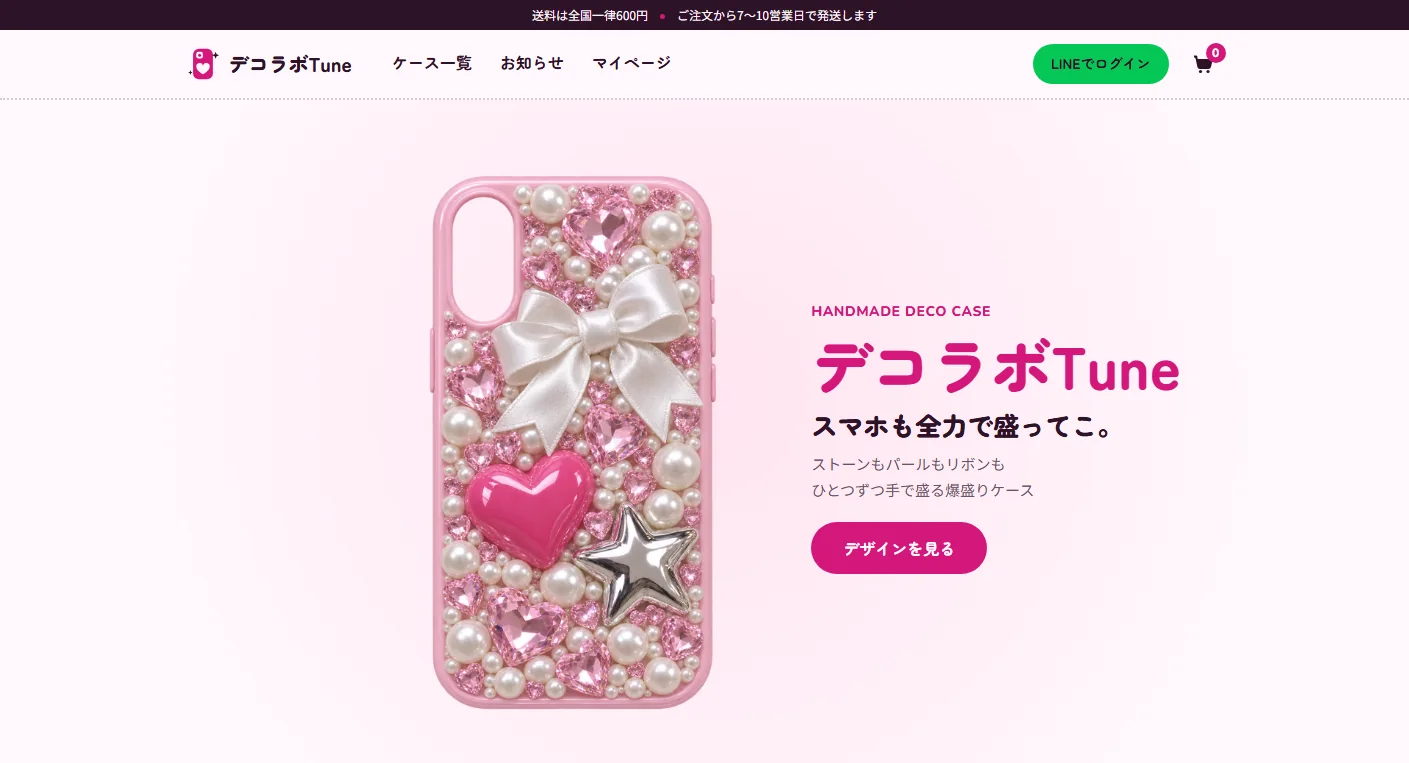
The setting is a small studio in Tokyo that sells only online, with no shop. After comparing the structure of five real online stores in the same field, the site takes their thin announcement bar at the top, rounded cards, and a product grid of two columns on phones and four on desktops. The look leans toward Y2K gyaru style: a faintly pink white background, deep purple text, and deep pink for emphasis and buttons. Only the LINE button is LINE green. Headings, prices and buttons are set in a rounded gothic typeface.
The first screen of the homepage is a case being decorated. As you scroll, stones, pearls, hearts, ribbons and charms fly one by one onto a plain clear case, until the fully decorated case is finished and the title appears. Only position and opacity move, and on devices set to reduce motion the finished case is shown still.
There are 78 photos. The 40 product photos change the shape of the camera cutout for each phone model, and each design has a close-up and a photo of the case in hand. The homepage photos show hands, nails and a mirror selfie, with no faces.
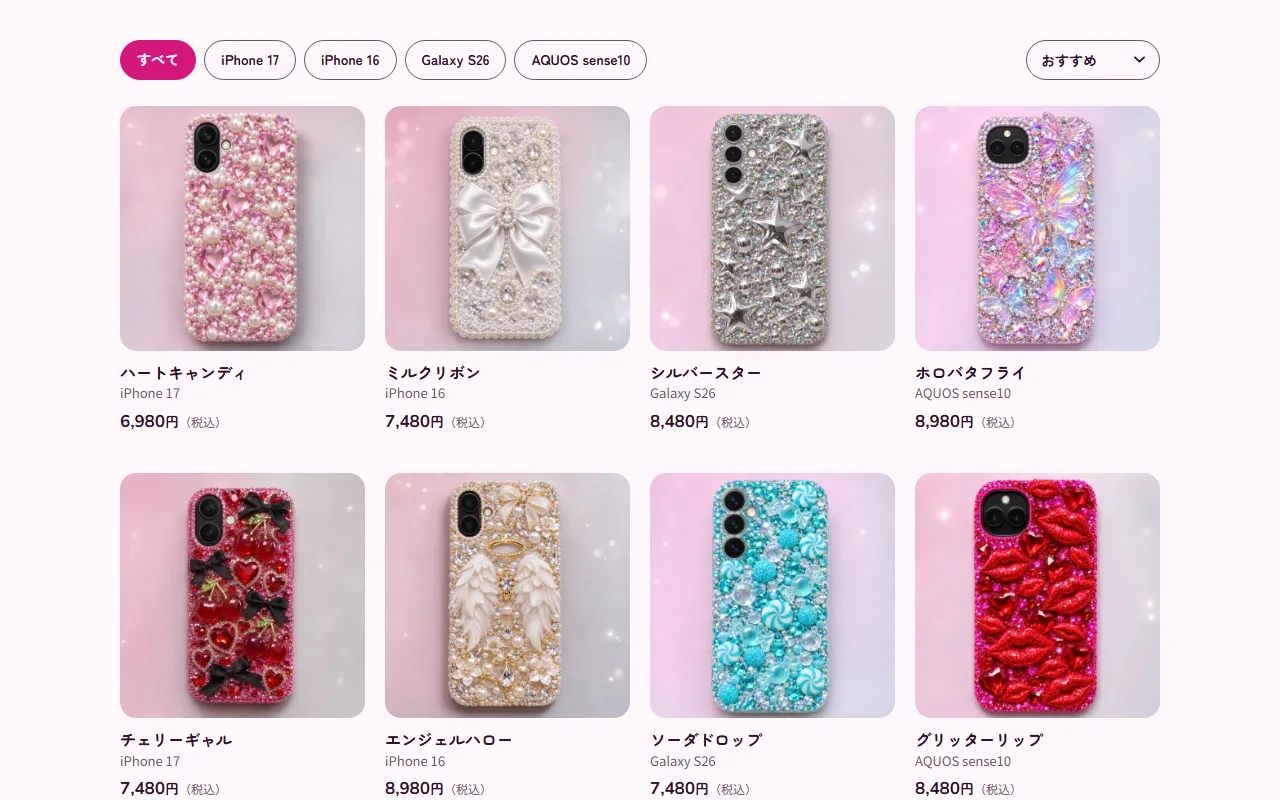
Products in the product screen
news in posts.
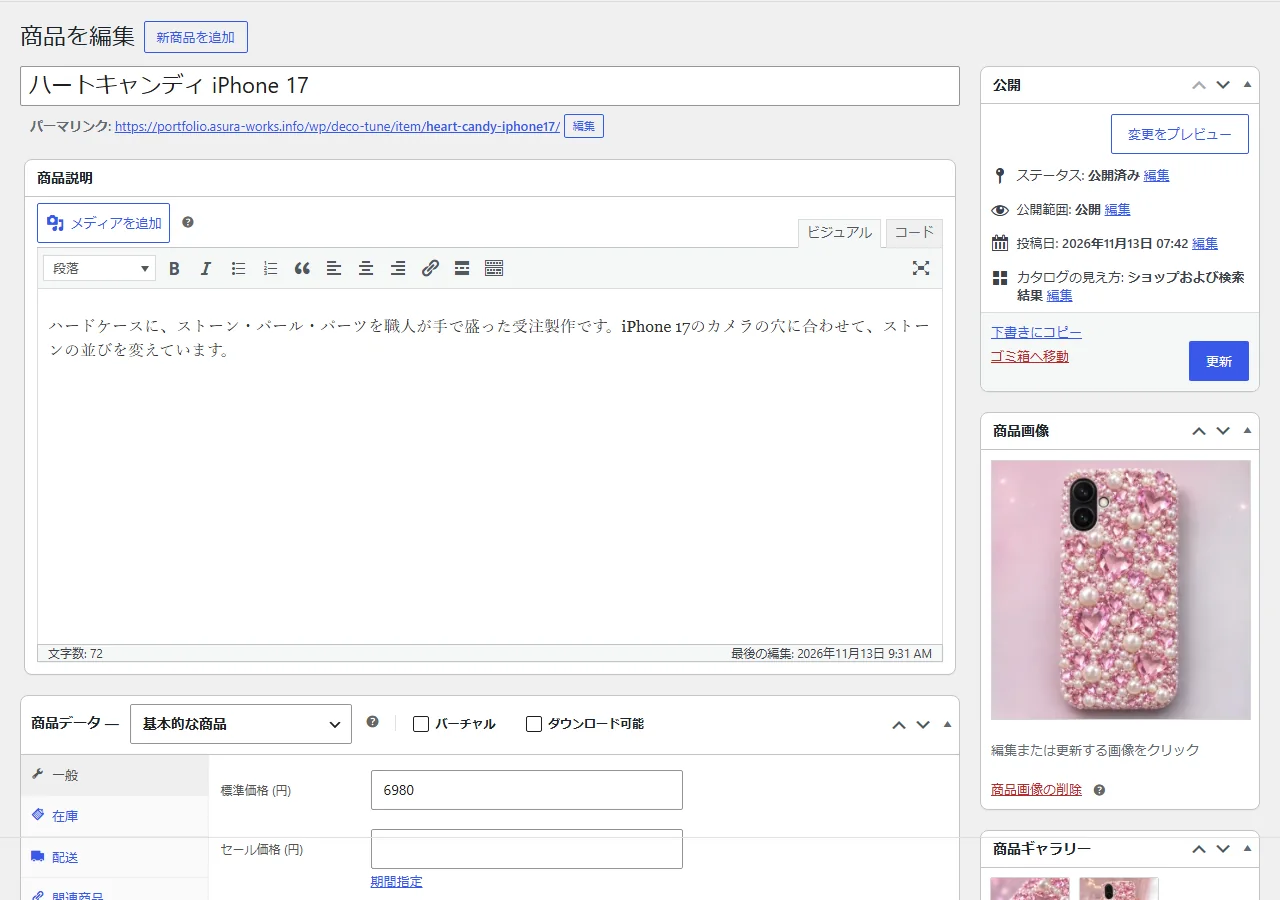
The 40 items are WooCommerce products, a separate product for each phone model. Prices, descriptions and photos are edited in the product editor. Every product has a Design and a Model attribute, and the model filter on the list and the section with the other models of the same design on the product page are built from them.
News items are WordPress posts, with six samples. Write one in the post screen and publish it, and it appears in the news list and in the latest-news section of the homepage (the newest three).
The screens are laid out in web parts (blocks of HTML), 15 in all, including the header, footer, home, list, product page, cart and checkout. The list and product page also read the WooCommerce products from inside parts, so the look stays consistent when products change. The content can be rebuilt at any time from the project's repository with WP-CLI, and products, news and parts edited in the admin screens are written back to the repository. If a deploy is attempted before that, the deploy tool stops.
Orders really arrive
and vanish in 24 hours.
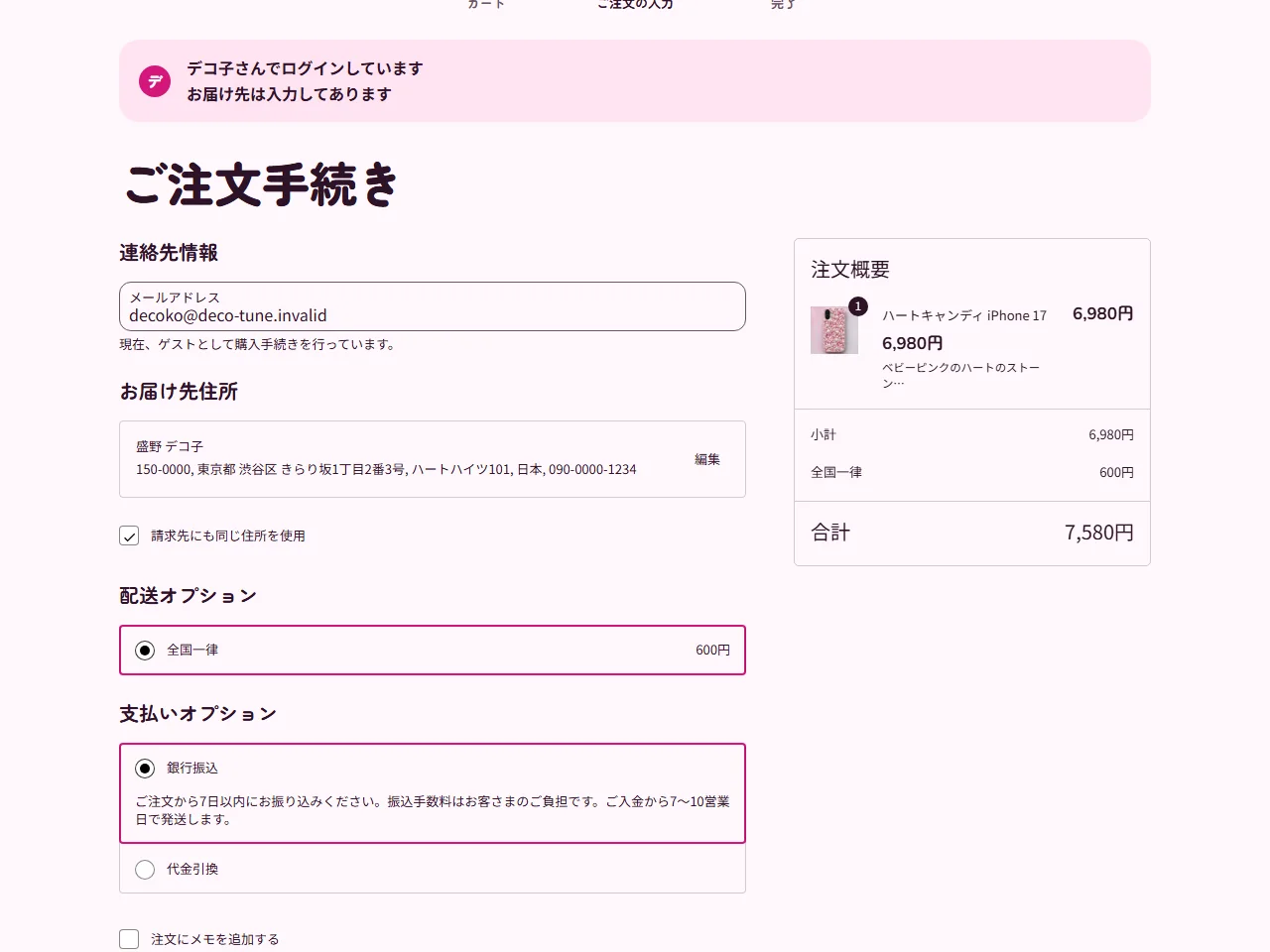
Choose a product from the list and go through the cart, order details and confirmation to the end, without signing up. The order really reaches the server, appears in the order list in the admin screens, and is deleted 24 hours after it was placed. Payment is just a choice between bank transfer and cash on delivery, and shipping is a flat 600 yen anywhere in Japan. No order email is sent anywhere.
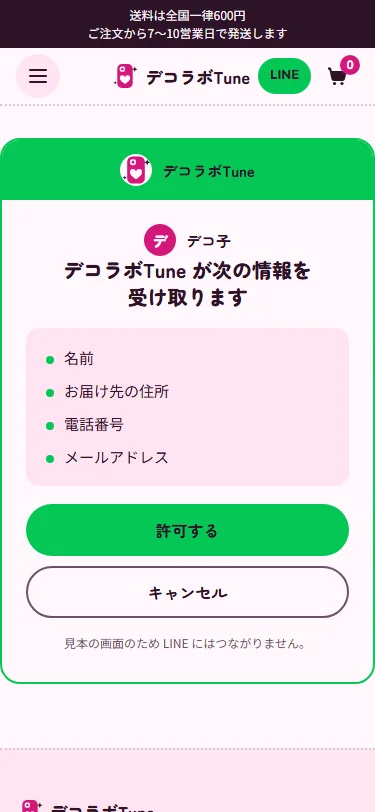
Log in with LINE is a sample screen. Allow access on the LINE-style consent screen and you appear to be logged in as Decoko, with the delivery address filled in on the order details. It does not connect to the real LINE, and there are no ID or password fields and no WordPress user. The My page shows only the orders placed from that browser. The checkout accepts at most three orders a minute from the same IP address.
Built from
the phone width up.
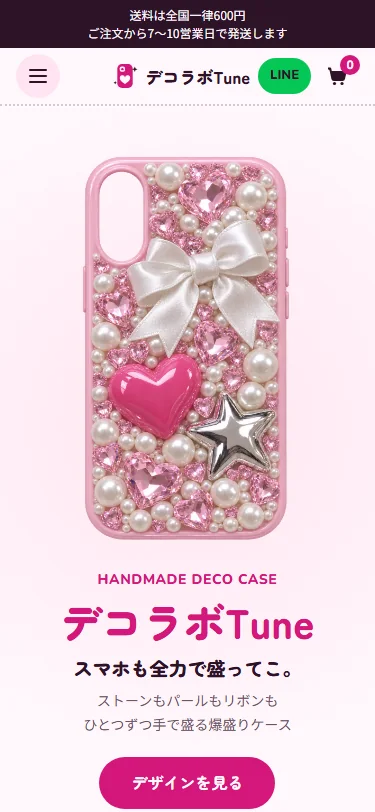
Most visitors browse on a phone, so the 390px layout was built first. The product grid has two columns on phones, three from 600px and four from 1280px. From 960px the menu sits in the header, and below that it folds into a menu button.
The cart and checkout are WooCommerce blocks, restyled into rounded pink shapes with the child theme's CSS. The quantity buttons, remove links and the edit link for the delivery address are at least 44px, easy to tap with a finger. As a portfolio piece, every page is set not to appear in search results.
Project details
- Version
- 1.0.0
- Project type
- Fictional website
- Scope of work
- Design and build of a WordPress child theme and online store
- Tools
- WordPress (multisite) / WooCommerce / SQLite / WP-CLI
Web parts plugin - Pages
- 4 screens (home, product list, product page, checkout), plus news, My page, sample LINE login, legal notice and privacy policy
- Products
- 40 (10 designs × 4 models) and 6 news posts
- Languages
- Japanese
- Breakpoints
- 599px and below / 600–959px / 960px and up
The live site
beside the admin screens.
Here are five of the main features, with the live site's screens beside the WordPress admin screens.
-
01The product list
The list shows the 40 products, 20 per page, and the buttons at the top filter them by phone model. There are four sort orders: recommended, newest, price low to high and price high to low. The recommended order comes from each product's menu order, spread so that the four models of one design never sit next to each other.
In the product list in the admin screens, products can be found by name or SKU and sorted by price or date. New products are added from the same screen with Add new product. With an SKU, and the design and model chosen under Attributes, they also appear in the list filters.
Live site 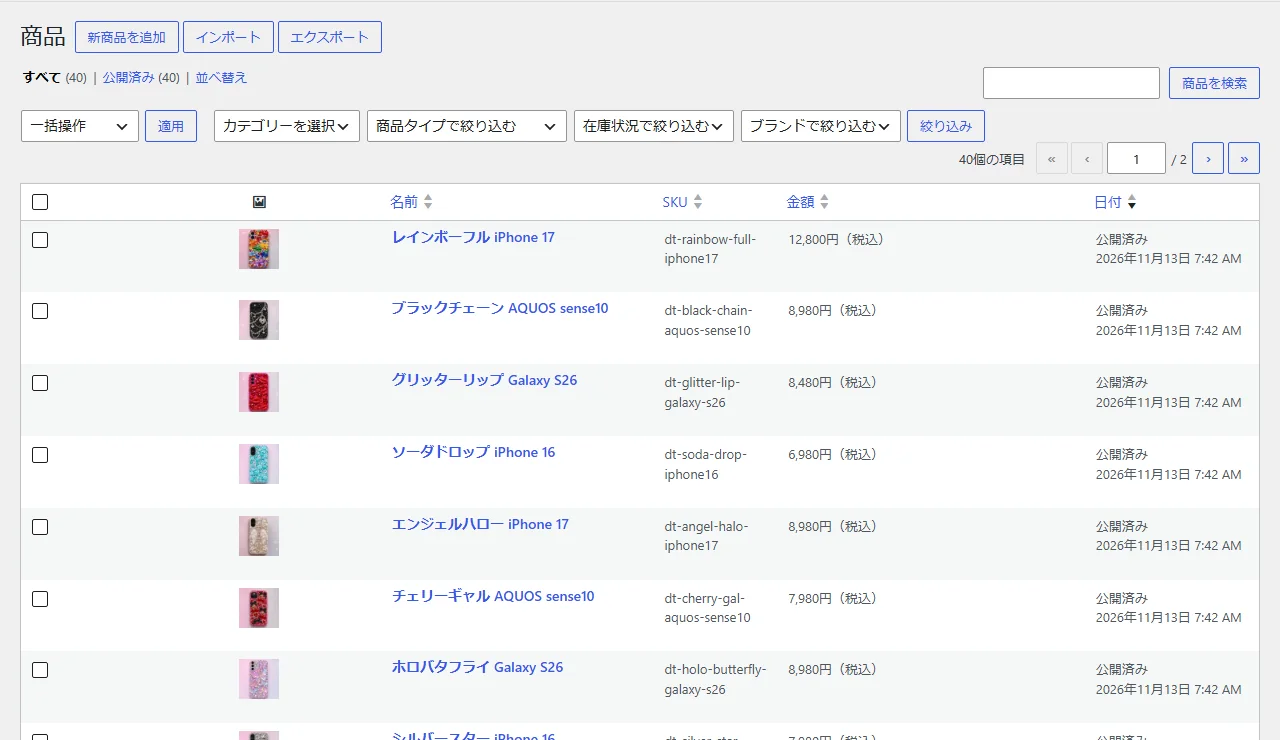
Admin (products) -
02Product price and description
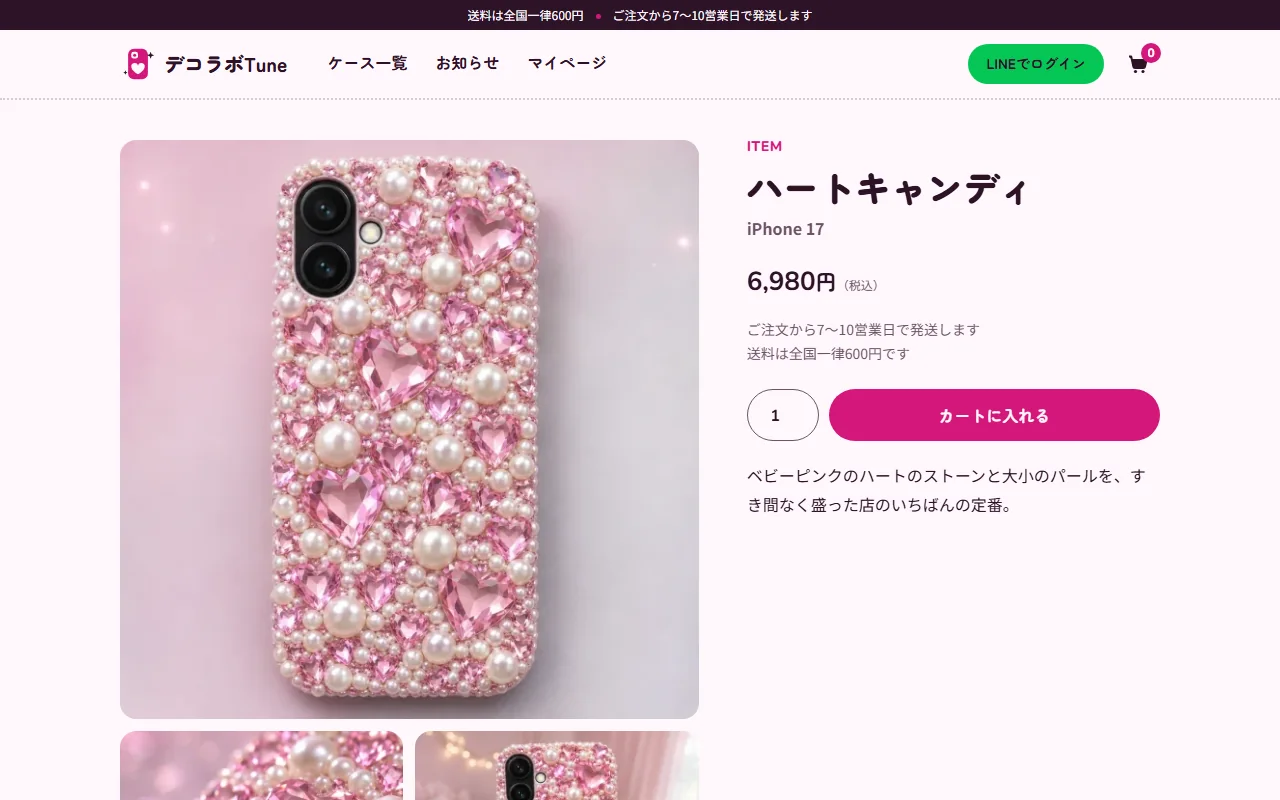
The product page shows the photos, name, model, the tax-inclusive price, the add-to-cart button and a short description, followed by the other models of this design, About the design, Before you order and Other designs. The price is entered as the tax-inclusive amount in the regular price field and shown as it is.
The short description, the About the design text and the photos are edited in the same product editor. Change the price or photo and save, and the card in the list changes too.
Live site 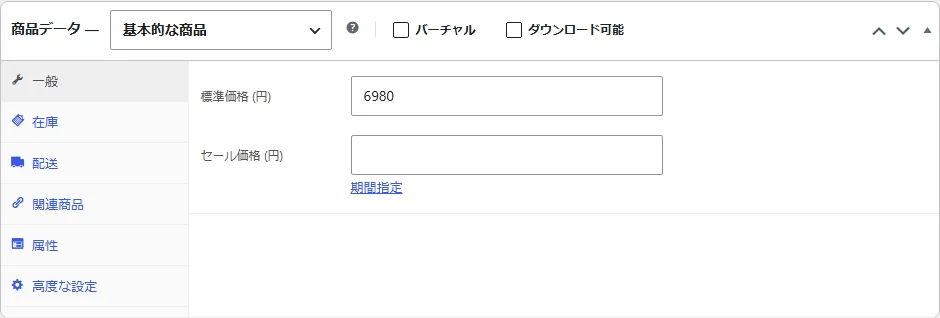
Admin (product data) -
03Orders
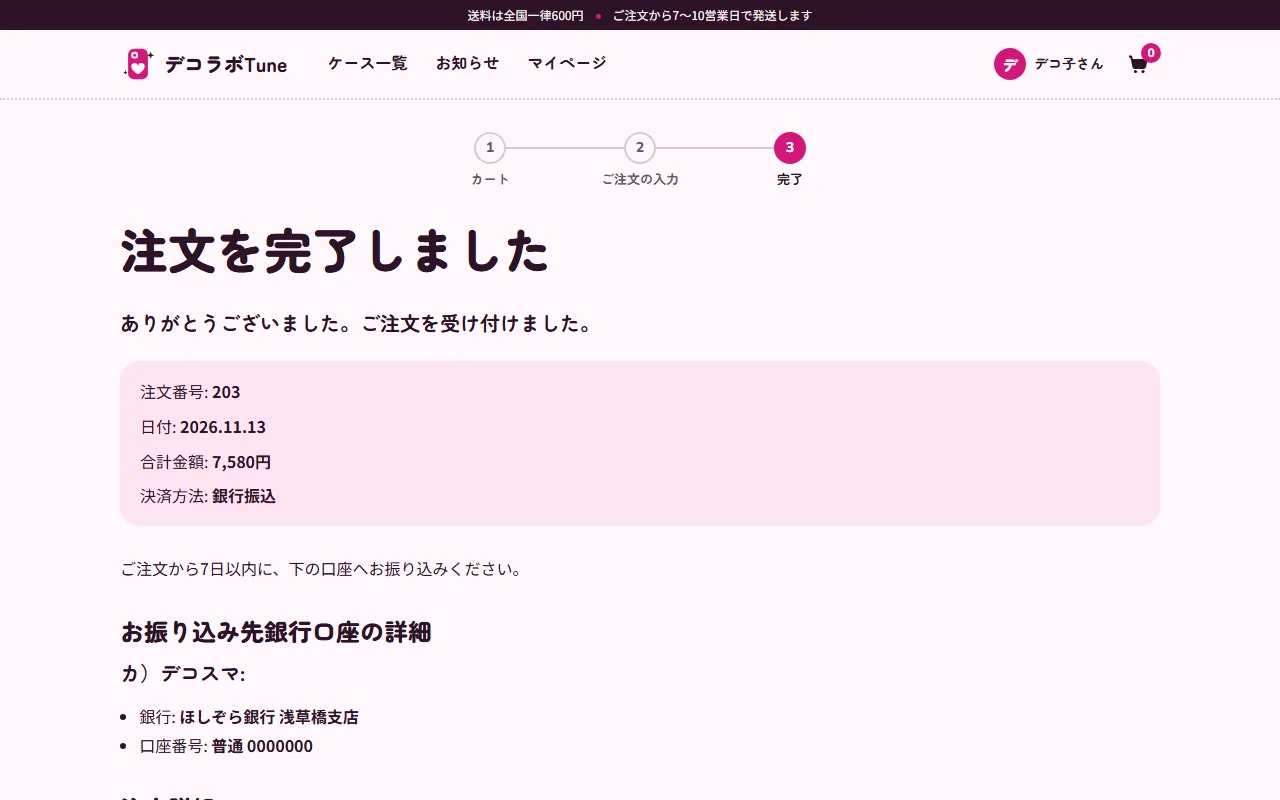
When an order is placed, the confirmation screen shows the order number, the total and the payment method, and for bank transfer it also shows a sample bank account. The order appears in the admin order list as on hold, and the shop changes its status once the payment is confirmed.
In this portfolio piece, orders are deleted 24 hours after they are placed. An hourly scheduled task finds and deletes old orders, so the names and addresses that visitors enter do not stay on the server for long (the temporary record of what they typed is cleared in about two days).
Live site 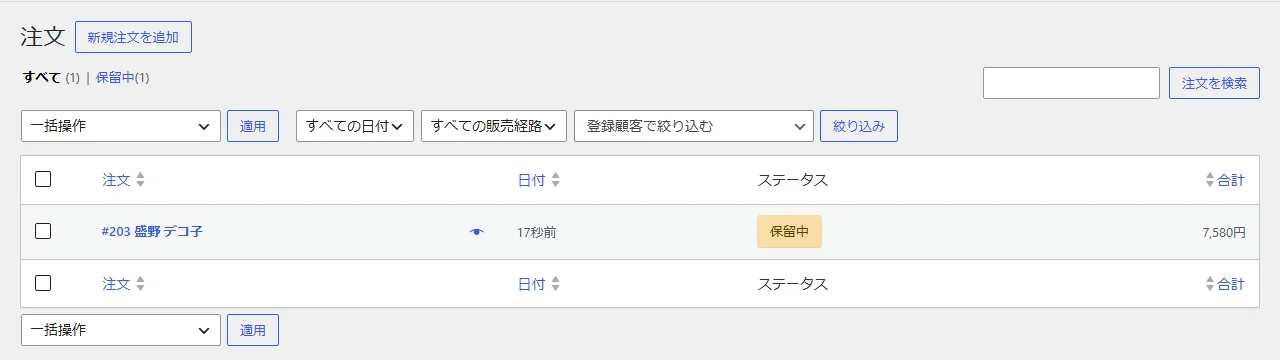
Admin (orders) -
04News
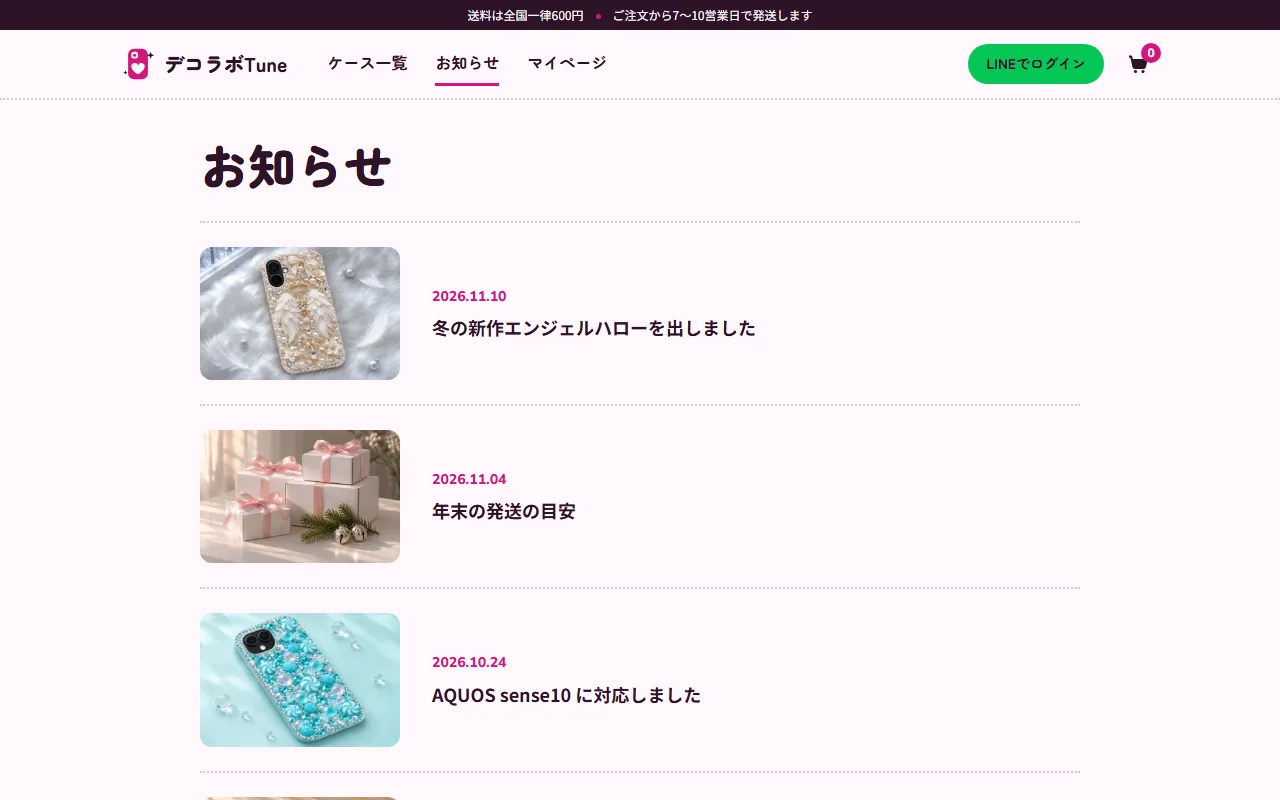
News items are WordPress posts. Write a title, text and photo in the post screen and publish, and the post appears at the top of the news list and in the latest-news section of the homepage. There are six samples, such as a new design, year-end shipping times and support for a new phone model.
The list runs from the newest date, so changing a post's publish date changes its place.
Live site 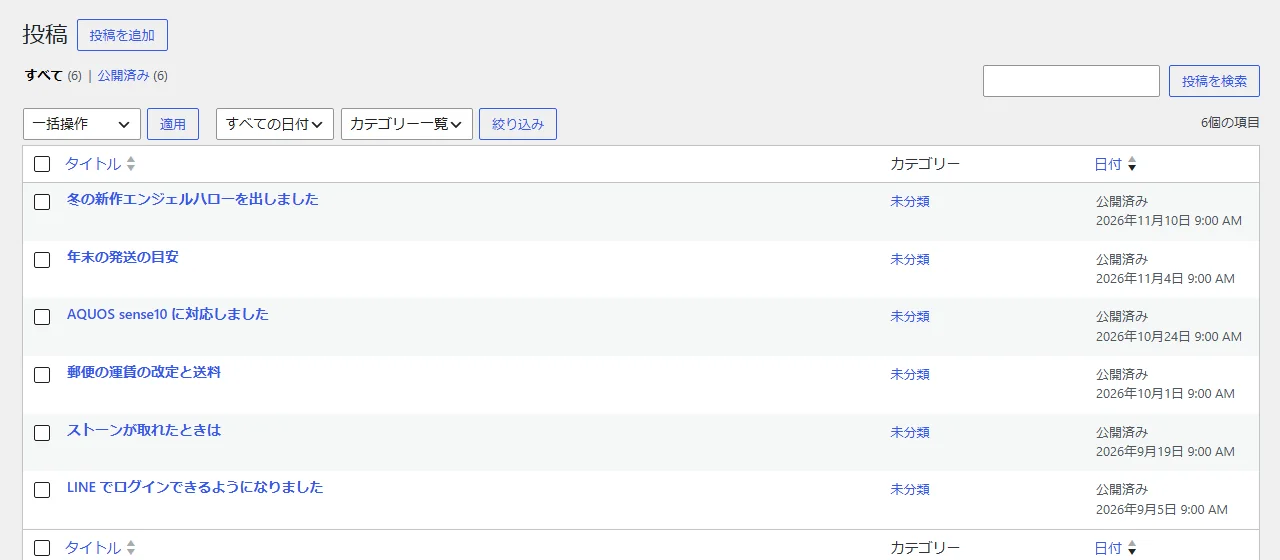
Admin (posts) -
05The sample LINE login and My page
Press Log in with LINE in the header and a green, LINE-style consent screen opens. It has only the list of information shared and Allow and Cancel buttons, with no ID or password fields, and a line saying that this sample screen does not connect to LINE.
After allowing, the header changes to Decoko, and the My page lists the orders placed from this browser with number, date, items, total and status. Orders placed from another browser are not shown. On a real store this would be switched to LINE's own login.
Live site (mobile) 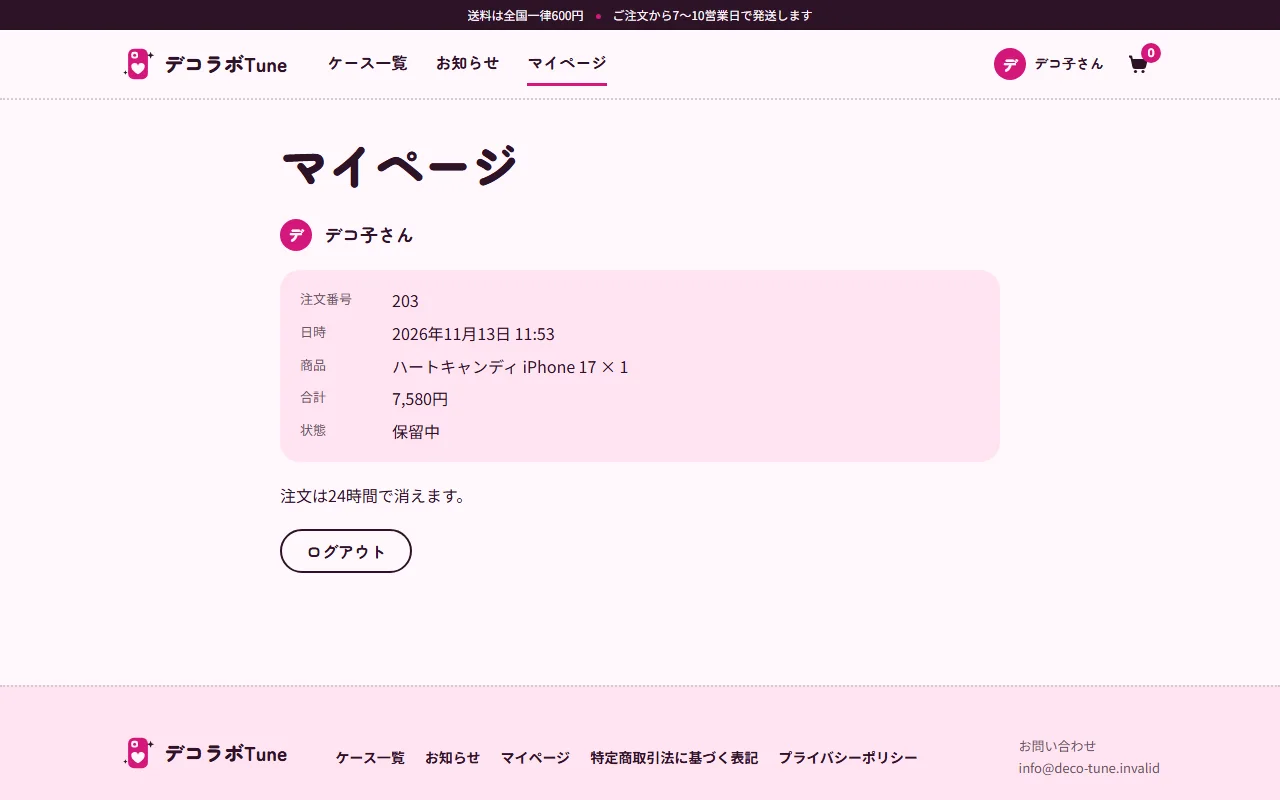
Live site (desktop)