Web Apps / dental appointments / care management
MorinohaDental Clinic
Dental care with
a gentler light.
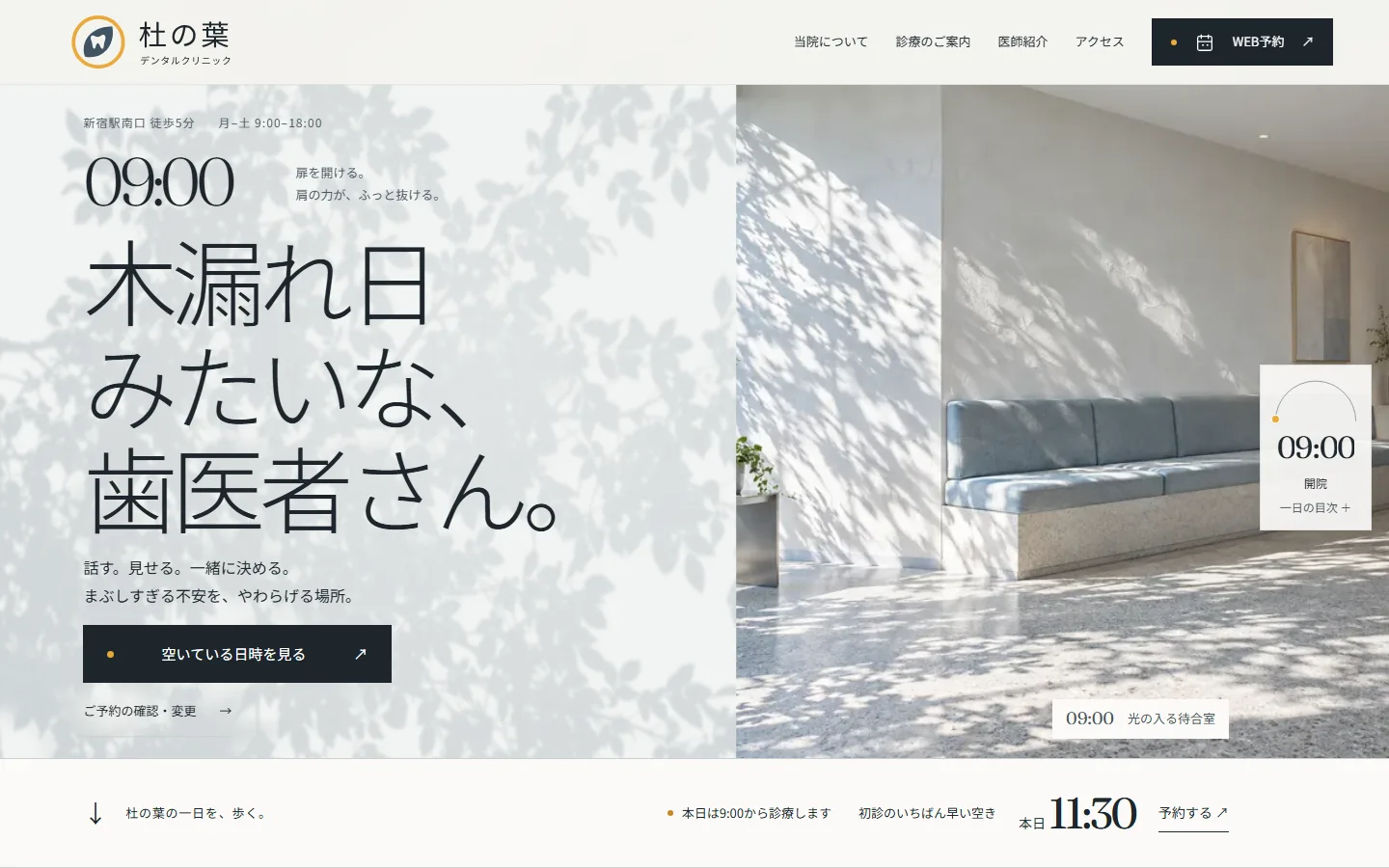
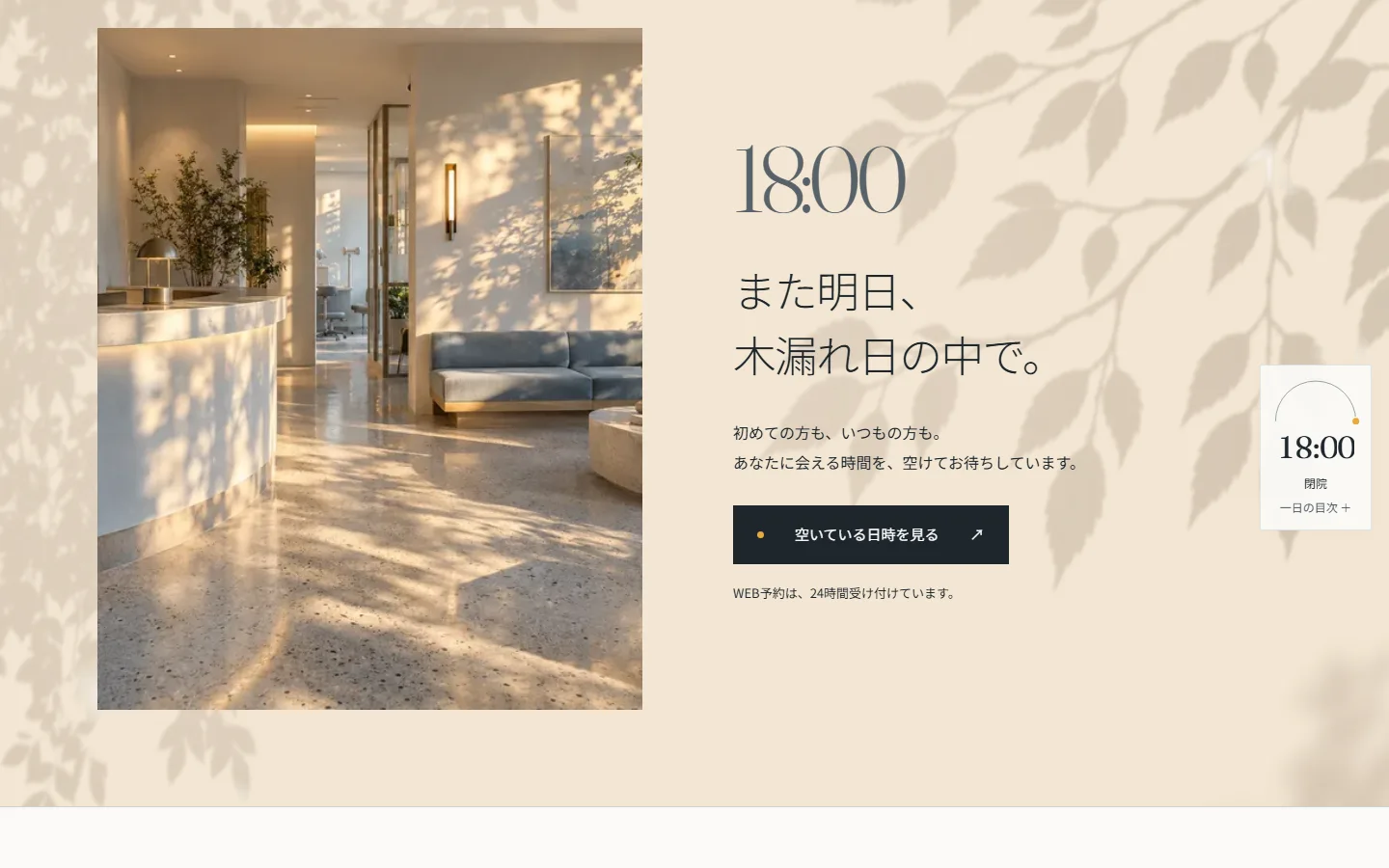
A web app connecting the first introduction to a clinic with appointment booking and the management of care after arrival. Scrolling follows a day from opening at 9:00 to closing at 18:00. Leaf shadows on white walls change direction and color with the hour, while visitors can try booking, rescheduling and the staff treatment board.
View the live project01 — Project goals
A gentler welcome
to dental care.
The design uses sunlight filtered through leaves to address the anxiety of bright dental lights and treatment that begins without warning. Softening light, a breakdown of the 60-minute first visit, and each treatment's duration and staff member give concrete form to the clinic's approach: talk, show and decide together.
Sixteen images of the interior, staff and shadow materials were newly created with image generation. The SVG logo places a leaf inside a thin circle of light, with a tooth-shaped opening in the leaf.
02 — Design decisions
Leaf shadows shift
with the hour.
Canvas animates dappled light on white walls using three branch silhouettes. Scrolling changes the sun's angle: long blue-white morning shadows become short overhead shadows at 13:00 and long amber shadows at 18:00. The opening starts on a dim wall at 08:59, then light enters as the clock reaches 09:00. A sundial at the right edge shows the current chapter's time and name.
Times in headings use Fraunces, while body text uses Noto Sans JP. Shadows stay behind photographs and input fields so text and images remain clear.
03 — Appointments & staff workflows
Choose a time
in that hour's light.
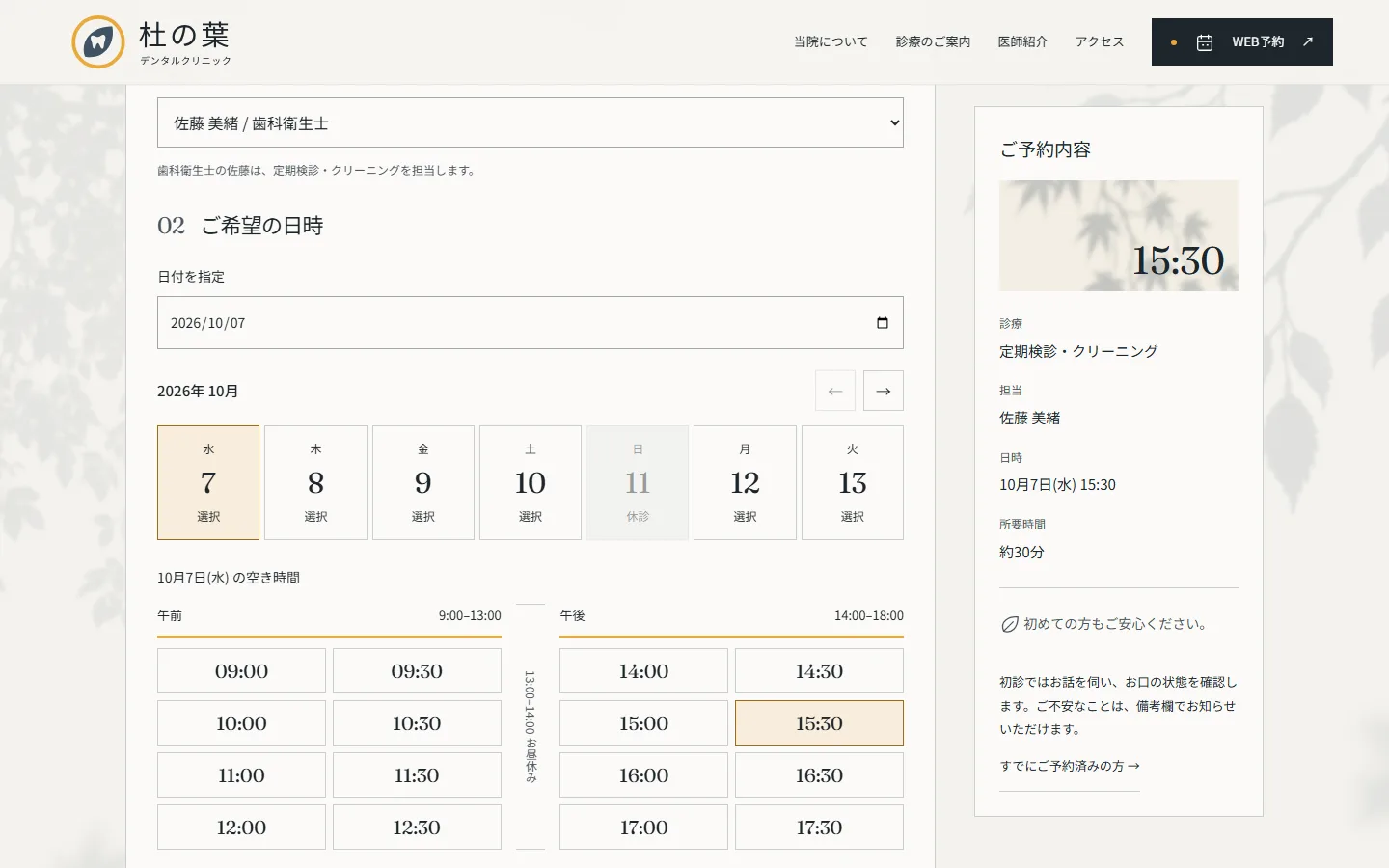
After choosing a treatment and staff member, available times appear on a day strip divided into morning, lunch break and afternoon. Selecting a time brings its light and shadows into the booking summary. The homepage's earliest first-visit opening leads to the appointment screen with that date and time already selected.
The appointment review screen supports rescheduling, cancellation and notifications about bookings and changes. Staff tools include a treatment board with draggable statuses, a weekly calendar, patient search and editing, and clinic-closure and announcement management restricted to the clinic director. The demo starts with 50 appointments. Select a staff account from the Staff page link at the bottom of the app to try it.
04 — Mobile experience
Keep the time
within reach.
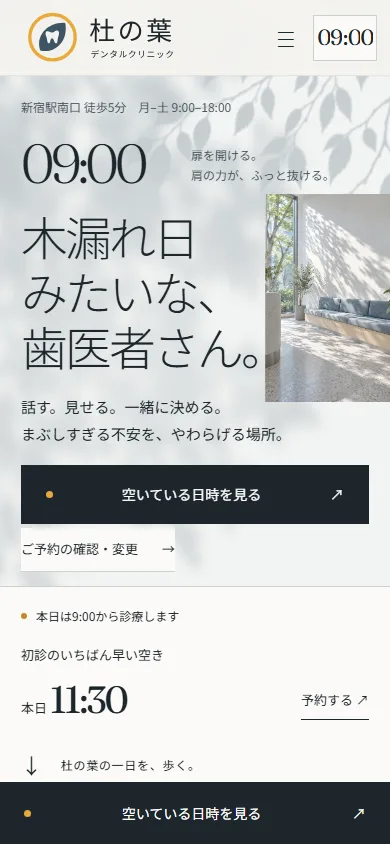
On mobile, the sundial becomes a time chip in the header; tapping it opens the chapter index. The 60-minute first visit becomes a vertical timeline, and a booking button stays at the bottom of the screen. Appointment times appear in two rows for morning and afternoon.
Project details
- Version
- 1.0.0
- Project type
- Web app / appointments & care management
- Scope of work
- Information architecture, UI design, logo, imagery, frontend, API, database & deployment
- Technologies
- HTML / CSS / JavaScript
GSAP / ScrollTrigger / Lenis / Canvas
Node.js / SQLite - Supported screen sizes
- Desktop, tablet & mobile