Web Services / cafes / video reviews
Cafe Mog
Get a feel for the seats
in a 30-second video.
A cafe review and reservation service for a fictional operator. The dark homepage plays one full-screen vertical video at a time; moving up or down reveals another cafe. Reviews are limited to vertical videos of 30 seconds or less. Instead of ratings, the design shows all six ranking factors and their weights.
View the live projectThis work is an original adaptation of a commissioned project. Reservation-related charges to cafes are simulated; no actual billing or money transfers take place.
Choose by the seats
and atmosphere.
Photos and text cannot fully convey seat space, the distance to the next table or the sound of a cafe. Reviews use only vertical videos of up to 30 seconds, so visitors can look and listen before choosing.
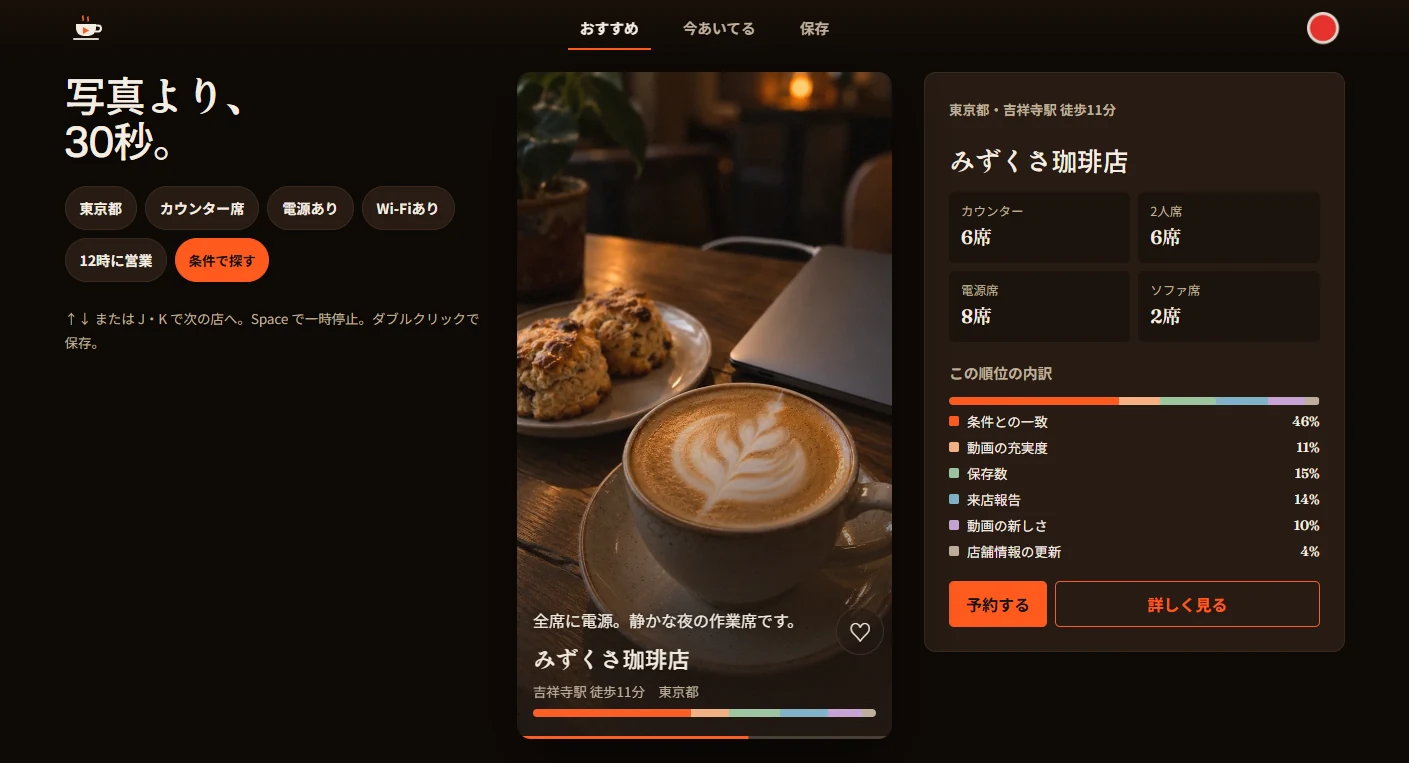
Rather than a score, a ranking breakdown sits beside the video. Each cafe shows the percentage contribution of six factors: match to preferences, video completeness, saves, visit reports, video recency and updates to cafe information.
One vertical video
in a dark screening room.
An espresso-colored background reserves film orange for buttons and selected states. Instead of a solid permanent bar, a transparent strip overlays the video, with a cup symbol on the left, Recommended / Open now / Saved in the center, and a red record button on the right.
Serif headings accompany a central video column that preserves the 9:16 format. A panel on the right lists seat counts by type and the ranking breakdown. The cafe name and nearest station overlay the lower part of the video.
Browse one cafe at a time.
Reserve with a time chip.
Up/Down or J/K moves between cafe videos, Space pauses playback, and a double-click saves the cafe. Only the visible video plays, so both footage and captions change with each move.
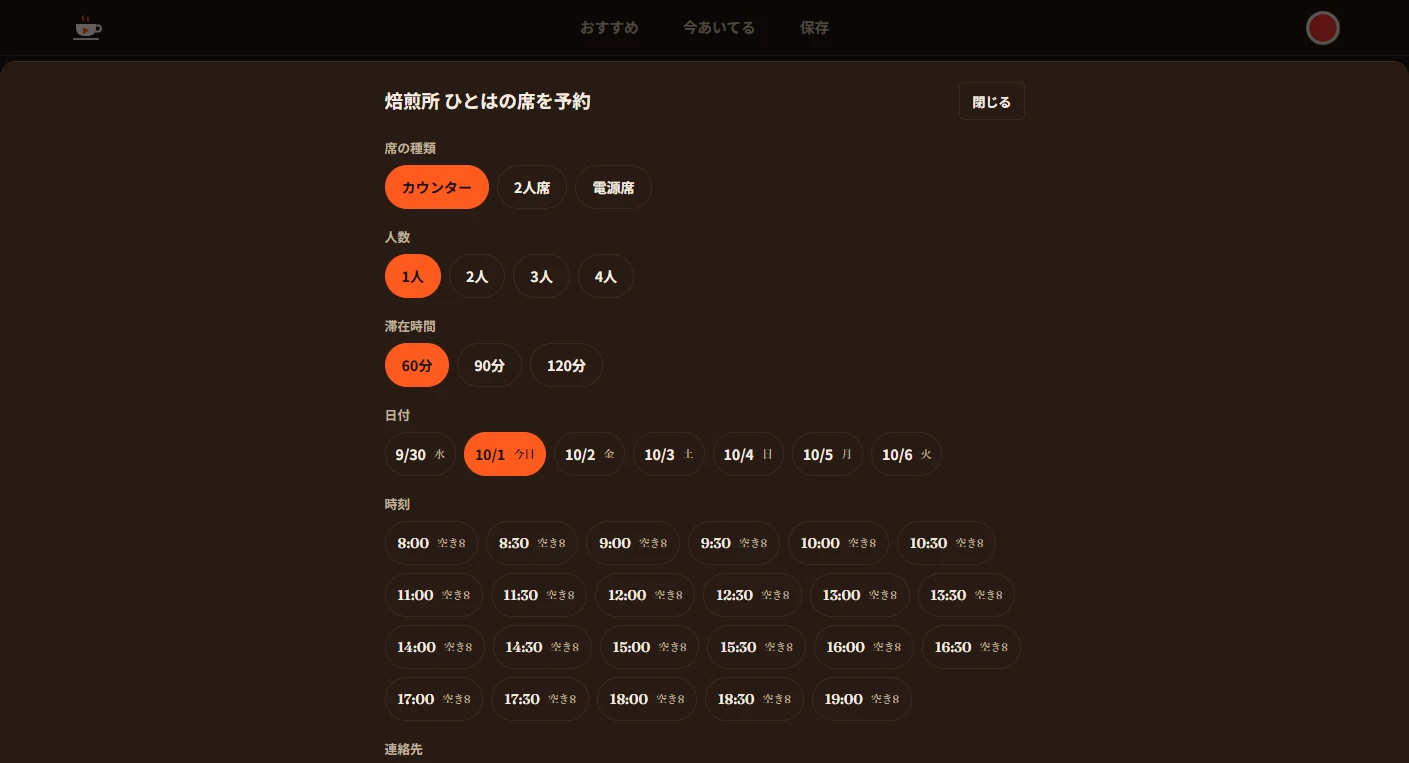
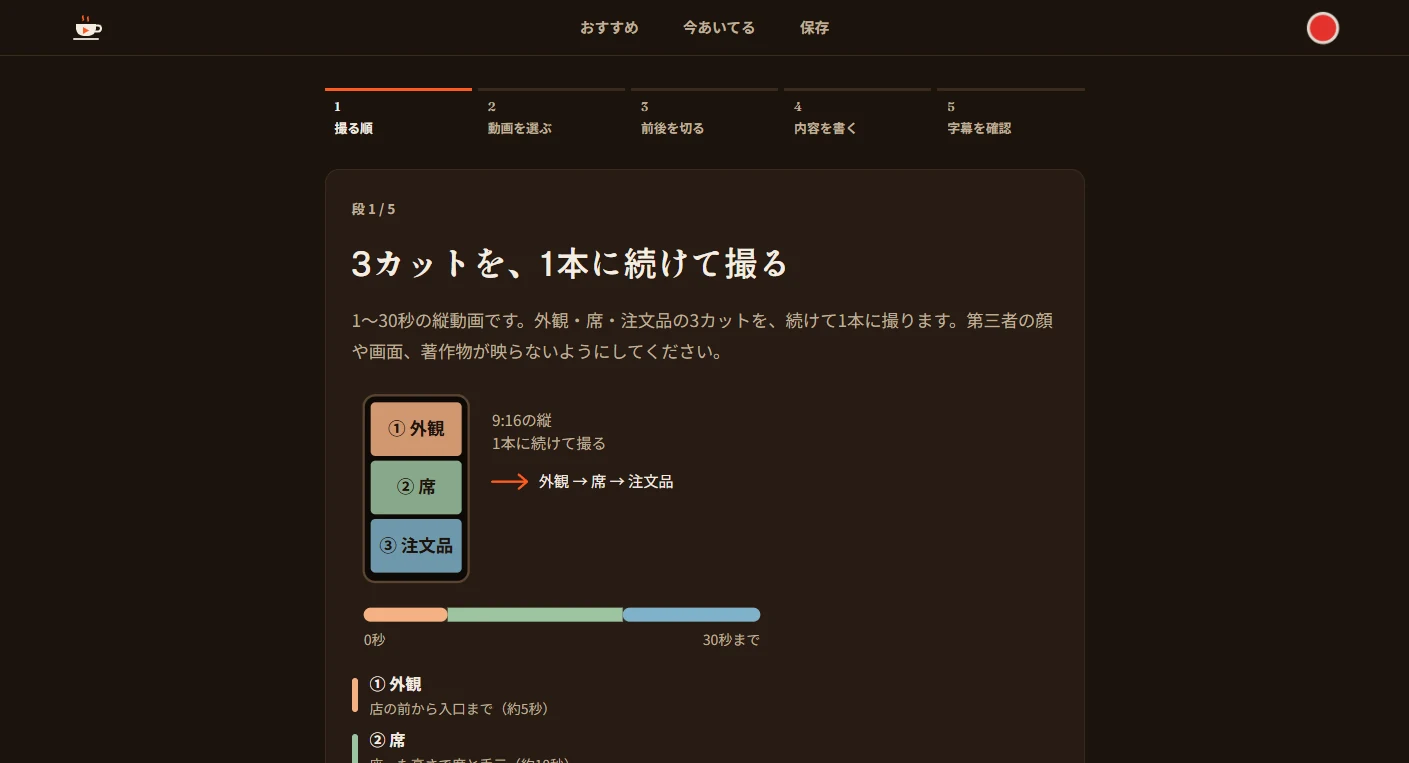
A reservation sheet rises from the bottom. After selecting seat type, party size, length of stay and date, visitors see availability on time chips at 30-minute intervals. Posting follows five steps from planning the shots to reviewing captions. Users record three clips—exterior, seating and order—then trim their beginnings and ends while previewing in 9:16. Customers do not pay when reserving; all cafe billing for completed visits is simulated.
Let the video fill
the smaller screen.
On mobile, the video fills the screen and the copy sits just below the transparent top strip. Captions, cafe name and nearest station, a narrow colored bar with the collapsed ranking breakdown, and Reserve and View details buttons overlay the lower portion. The transparent strip remains a single row at the top.
Project details
- Version
- 0.1.0
- Project type
- Fictional service
- Scope of work
- Planning, architecture, design & development
- Technologies
- TypeScript / React / Next.js
Node.js / SQLite - Supported screen sizes
- Desktop, tablet & mobile