Wix Studio / Association site
Gensai Cities Asia
Both languages kept up
by the secretariat.
A Japanese and English website for Gensai Cities Asia, a fictional general incorporated association that links the disaster experience of Japanese cities with cities across Asia. It was built in Wix Studio from a blank site. Fixed pages about the association, its philosophy, programs, membership, a members' page, publications and contact are joined by forums, training and proposals on CMS dynamic pages, news on Wix Blog, events on Wix Events and publications on Wix Stores. The focus is on letting the secretariat update both languages themselves after launch, explained with the live screens and the editor screens side by side. Membership and event applications and publication purchases are not accepted, and the contact form sends nothing.
Open the Wix siteThis work is an original adaptation of a commissioned project. Because the site is on a free Wix plan, a Wix banner appears at the top of the screen.
Content in apps and tables
code for four jobs only.
What keeps changing on an association site is news, events, publications and the record of forums, training and proposals. News lives in Wix Blog, events in Wix Events and publications in Wix Stores, while forums (8), training cohorts (6) and proposals (8) are CMS collections (tables). Officers (10) and General Meeting documents (3 meetings) are CMS tables too, and only members can read the meeting documents. The pages read and display that content.
Velo (code written in Wix) is limited to four jobs that Wix's own elements could not handle: counting up the figures on the homepage, the View as guest login on the members' page, checking the contact form and showing a completion message, and the pop-up explaining the demo that opens from the apply, nominate and buy buttons.
Some elements were placed by a script inside the editor while building, but everything placed is a standard Wix Studio element or animation. Select one in the editor and it can be edited like any other element.
Posts, events and publications
added in the dashboard.
News, events and publications are each added in the blog, events and store screens of the dashboard. News keeps Japanese and English posts in pairs, and the post list shows how many languages are ready. English for events and publications is added item by item in the translation manager.
Forums, training and proposals have one page per row. Each has two dynamic page templates, a list (/forum, /training, /proposals) and an item page (/forum/8 and so on). Adding a row adds it to the list and creates an item page. The forum timeline on the homepage reads the same table.
The editor is where the text and figures on each page are changed. The homepage count-up reads the number from the text on screen, so changing a figure only means editing the text in the editor.
The header folds
at its own width.
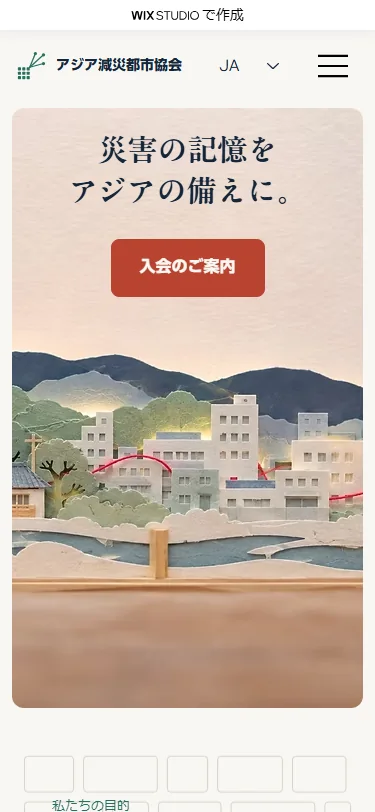
Wix Studio has three breakpoints, desktop (1001px and up), tablet (751–1000px) and mobile (750px and below), and each element can be arranged separately for each one. The header can have its own breakpoint apart from the page, so up to 1320px, where the Japanese and English menus no longer fit on one line, it folds into a menu button.
The contact form puts short fields such as name, organization and email in two columns on desktop and tablet, keeps only the message field full width, and stacks everything in a single column on mobile. Every page was checked in both languages at widths of 1280, 768 and 390 for overlapping elements and horizontal overflow.
Titles per language
lighter photos first.
Japanese page titles take the form of the page name followed by the Japanese association name, and English fixed pages use "Page name | Gensai Cities Asia". Wix allows only one site name, so English dynamic pages, publications and events still end with the Japanese name.
Before upload, the 58 photos were resized to three sizes: 1536×1024 (landscape), 1122×1402 (portrait) and 1254×1254 (square). Wix serves images scaled to their display size. The count-up figures are already at their final values in the HTML the server returns, so search engines read the final numbers too.
Project details
- Version
- 1.0.0
- Project type
- Fictional website
- Scope of work
- Design and build in Wix Studio (from a blank site)
- Tools
- Wix Studio / Wix CMS / Wix Blog
Wix Events / Wix Stores / Wix Members Area
Wix Multilingual / Velo - Pages
- 10 fixed pages, 3 CMS lists and 22 items, 9 blog posts, 6 events and 6 publications, each in Japanese and English
- Languages
- Japanese / English
- Breakpoints
- 1001px and up / 751–1000px / 750px and below (the header switches at 1320px)
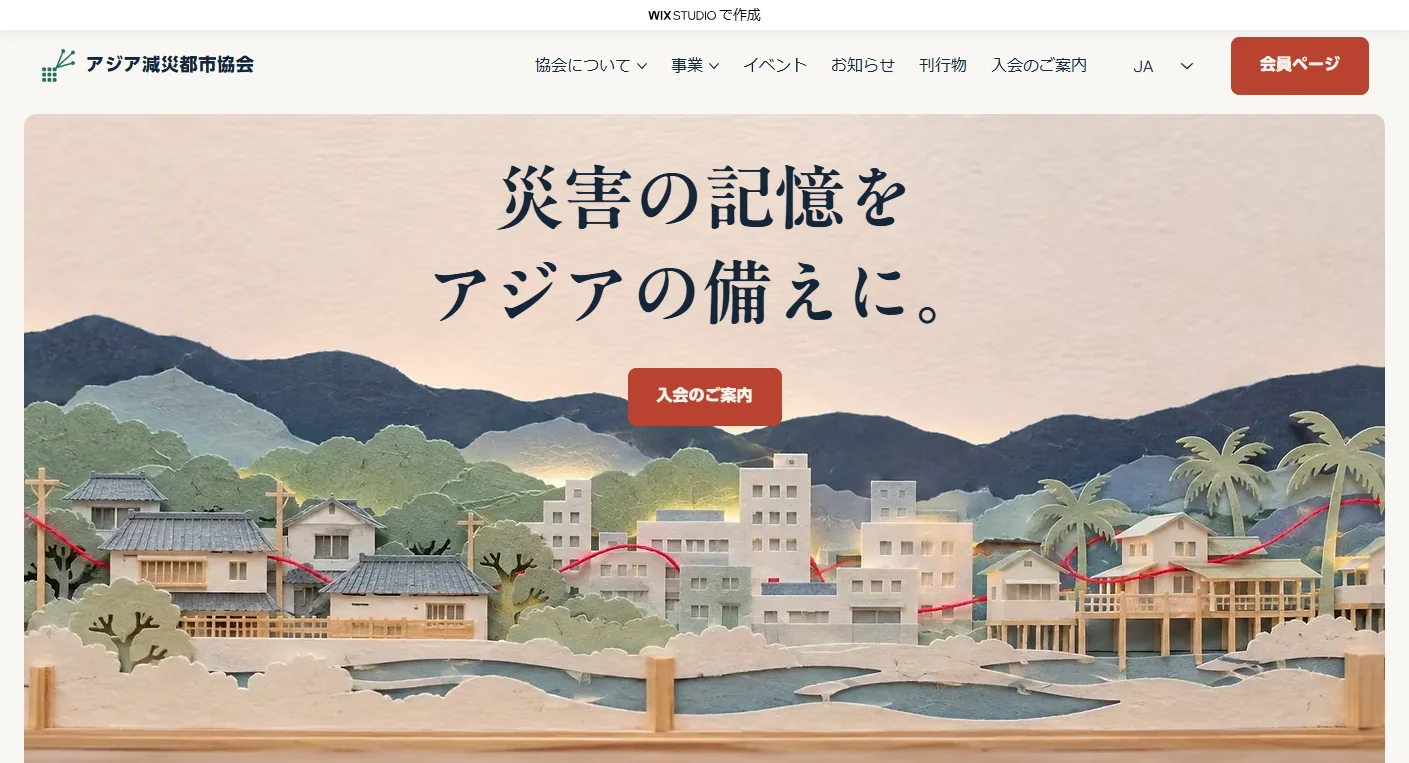
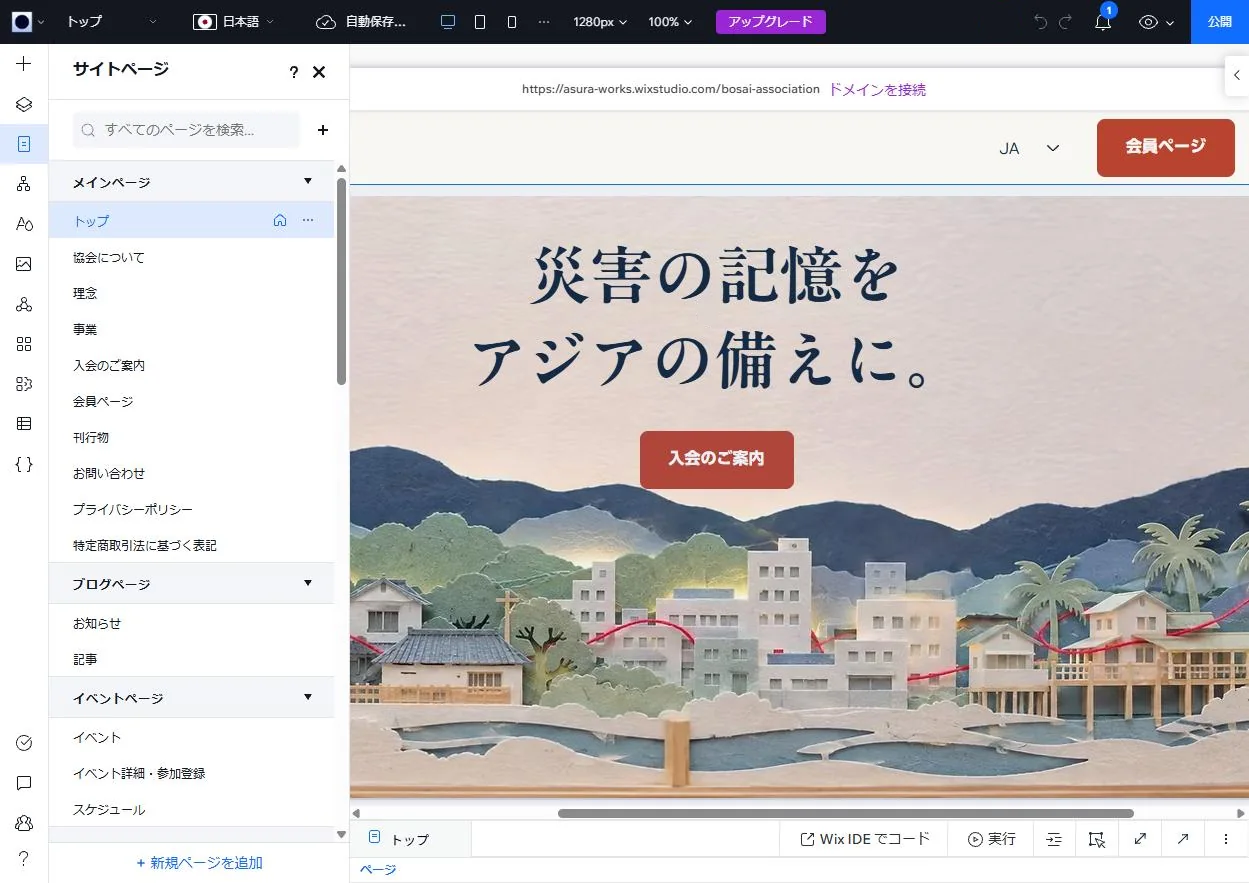
The live site
beside the editor.
Seven main features, each shown with the live site beside the Wix Studio editor or dashboard.
-
01Forums, training and proposals
Each Gensai Cities Forum page comes from one template, which becomes eight pages, /forum/1 to /forum/8, one for each row in the CMS table. Training (6 cohorts) and proposals (8) are built the same way. Headings and photos in the template are connected to the table's fields through a dataset.
English is stored as a translation of each item, and on English pages the same template reads the English text. Lists are sorted by forum, cohort or proposal number, lowest first.
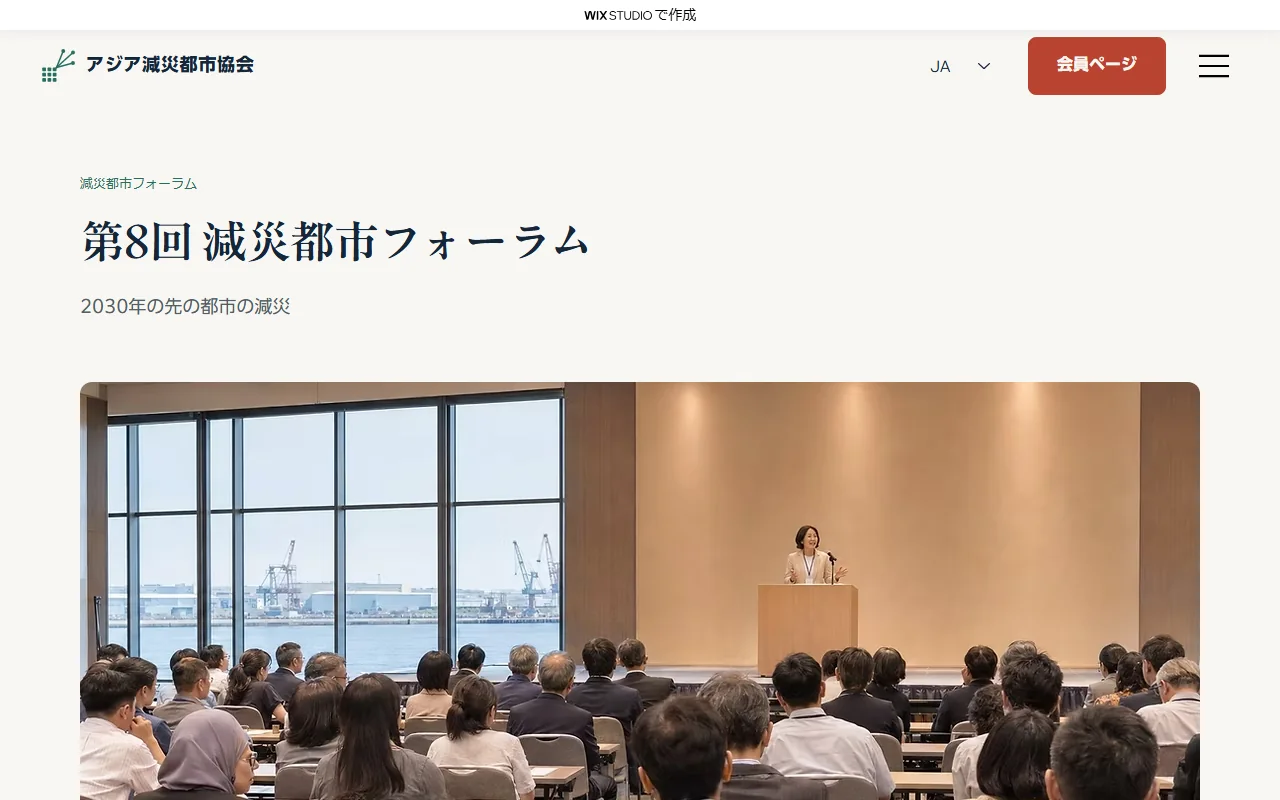
Live site 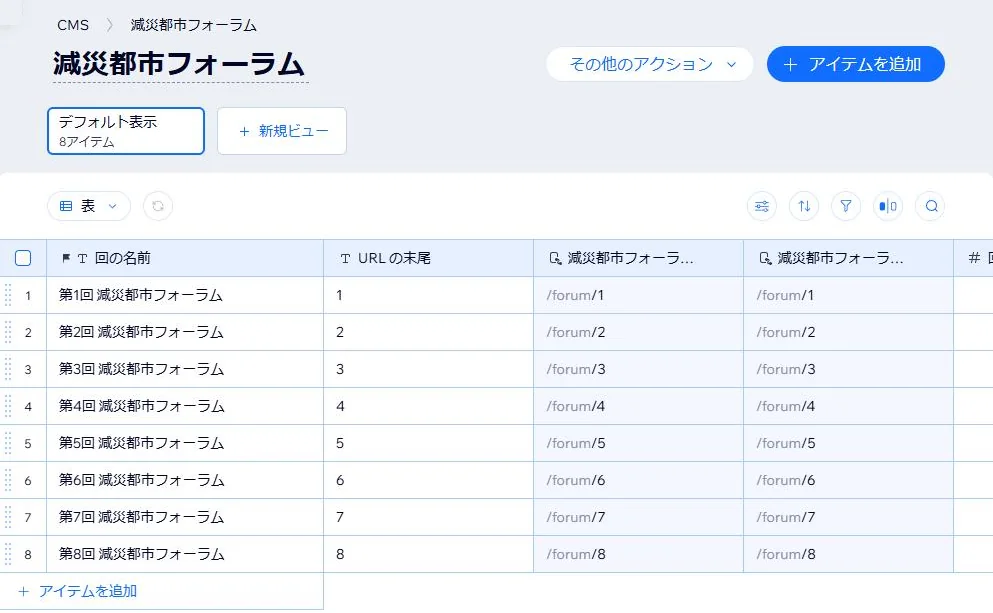
Dashboard (CMS) -
02News
News runs on Wix Blog. Posts are written and published in the blog section of the dashboard, under two categories, news and activity reports. Japanese and English posts are paired, and the translation column of the post list shows how many languages are ready.
The author name is the association's English name, Gensai Cities Asia. The news section on the homepage reads the same posts, so publishing a post adds it there too.
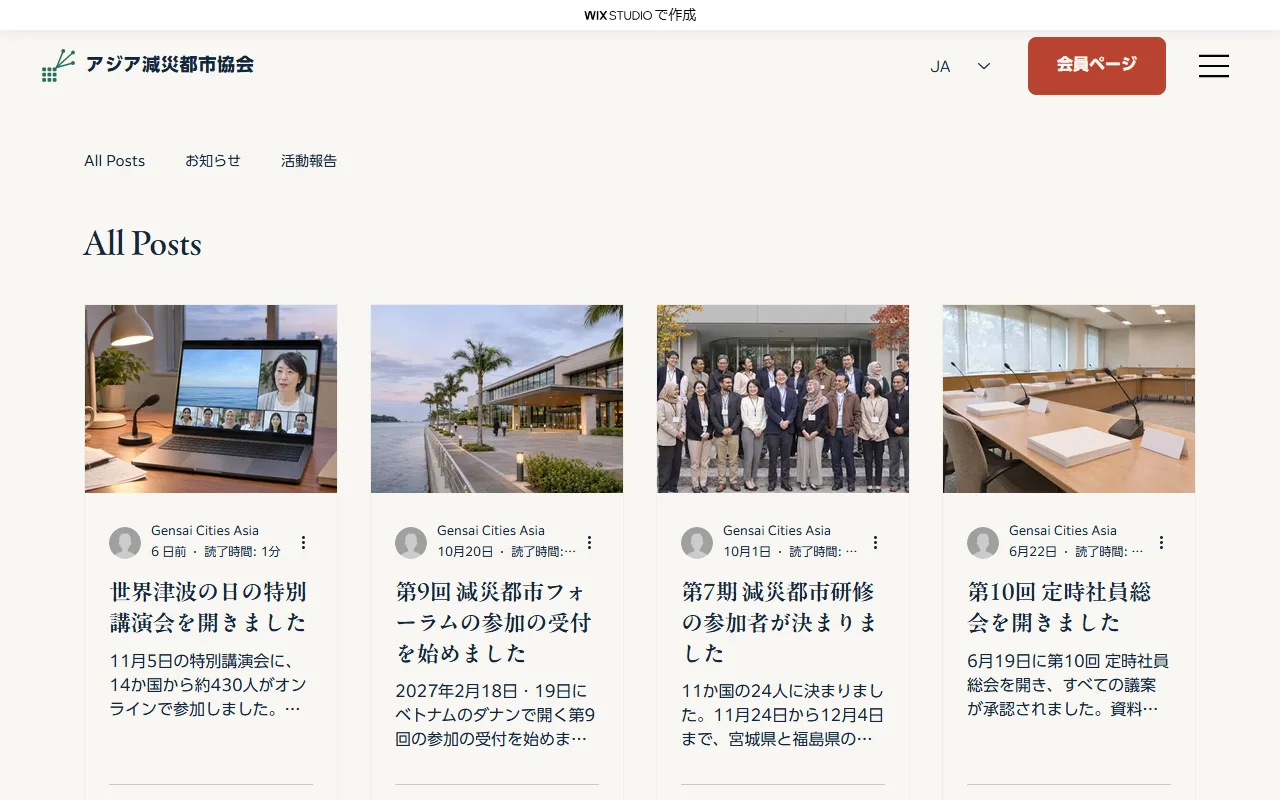
Live site 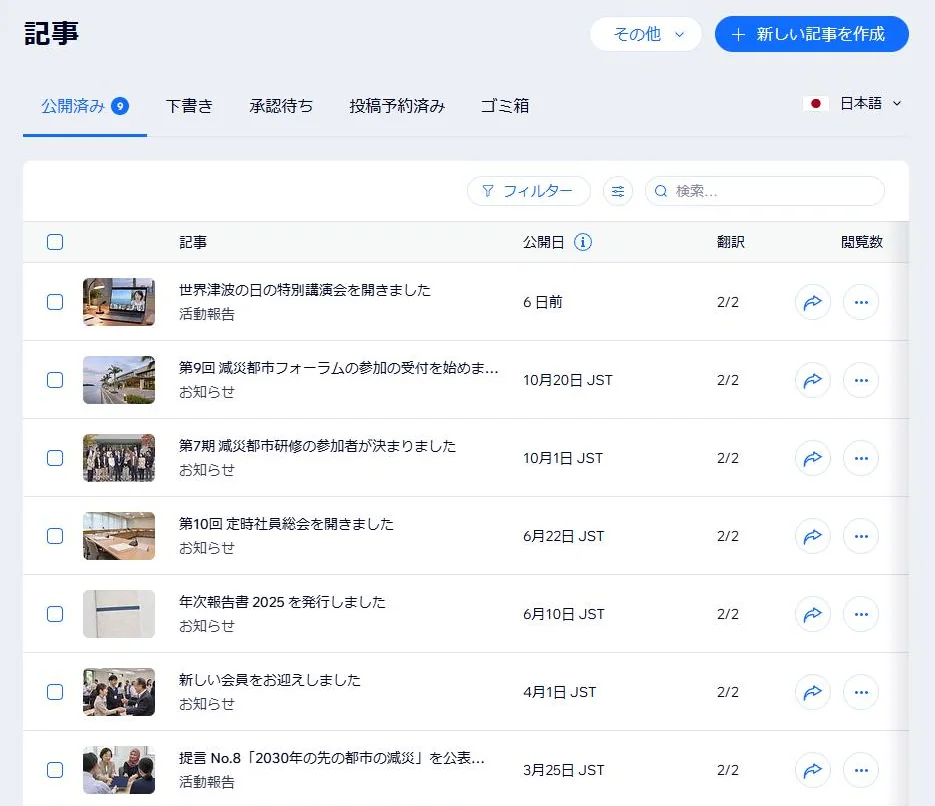
Dashboard (blog) -
03Events
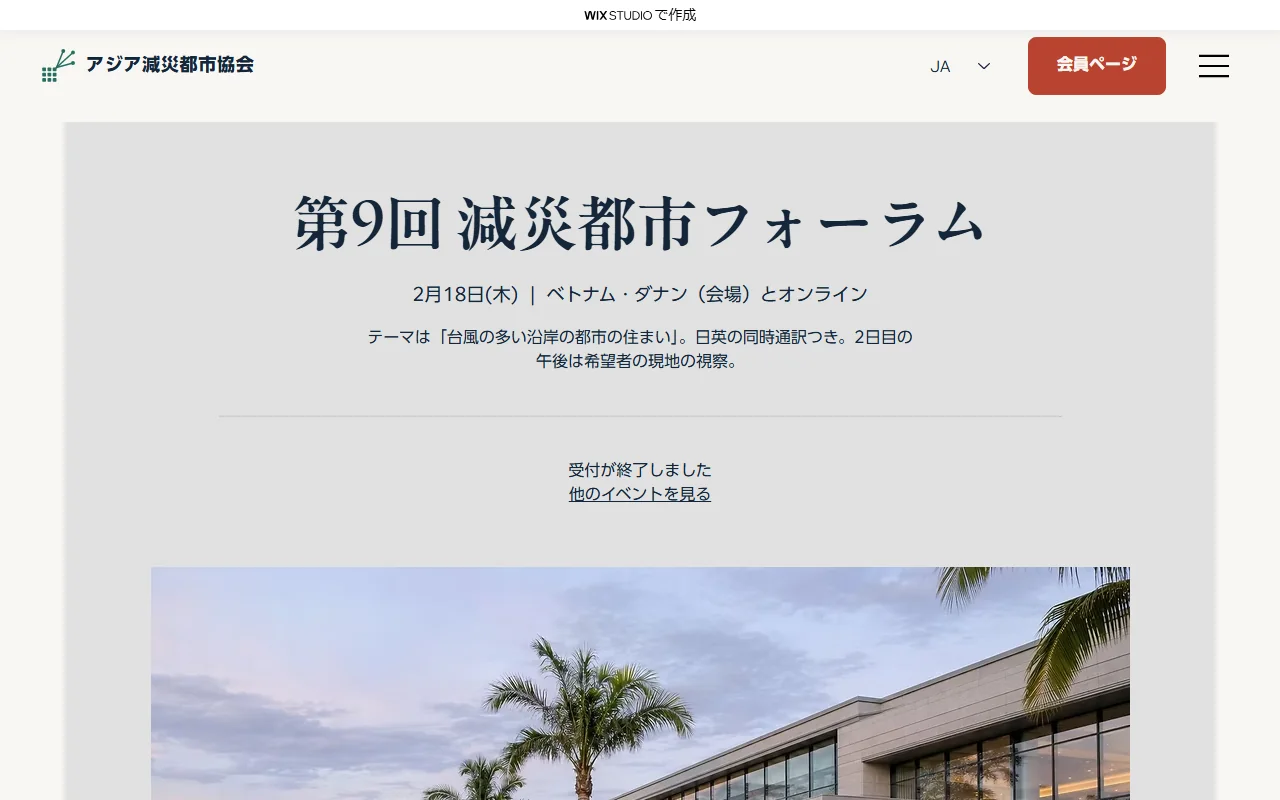
Lectures and forums run on Wix Events. Dates, venues and descriptions are written in the dashboard, and upcoming and past events are listed.
In this project, registration is closed for the three upcoming events, so a registration closed message appears instead of a register button. Once registration is opened in production, people who register appear in the guest list in the dashboard.
Live site 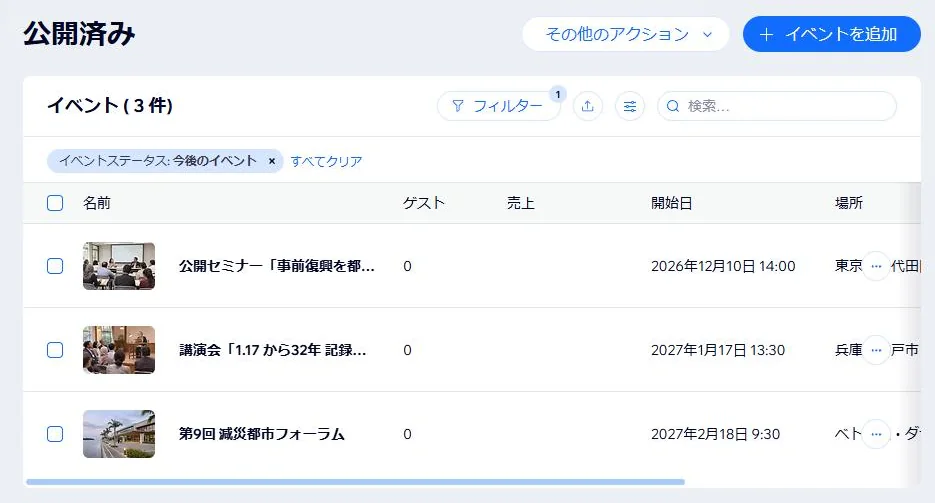
Dashboard (events) -
04Publications
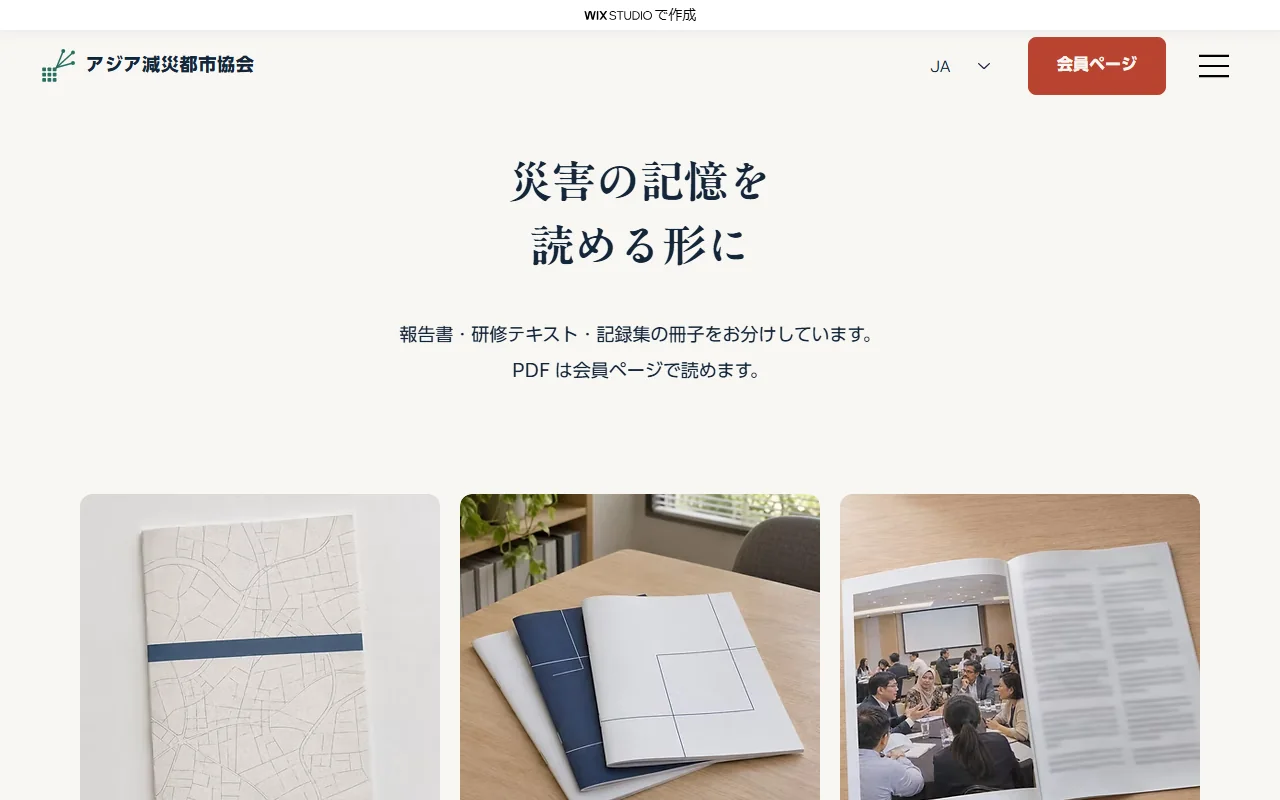
Annual reports and record books are Wix Stores products, and the list shows the six items in the store's publications category. The cards have a minimum width, so they line up in three columns on desktop, two on tablet and one on mobile.
In this project, the buy button on product pages opens a pop-up explaining the demo, and nothing goes into the cart. In production, the store's own buy button would be restored and a payment method connected.
Live site 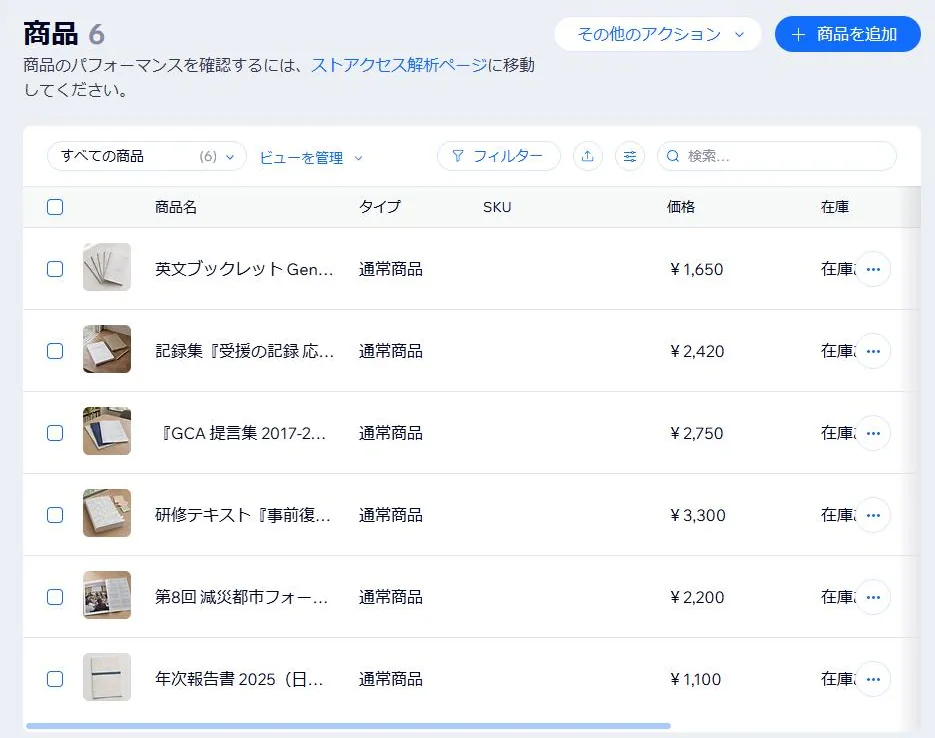
Dashboard (store) -
05Members' page
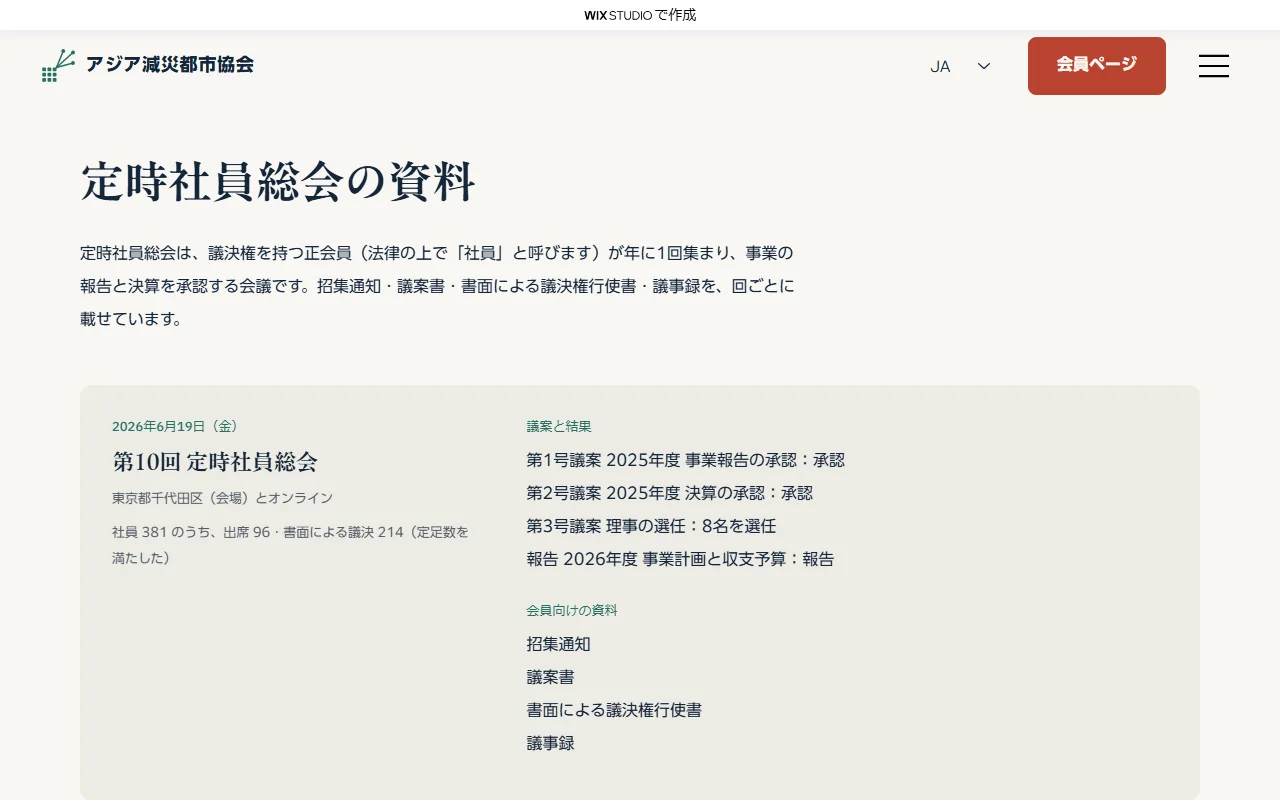
The members' page shows only an entry section to visitors who are not logged in, and three sections to members: General Meeting documents, members-only reports and priority applications. The three sections are collapsed in the editor, and Velo checks the login and opens them. General Meeting documents are a CMS table that only members can read.
In this project, the View as guest button logs in as a sample member, so anyone can see the members' view. In production this button would be removed, and members would log in with their own accounts.
Live site 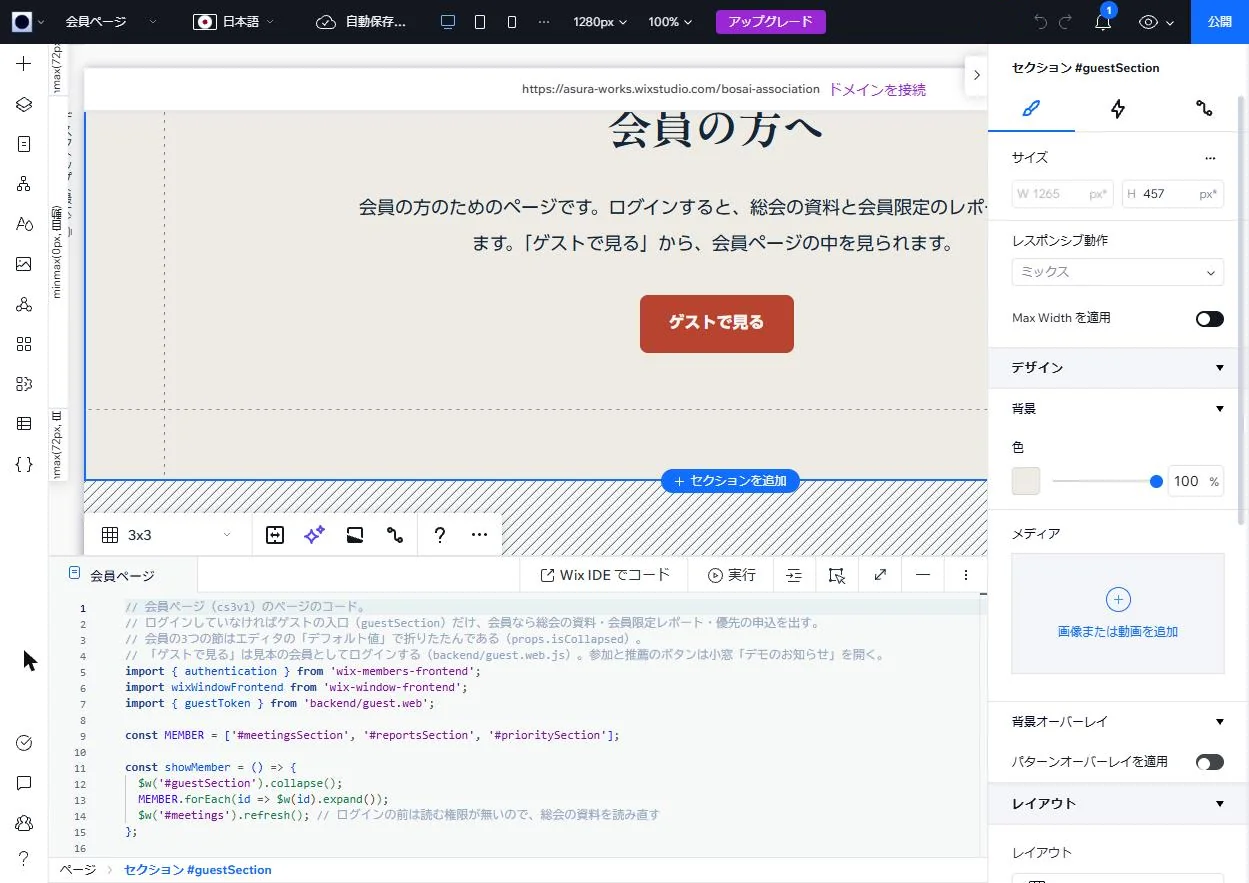
Editor -
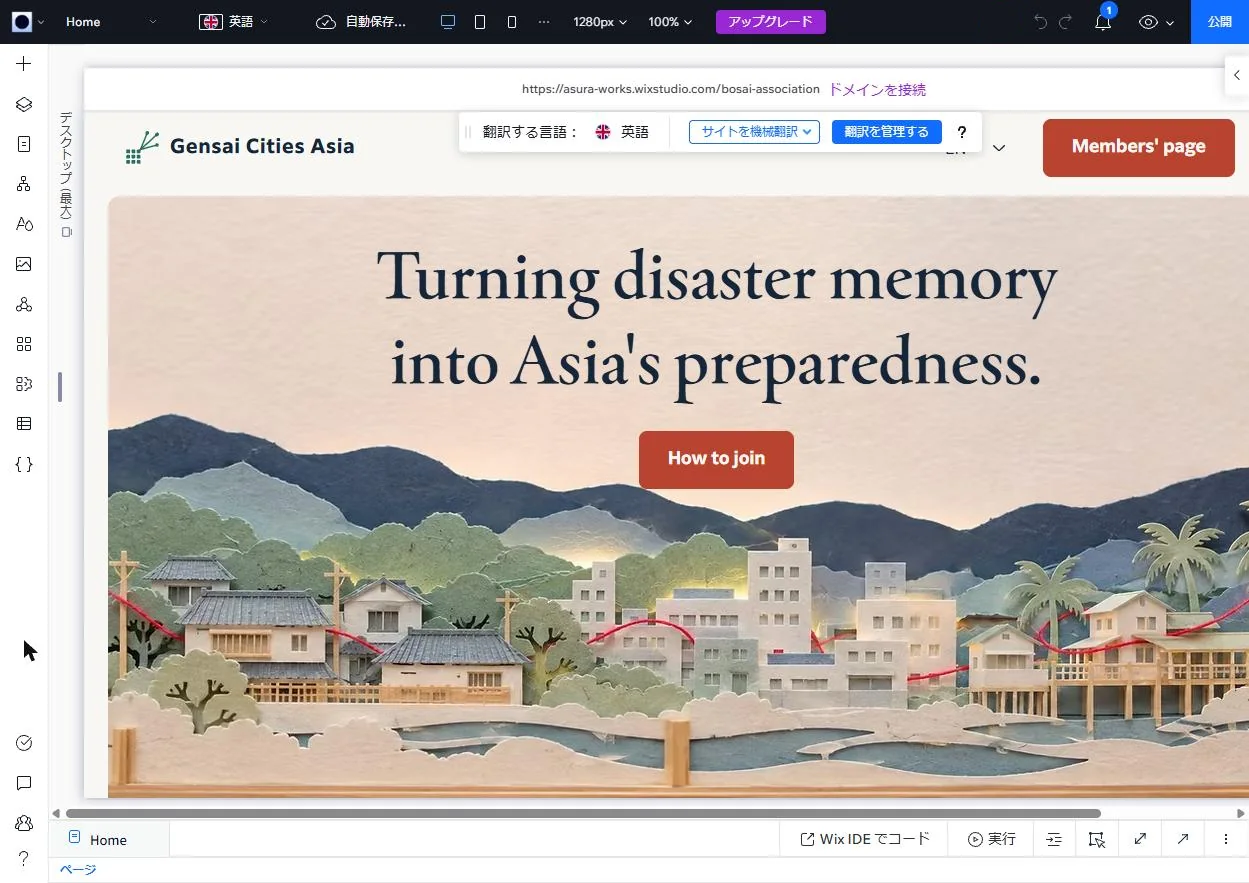
06Japanese and English
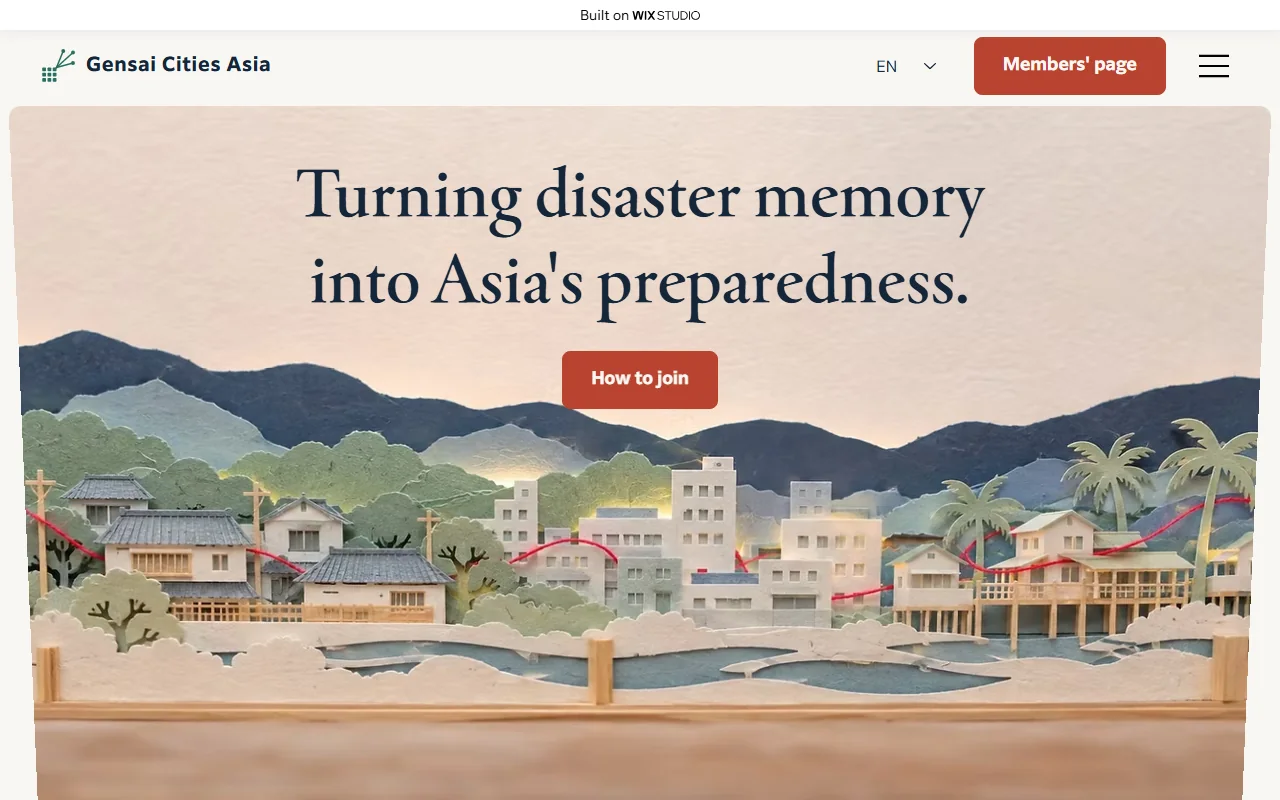
The English pages use Wix Multilingual, which keeps English text on the same pages. Switching the editor's language to English and rewriting the text changes only the English pages. All the English is written translation, with no machine translation.
The JA / EN switcher in the header moves between languages, and English page URLs include /en. Blog posts are paired in Japanese and English, and the content of events, the store and the CMS has an English translation for each item.
Live site (English) -
07Contact form and mobile layout
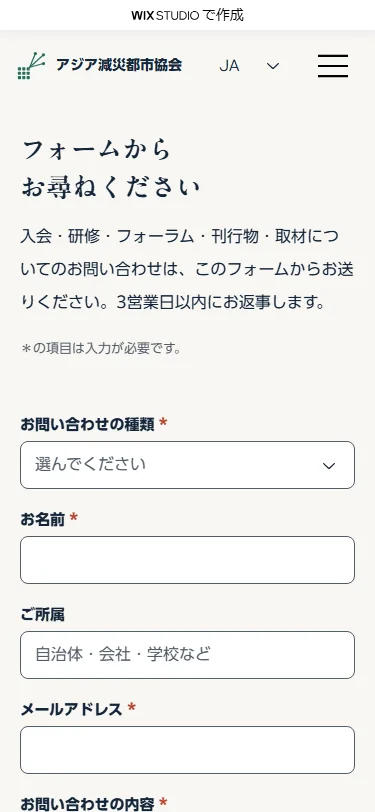
Switching the screen width at the top of the editor lets you set a layout for that width alone. The contact form's short fields, in two columns on desktop, stack in a single column on mobile.
On submit, the form checks the required fields, showing an error message if any are missing and a completion message when all are filled in. In this project it sends nothing. In production it would be built with Wix Forms, so that messages arrive in the dashboard's inbox.
Live site 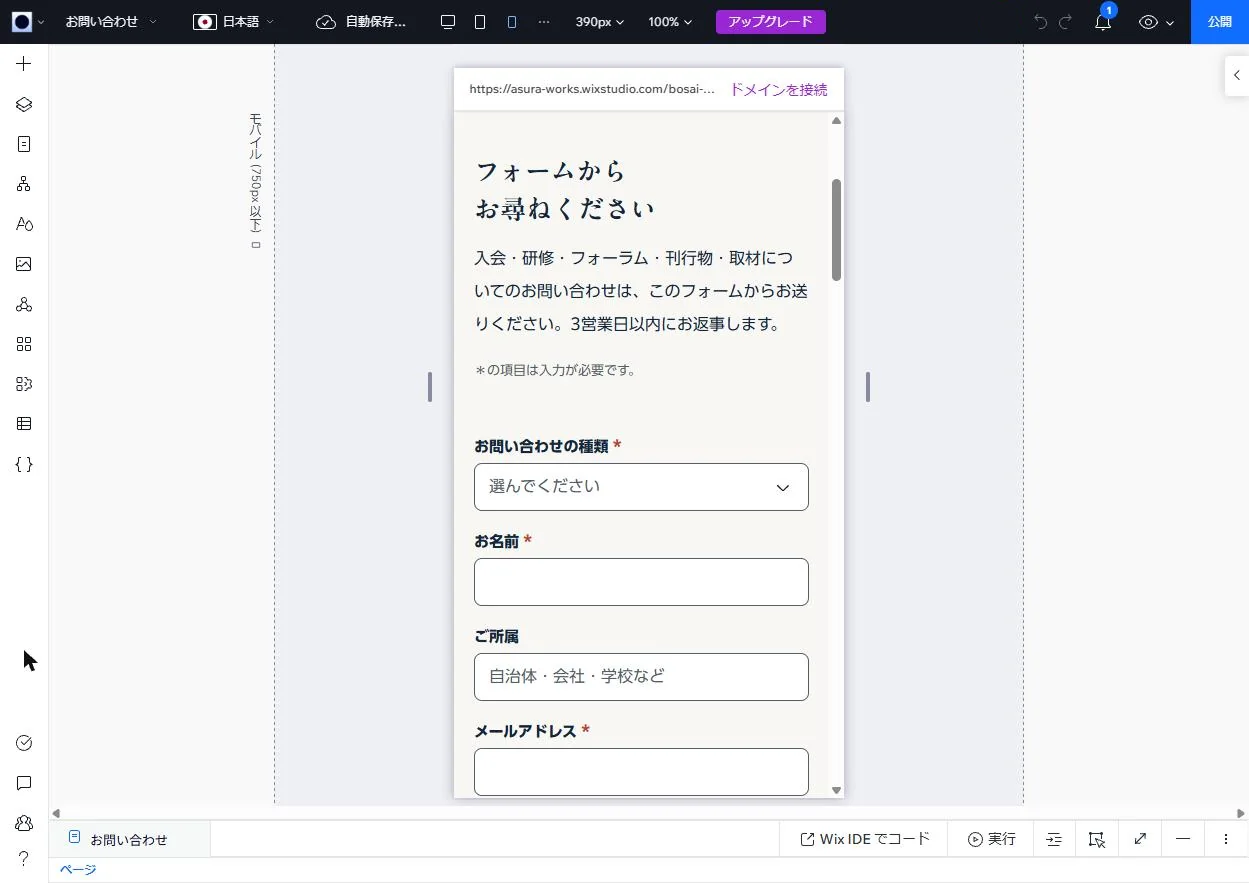
Editor (390px wide)