Shopify / Bilingual store
DriveUp
Used items by quote.
New parts by cart.
An online store for DriveUp, a fictional company that sells used Japanese car parts, used cars and new replacement parts under its own brand to individuals and repair shops in Japan and overseas, in Japanese and English. The store opens in Japanese, and the language selector in the header or /en switches to the English store. Prices are in Japanese yen in both languages. The screenshots on this page are of the Japanese store, except for the English store in feature 07. It is built on Horizon, Shopify's official free theme, with added sections and templates. The 36 new parts really work up to the cart, the 72 used parts can only be quoted and the 24 used cars can only be inquired about. The quote requests, inquiries and checkout are samples that send nothing anywhere. The focus is on letting the shop staff update stock status and products themselves in the admin after launch, explained with the storefront and the admin side by side.
Open the storeThe store is password protected. Enter the password asura on the first screen.
This work is an original adaptation of a commissioned project.
Extend the theme
without breaking it.
The base is Horizon (4.5.0), Shopify's official free theme. Only eight of Horizon's Liquid files were changed, for the price display, the badges on product cards, how filter names and values are shown, the layout every page loads and the tax note in the cart. Everything else is 16 added files of sections, blocks, snippets, CSS and JavaScript whose names start with du. The changed places and the reasons are kept in a list, so they can be reapplied when Horizon is replaced with a newer version.
The theme was pushed to an unpublished draft theme, checked in the admin preview, and then published. Products, vehicles, collections, menus and pages are loaded through the Admin API from local JSON that holds both the Japanese and the English text, so running it again gives the same result and the store can be rebuilt.
The look is based on research into real export stores in the same field. Stock photos lead, on a paper-white background with ink-dark text and an orange accent. Headings are set in Roboto Condensed Bold and body text in Inter. The 324 photos were made with Codex, without car emblems, logos or number plate lettering.
Vehicles in one place
referenced by parts and cars.
Thirty vehicles (make, model, chassis code and year range) live in one place as a Vehicle metaobject. A used part's fitment (Fits) is a list of vehicles, and a used car references one vehicle. Edit a vehicle and both the fitment table on the part pages and the used car pages change.
Products carry metafields for category, condition grade (Grade A, B, C and Junk), stock status (Available, Checking stock and Sold) and specs, and used cars also carry year, mileage, transmission, fuel, drive, engine size, steering side, colour and the last digits of the chassis number. Fields with fixed choices are limited by their definitions, so only those values can be chosen in the admin. The values are stored as English codes such as Grade B, Sold and Petrol, and the Japanese store shows them as Japanese words through the theme's locale files. Vendor is always the car's make, which feeds the Make filter.
Kept out of the cart
by design.
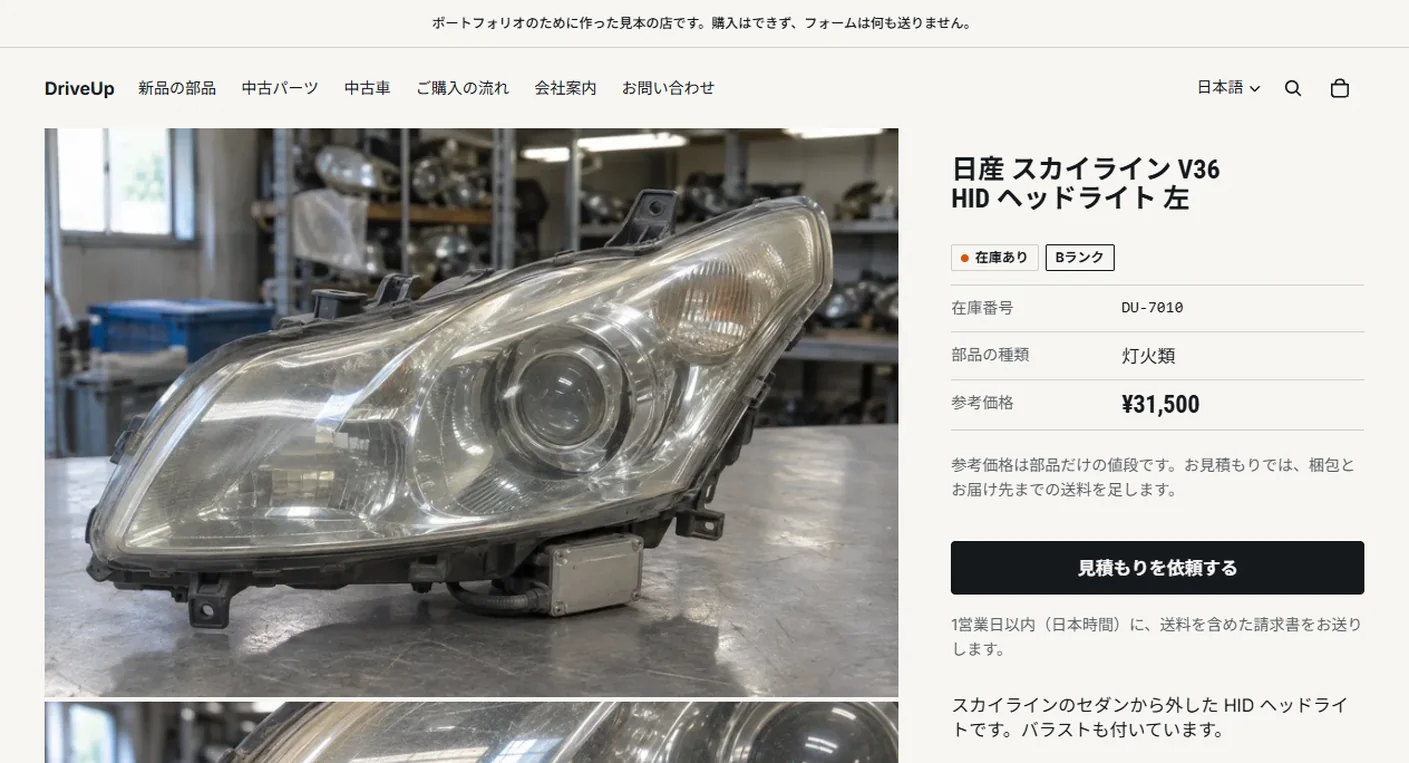
Used parts and used cars track inventory, have zero stock and are set not to sell when out of stock. Beyond removing the cart button from the template, Shopify itself refuses them when they are sent straight to the storefront cart API. Shopify would show them as sold out, so product cards and product pages show a stock status badge instead, and prices are shown as a reference price for used parts and an FOB price for used cars. Products priced at zero show Price on request.
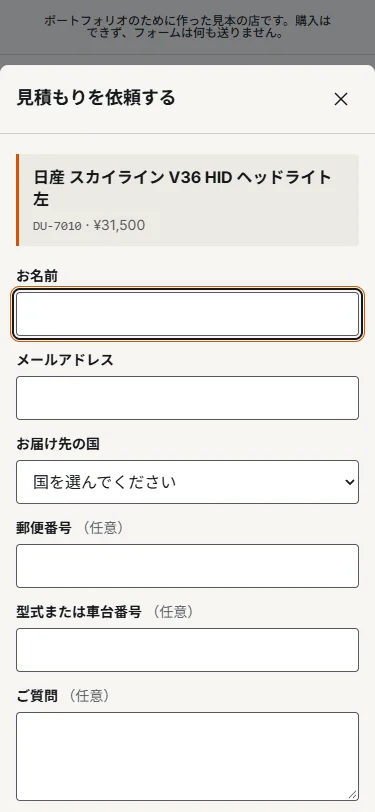
Request a Quote (見積もりを依頼する in the Japanese store) on a used part page opens a drawer with a quote form. The product name, stock number, reference price and page URL are filled in automatically. Enter a name, email and destination country and submit, and it ends with a summary of what was entered and a note that, as a sample, nothing was sent. The used car inquiry, WhatsApp and the Contact page work the same way, and none of the forms sends what was entered over the network. New parts really work up to the cart, and Check out shows a sample notice and stops.
The quote drawer
rises from the bottom on phones.
The quote drawer slides in from the right at 520px wide on desktops and rises from the bottom of the screen as a sheet on phones. While it is open, focus stays inside, and Esc or the close button closes it. The form has two columns on desktops and one on phones and inside the drawer.
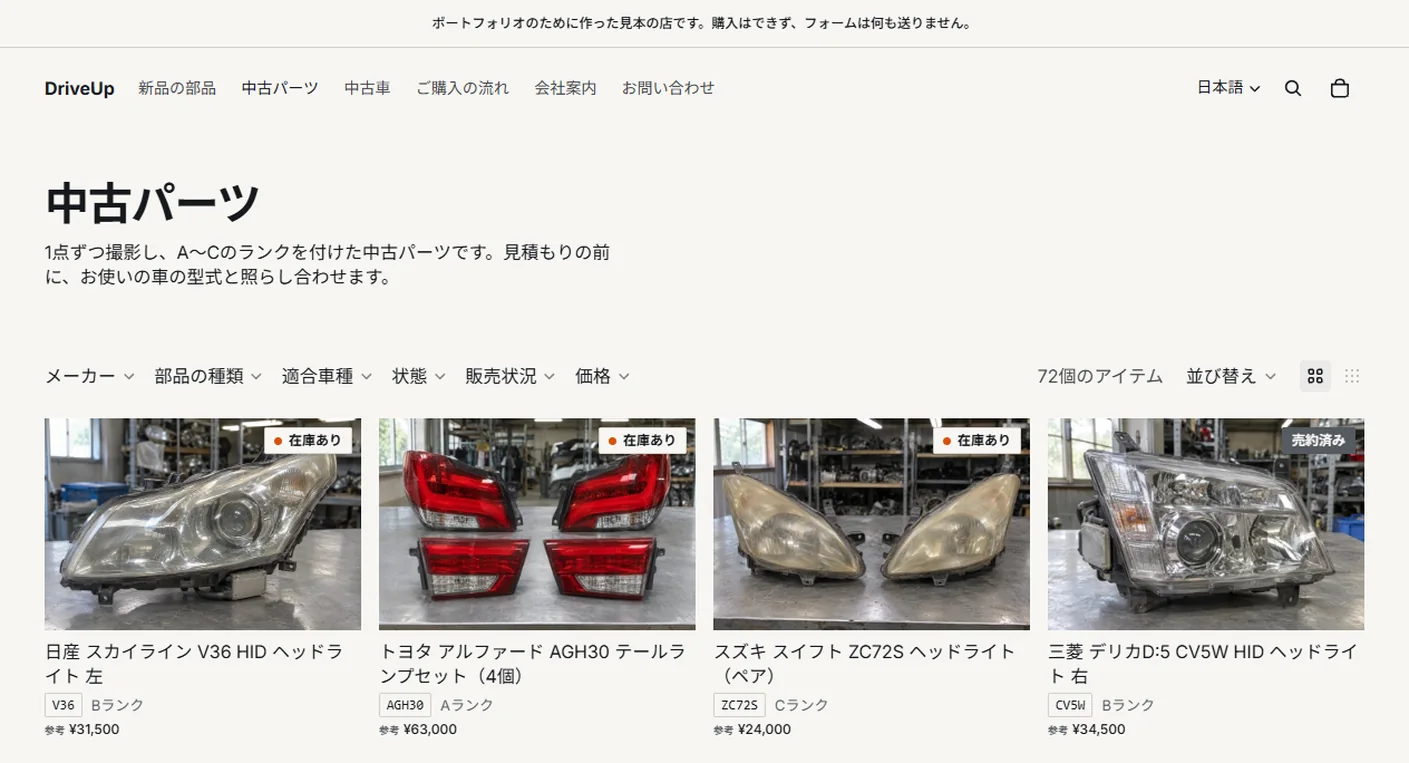
Product cards in the lists show the chassis code tag and grade for used parts, and the year, mileage and transmission for used cars, so they stay readable in two columns on phones.
Project details
- Version
- 2.0.0
- Project type
- Fictional website
- Scope of work
- Shopify theme development, product data design and build, and the Japanese and English setup
- Tools
- Shopify (Horizon 4.5.0 / Search & Discovery) / Shopify CLI
Admin GraphQL API / Liquid / JavaScript - Pages
- Home, product lists (new parts, used parts, used cars), 3 kinds of product page, cart, How to Buy, About, FAQ, Contact and 4 policies
- Products
- 36 new parts, 72 used parts and 24 used cars, 30 vehicles
- Languages
- Japanese (default) and English (/en), prices in Japanese yen
- Breakpoints
- 749px and below / 750px and up
The storefront
and the admin side by side.
Seven key features, each shown on the storefront and in the Shopify admin.
-
01Theme and sections
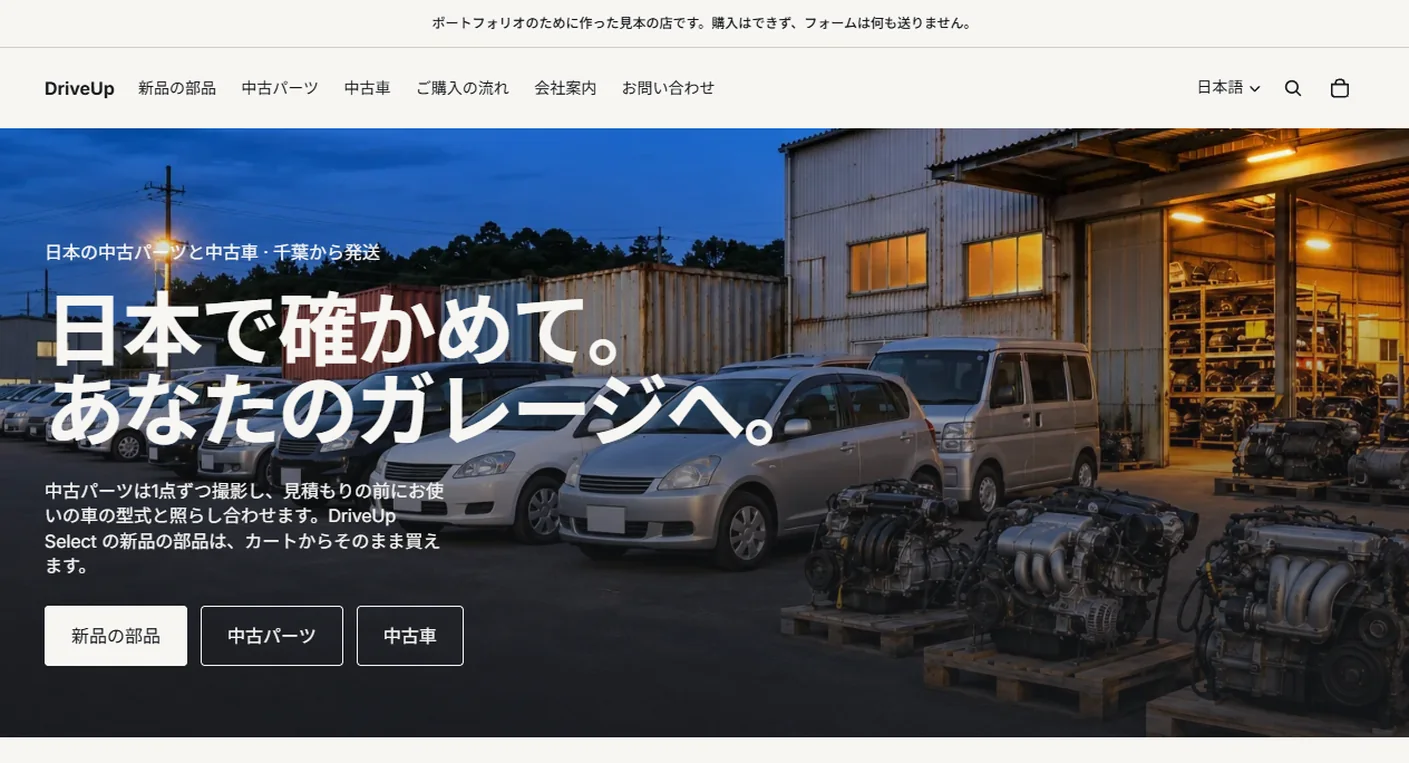
The homepage combines Horizon's hero and featured collections with two added sections, DriveUp entry tiles and DriveUp how to buy. Each of the three entry tiles for new parts, used parts and used cars has its own photo, title, text, link text and link, and they can be rewritten in the theme editor along with the heading above them.
Sections can also be reordered, added and removed in the editor. The theme was built in an unpublished draft theme and checked in the admin preview before it was published. The editor holds the Japanese text, and the English text is kept as its translation (07).
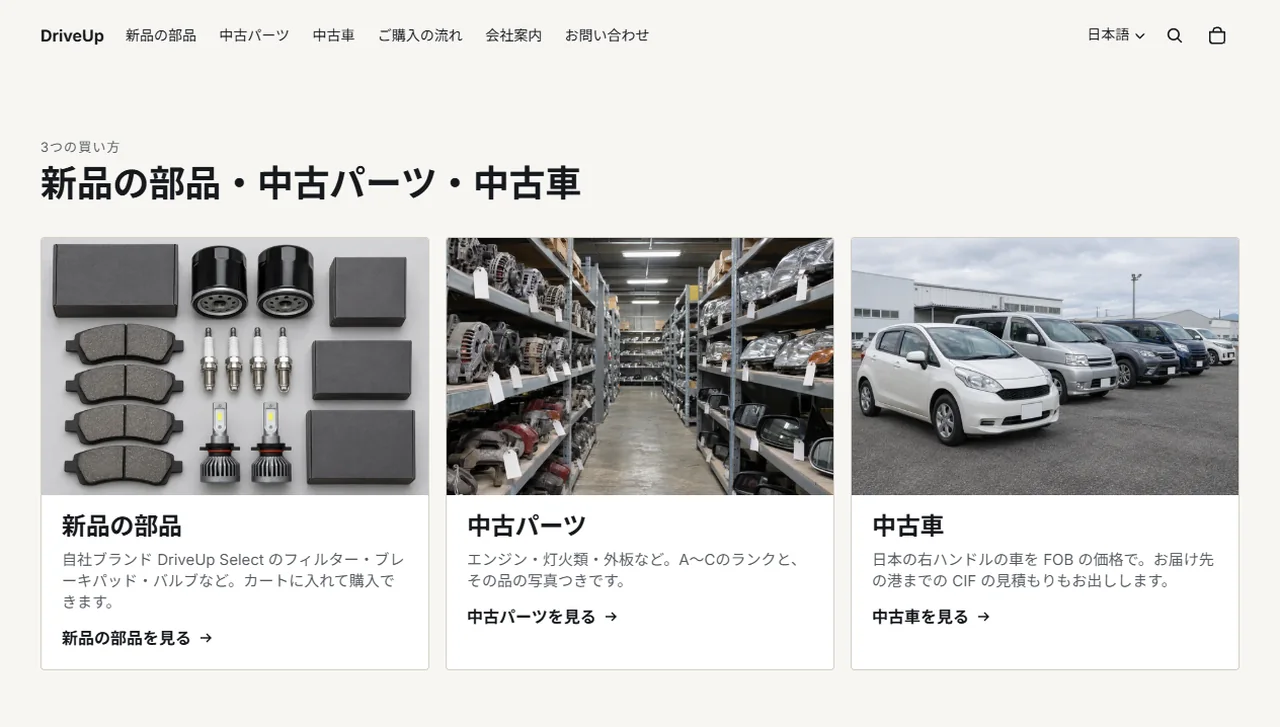
Storefront (homepage) 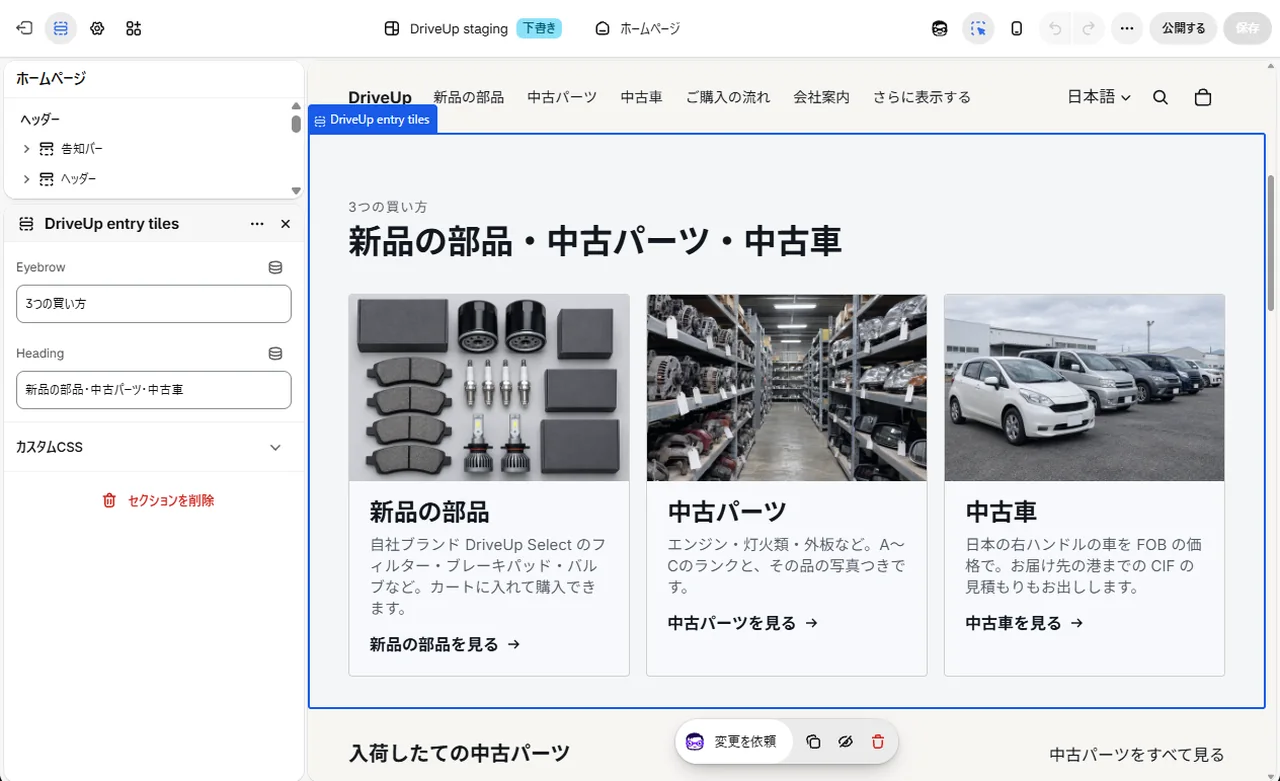
Admin (theme editor) -
02Vehicles and fitment
The 30 vehicles are entries of a Vehicle model metaobject, one each, with the make, chassis code and the first and last year. A used part's Fits field is a list of these vehicles and appears on the part page as a table of vehicle, chassis code and years. Vehicle names are kept in English, and the Japanese store shows them translated, such as 日産 スカイライン for Nissan Skyline.
In the admin list of vehicles, the references column is the number of products that refer to each vehicle. Correct a vehicle's years and every part and car page that refers to it changes.
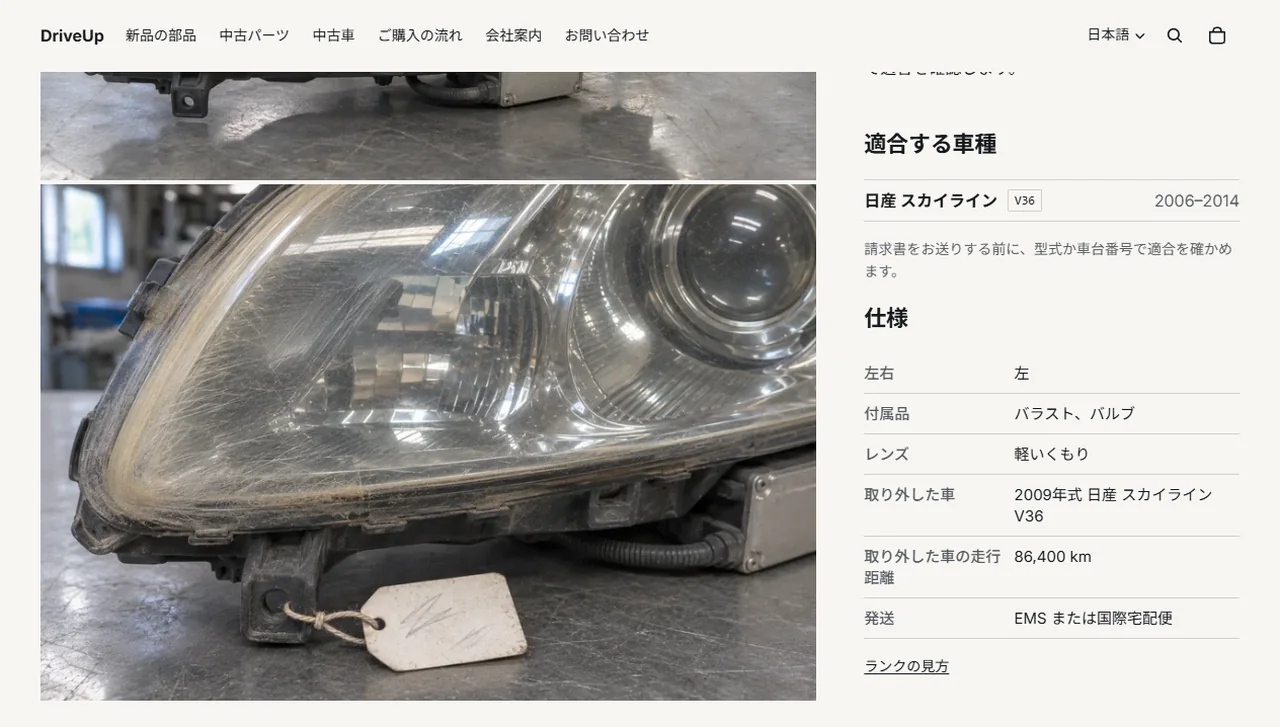
Storefront (used part page) 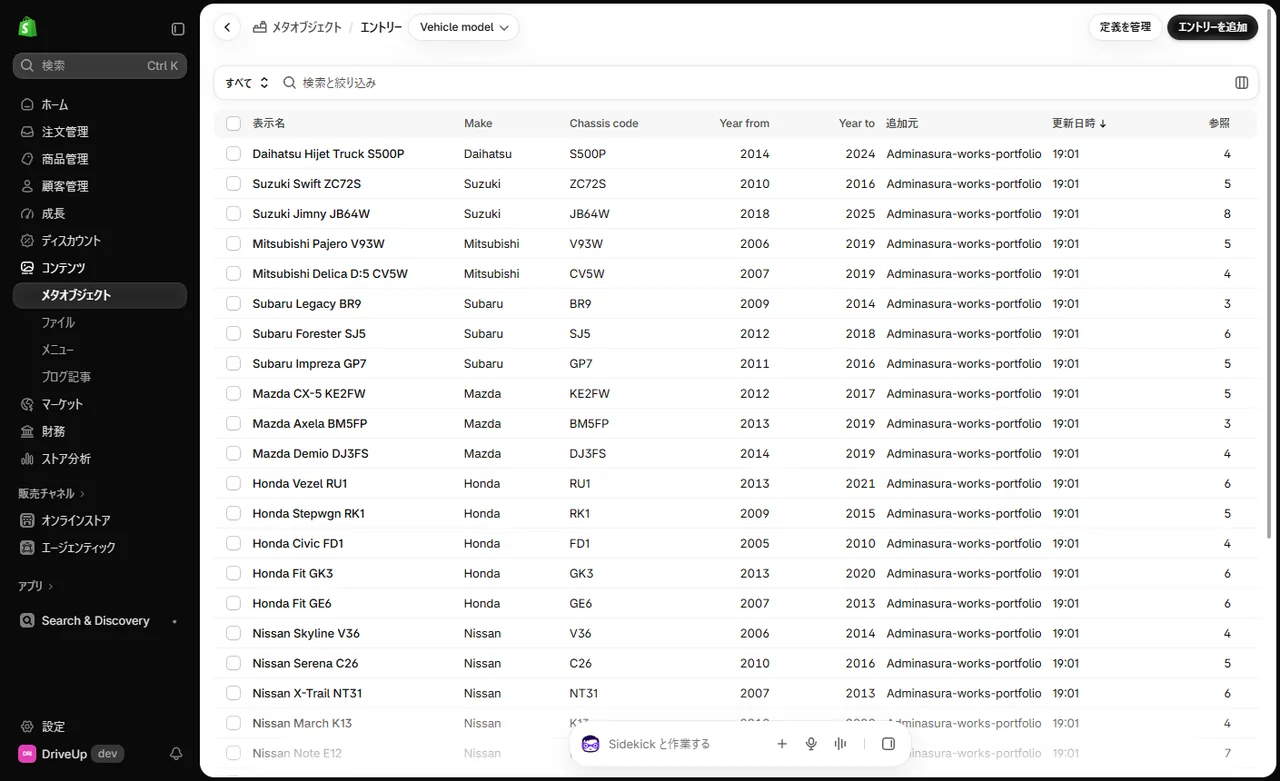
Admin (metaobjects) -
03Changing the stock status
When a part sells, the staff set Stock status to Sold in the product's metafields in the admin and save. The badge on the storefront changes to 売約済み in Japanese (Sold in English), Request a Quote can no longer be pressed, and a link to find a similar part appears.
Stock status (Available, Checking stock and Sold) and Condition (Grade A, B, C and Junk) are choice fields limited by their definitions. Only those values can be chosen in the admin, so spelling differences never split a filter.
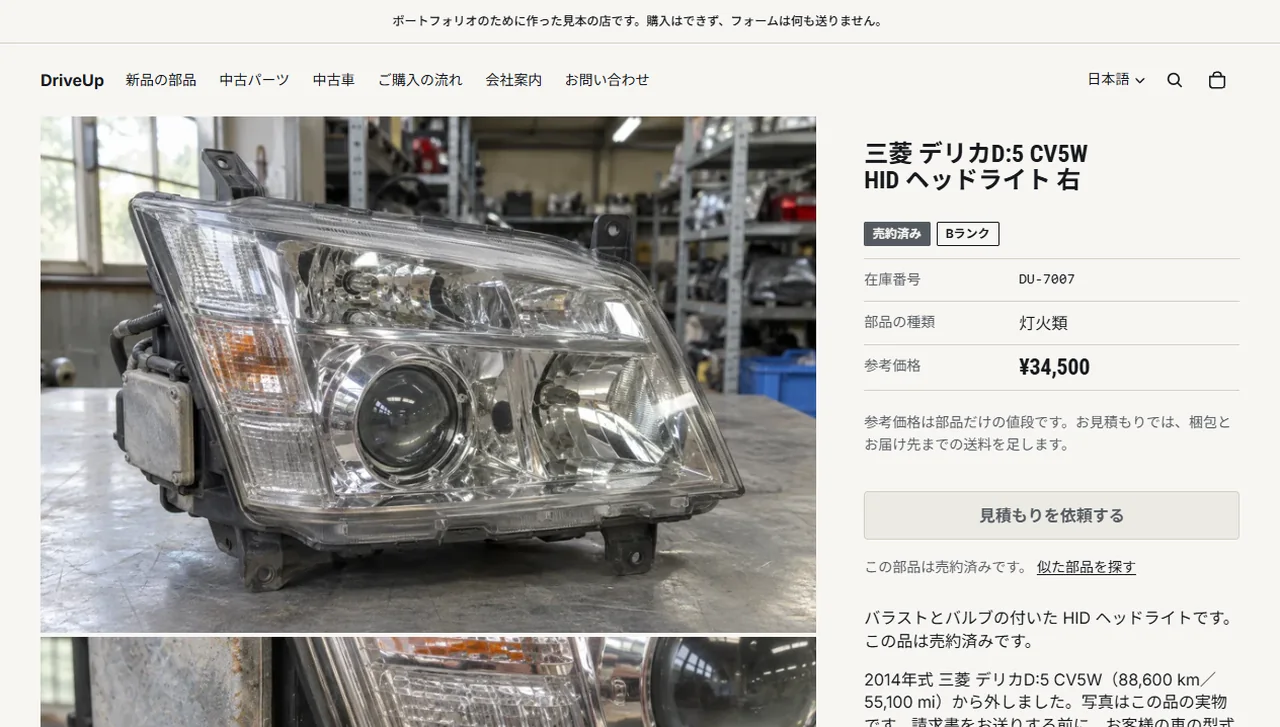
Storefront (sold part) 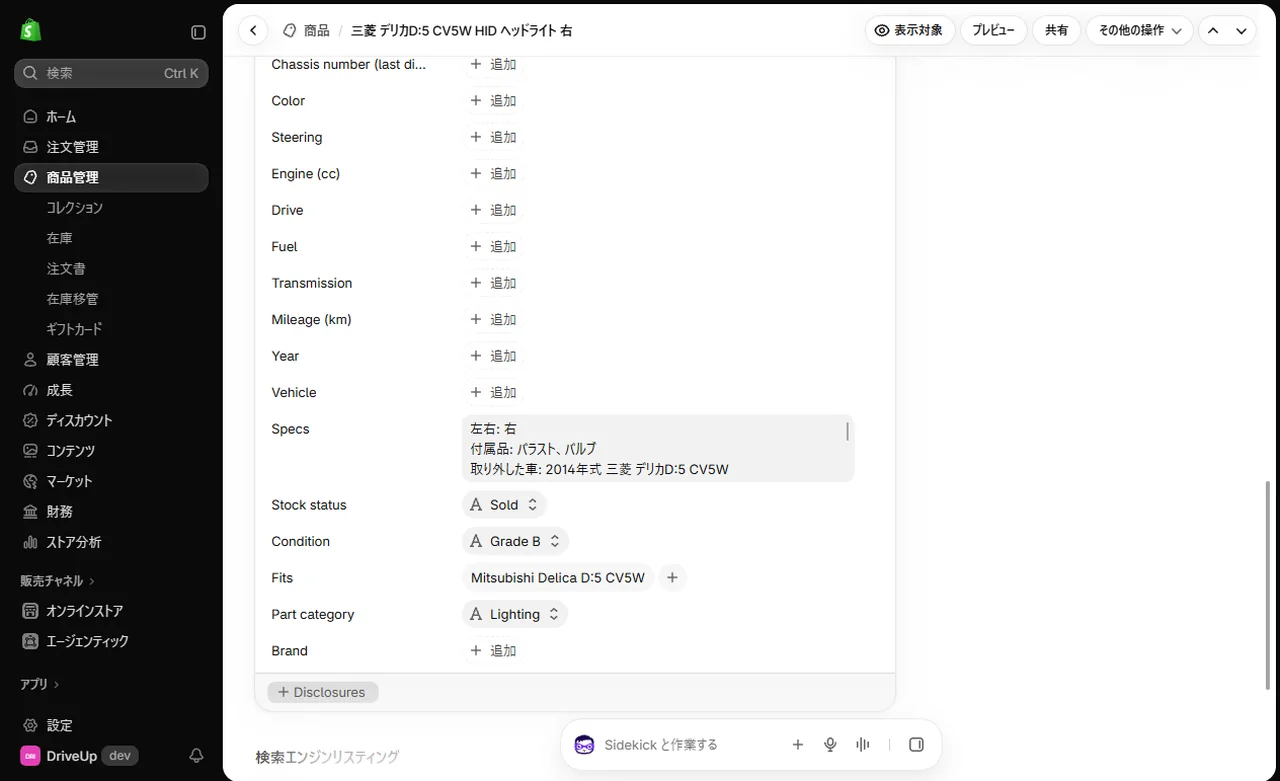
Admin (product metafields) -
04Filters
The filters come from Search & Discovery, Shopify's free app: eight of them, built from the vendor (the car's make), product metafields and price. The used parts list shows Make, Category, Fits, Condition, Availability status and Price, and Fits is chosen by vehicle name.
The filters are one list for the whole store, and a filter with no values in a collection is not shown. The used cars list shows Model and Year. The order can be changed by dragging in the app. The labels and values stay in English in the app and the theme shows them in Japanese or English, so a label changed in the app also needs its translation added to the theme's locale files.
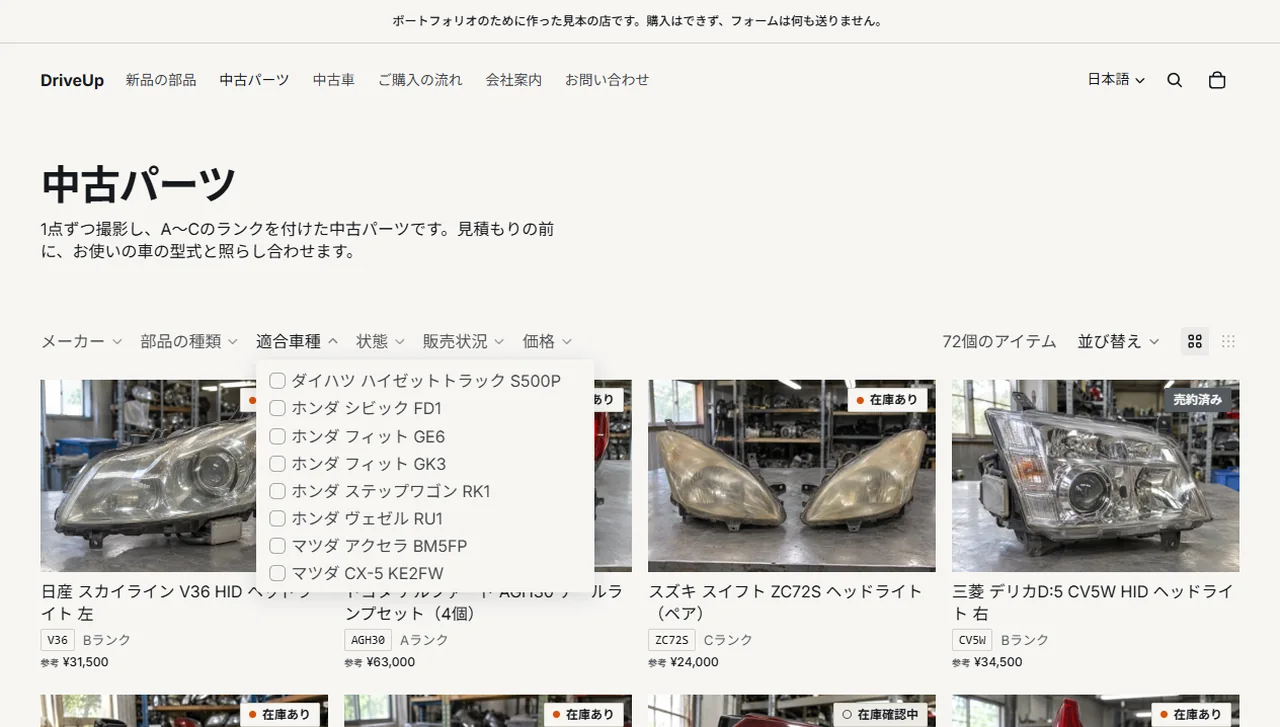
Storefront (used parts list) 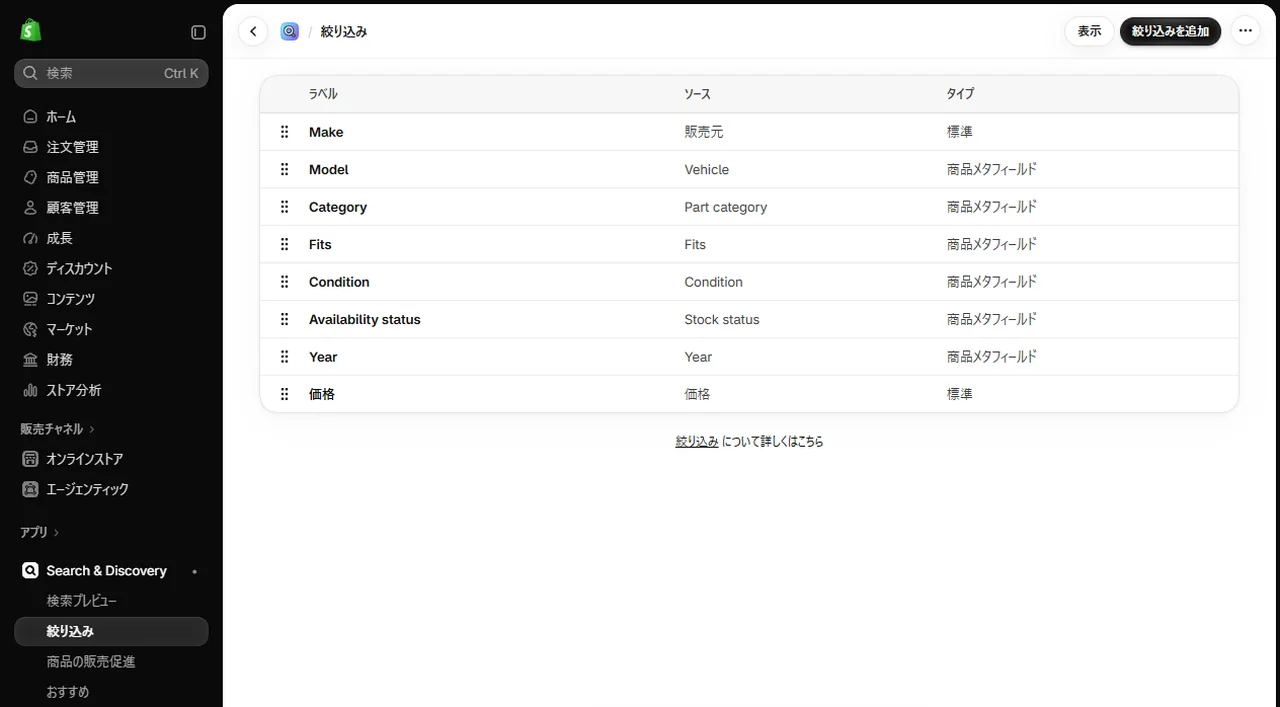
Admin (Search & Discovery) -
05Adding a used part
A used part gets the product type Used Part, the car's make as vendor, its chassis code as a tag, and the used-part theme template. Products of type Used Part join the used parts collection (中古パーツ) automatically. The chassis code tag becomes the tag on the list card, and the vendor becomes the Make filter.
Inventory is tracked with a quantity of zero, and Continue selling when out of stock is off. Shopify then refuses the part even when it is sent straight to the storefront cart API. With photos, a description, a reference price in yen and the metafields saved, it appears in the list and the filters. The title and description are entered in Japanese, and the English is added as their translation.
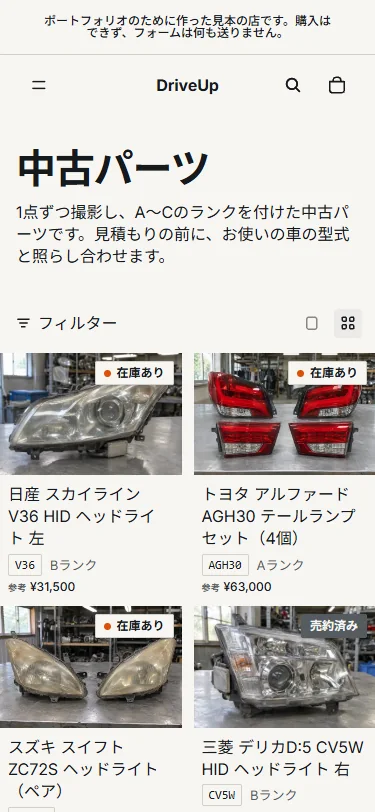
Storefront (phone) 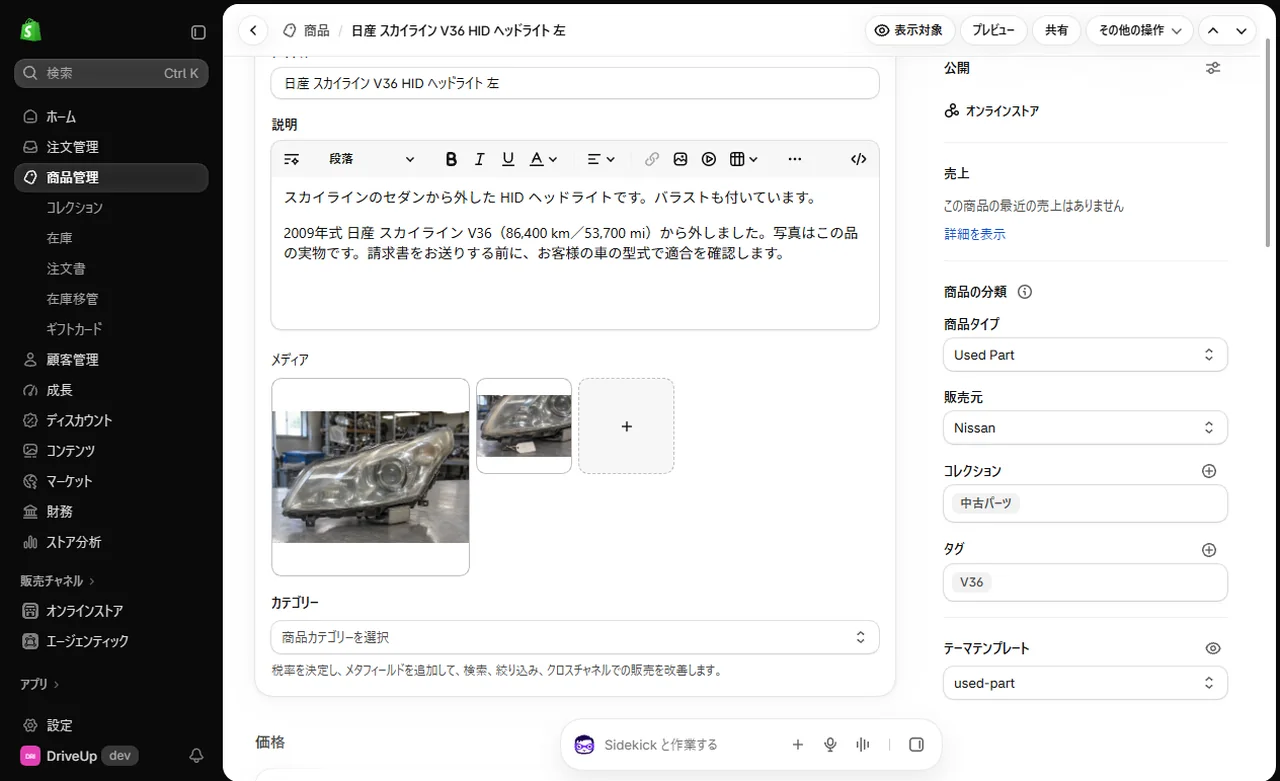
Admin (product) 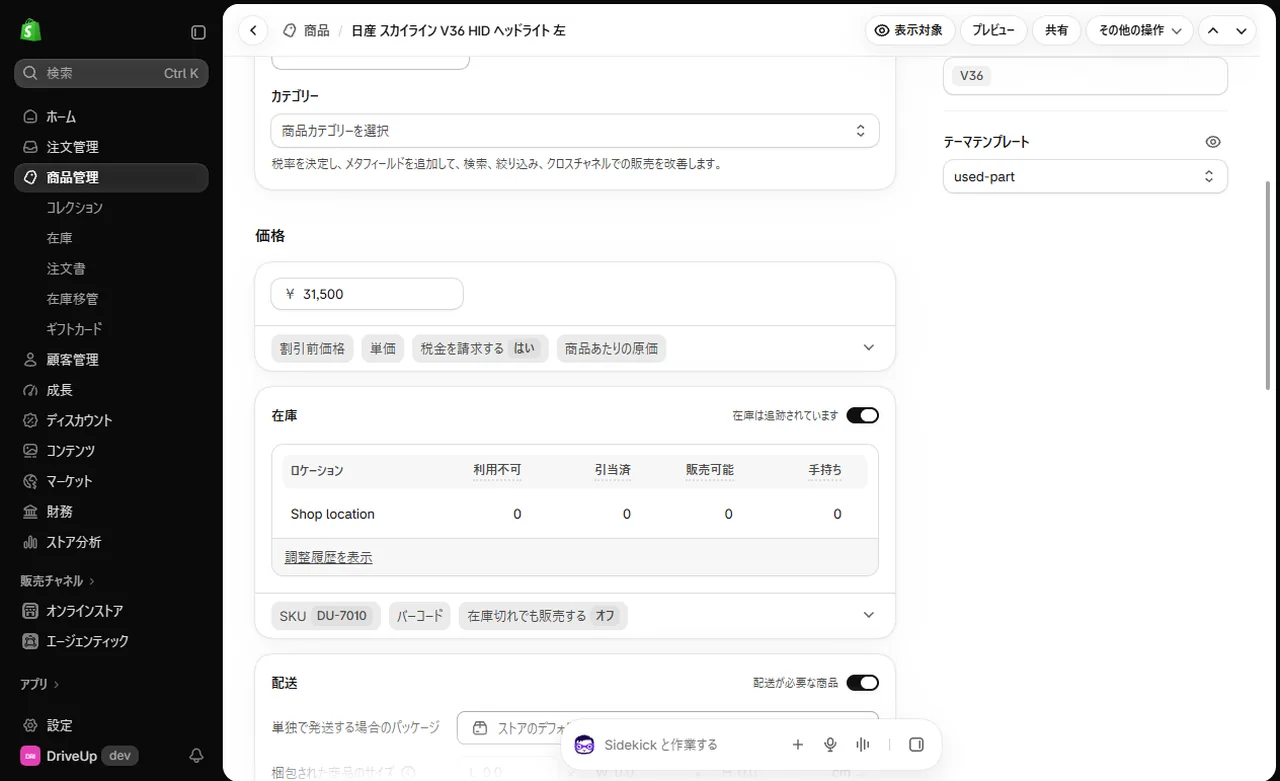
Admin (price and inventory) -
06Listing a used car
Each used car is one product, with the year, mileage, last digits of the chassis number, transmission, fuel, drive, engine size, steering side and colour in product metafields. The car refers to one Vehicle model, and its chassis code comes from there. The price is FOB, the price at the port in Japan, in yen.
The car page sets these out in a table, shows the mileage in both kilometres and miles, and shows only the last digits of the chassis number. Fuel, steering side and the other choices are also stored as English codes, and the Japanese store shows them in Japanese, such as ガソリン for Petrol and 右ハンドル for RHD. Each car has four photos.
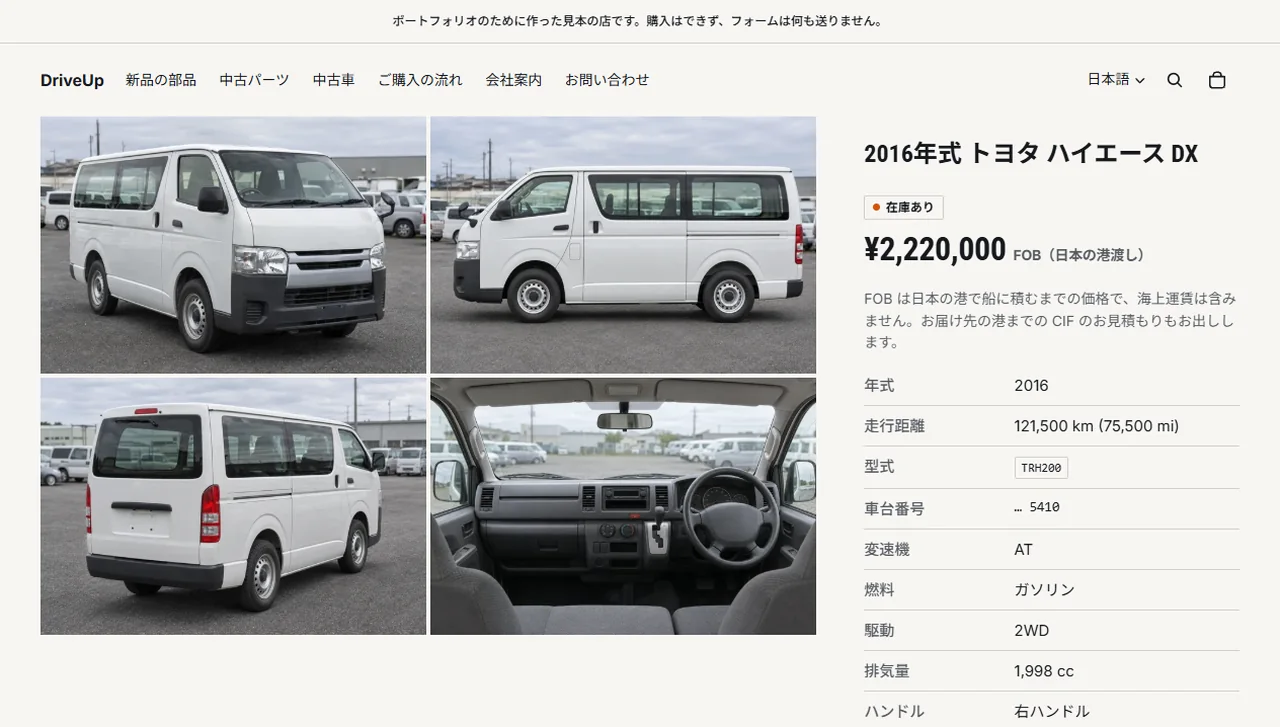
Storefront (used car page) 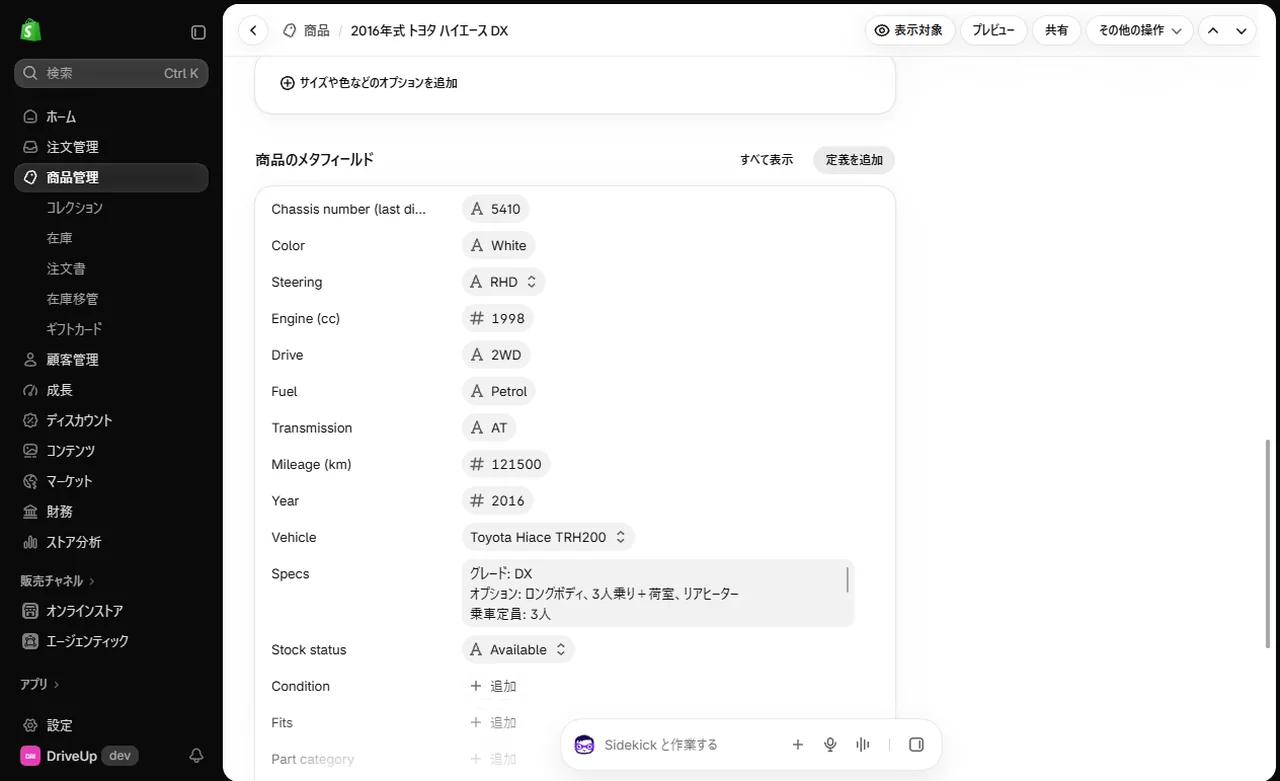
Admin (product metafields) -
07Japanese and English
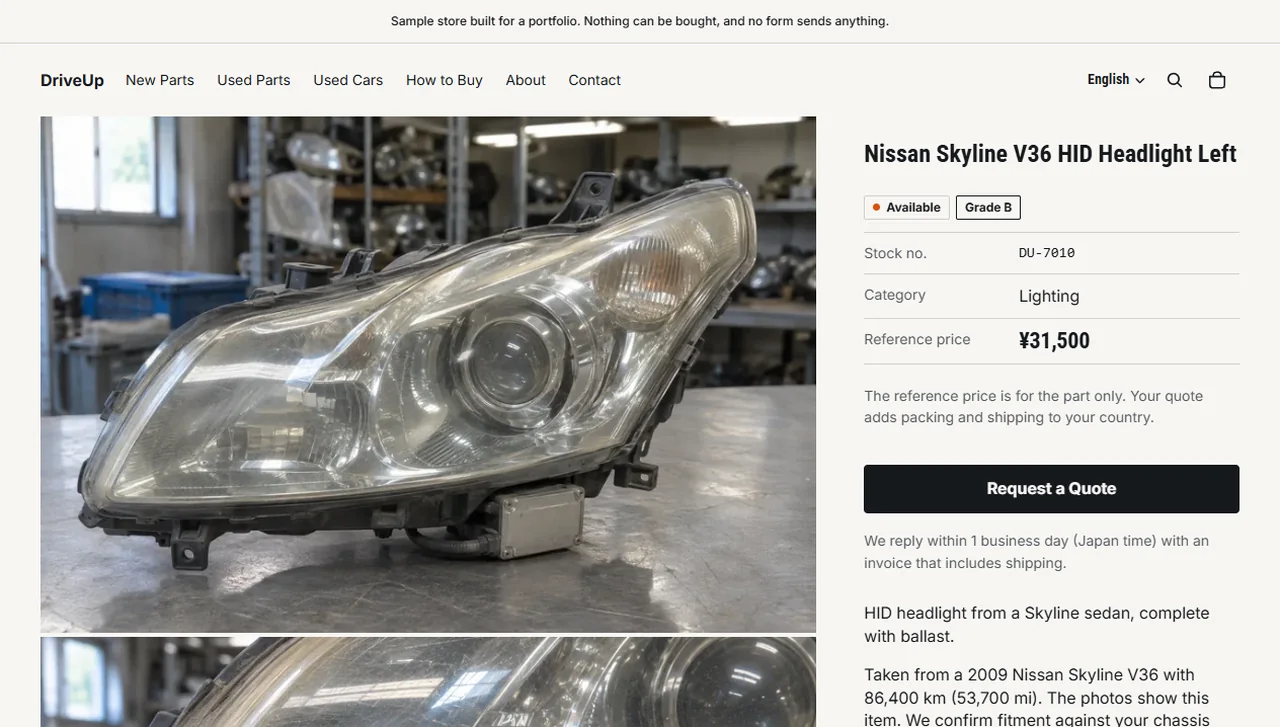
The store's default language is Japanese, and English is published as a second language and assigned to the store's domain. The English store is at /en, and the language selector in the header switches between them. Opened from /en, the password page is in English too. There is one currency, the Japanese yen, and the English store also shows prices in yen.
Products, collections, pages, menus and policies are written in Japanese, with the English registered as Shopify translations. A sync tool writes the Japanese and English text from local JSON through the Admin API, so running it again gives the same result. The text in the theme templates also has its English registered as translations, and the text of the added blocks lives in Horizon's locale files (ja and en). Editing the English in the admin needs Translate & Adapt, Shopify's free app, which is not installed in this store.
Storefront (English store) 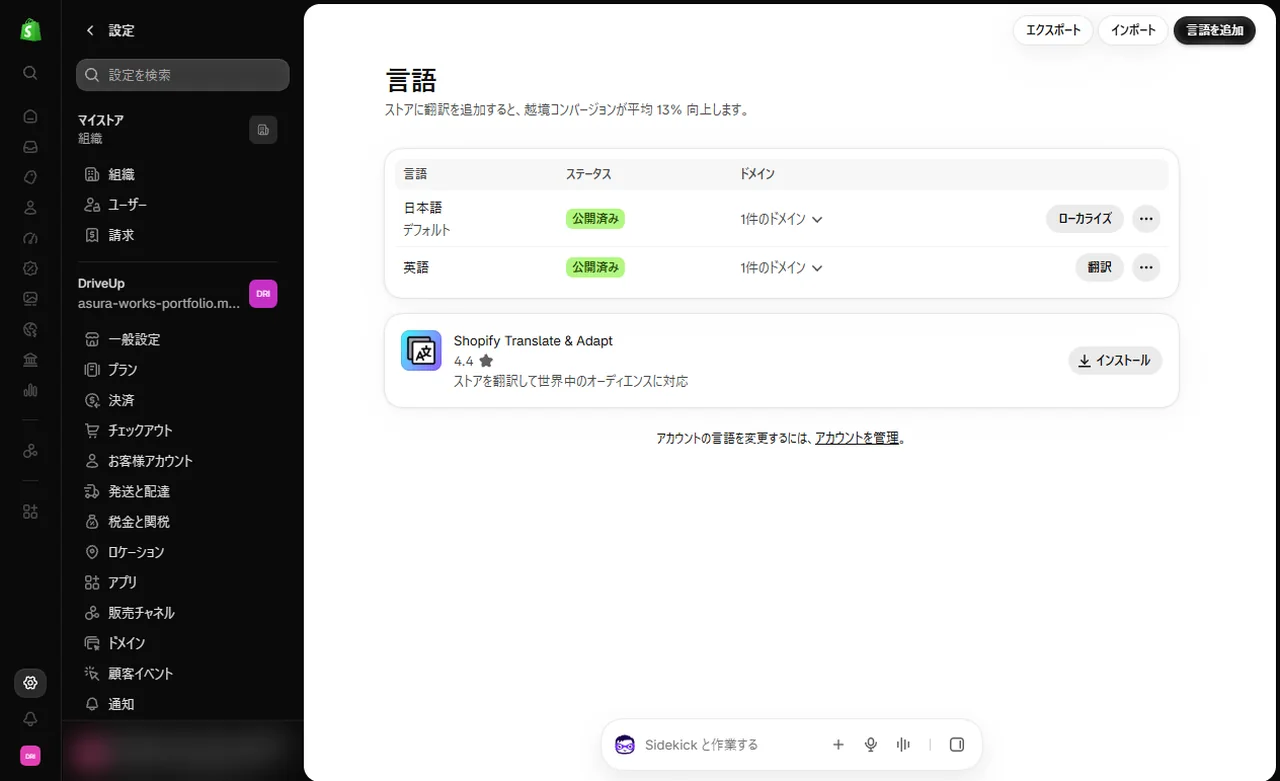
Admin (language settings)