WordPress / Company website
Acacia Animal Hospital
Text and photos
the clinic edits itself.
A company website for Acacia Animal Hospital, a fictional neighborhood clinic for dogs and cats in Nagareyama, Chiba. It is a site in a WordPress multisite network with eight pages: home, about, services, first visit, access and hours, news, contact and privacy policy. The text and photos of each page live in a web part (a block of HTML) per page, and the news lives in posts. The focus is on letting the clinic staff update the site themselves in the admin screens after launch, explained with the live screens and the admin screens side by side. The site is in Japanese only, and the contact form sends nothing.
Open the siteThis work is an original adaptation of a commissioned project.
Green and cream
with yellow only as a marker.
The setting is a primary-care clinic with four veterinarians in a residential part of Nagareyama. After comparing the structure of five real veterinary clinic websites, the background was set in a warm white and cream, and the text and main buttons in the deep green of acacia leaves. Mimosa yellow is used only for round markers and underlines, never for text. Headings are set in a rounded gothic typeface.
There are 35 photos of the clinic, its veterinarians and staff, and dogs and cats, and the four veterinarians and two staff members show their faces. Motion is limited to headings and photos rising in once, and there is no video.
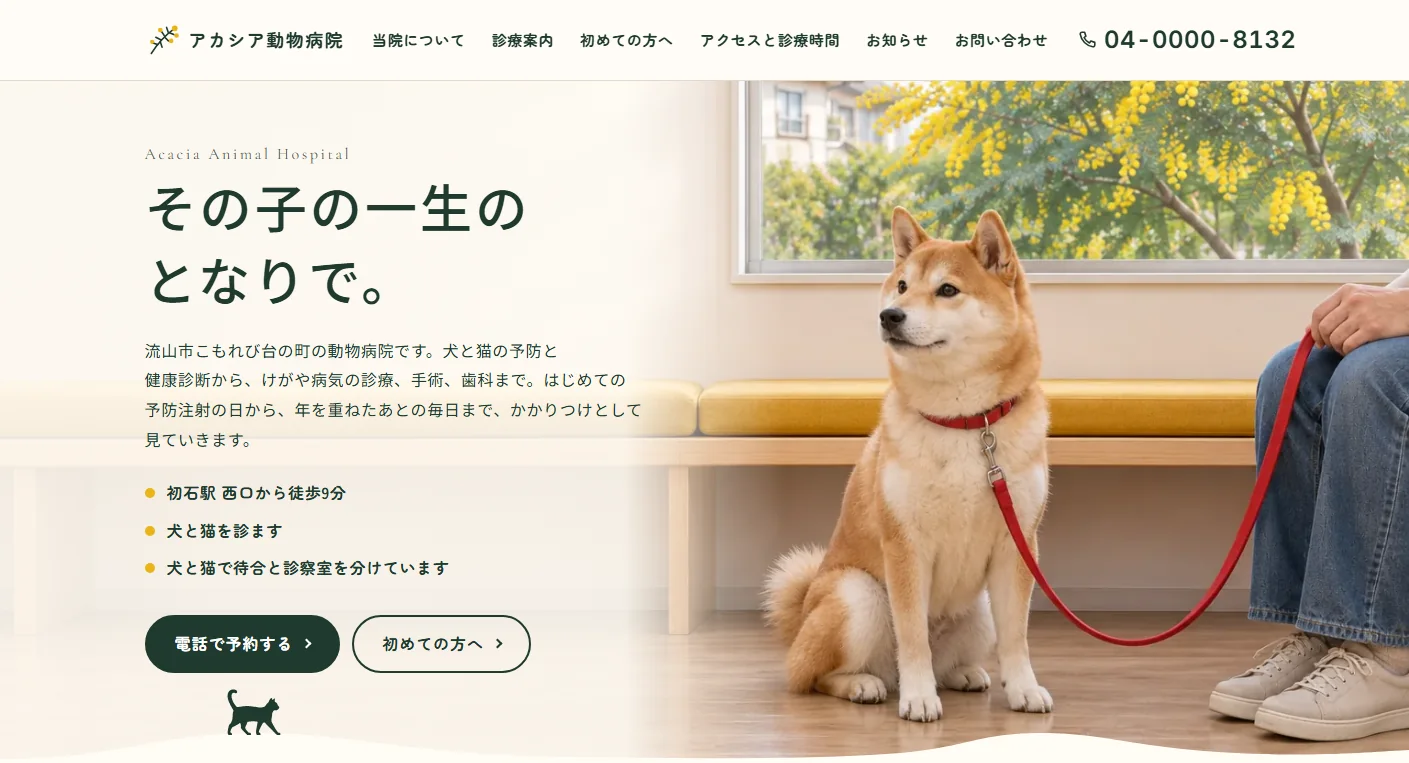
The waiting-room photo on the homepage runs the full width of the screen, and the headline and introduction sit on its left half, where only the wall shows. Where one section meets the next, the lower section's background rises like a low hill. A silhouette of a dog or a cat stands on each hill, changing from section to section, and in the footer at the bottom two of them sit side by side.
Each treatment on the services page lists four things: what it involves, the main risks and side effects, the cost, and who to ask. In line with Japan's veterinary advertising guidelines, there are no discounts, testimonials or comparisons with other clinics.
Pages in parts
news in posts.
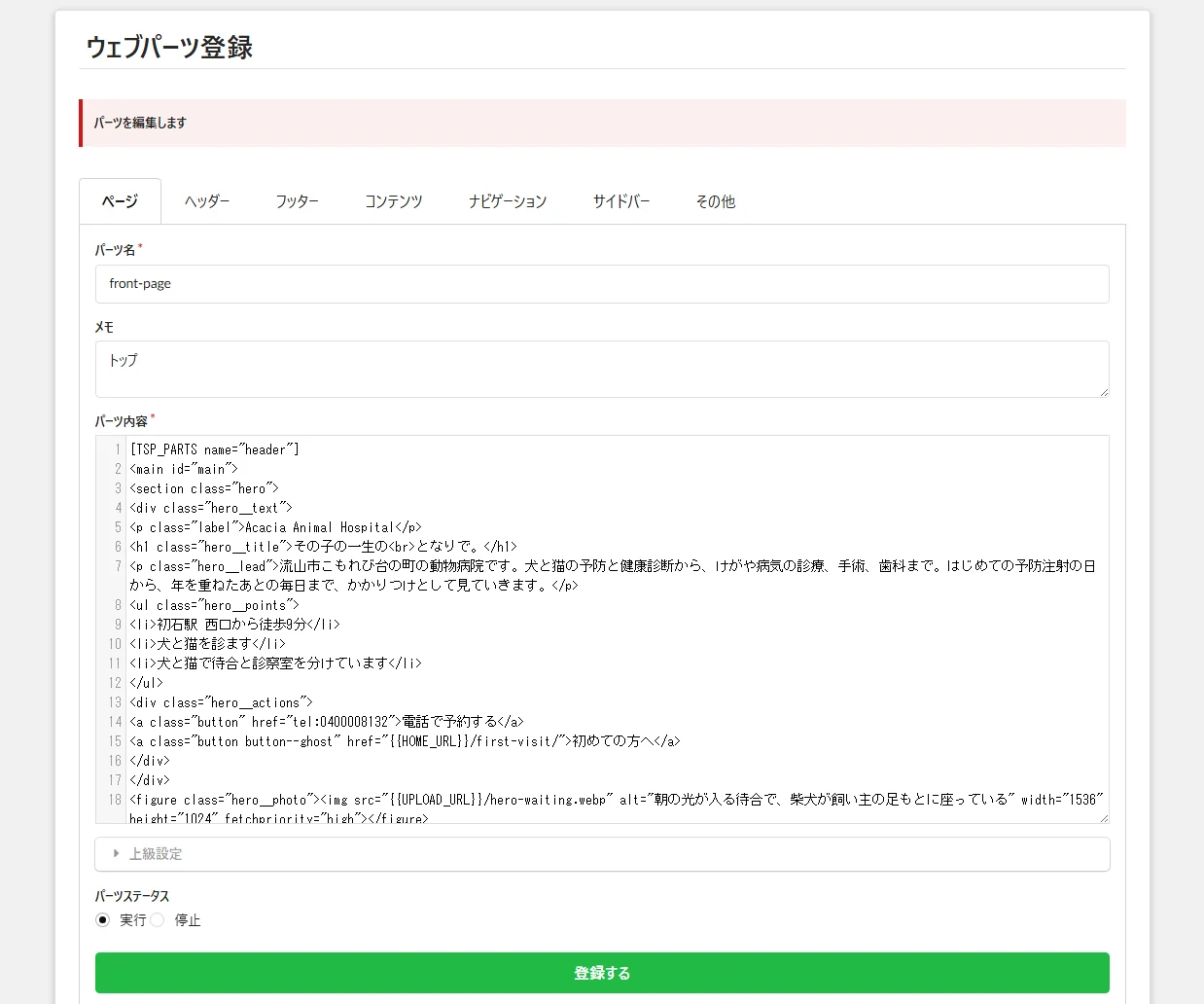
The text and photos of the eight pages are one web part per page. The header, footer, hours table and phone band are parts too, 15 parts in all. The homepage and the access page read the same hours part, so changing a closing day means editing one place and both pages change.
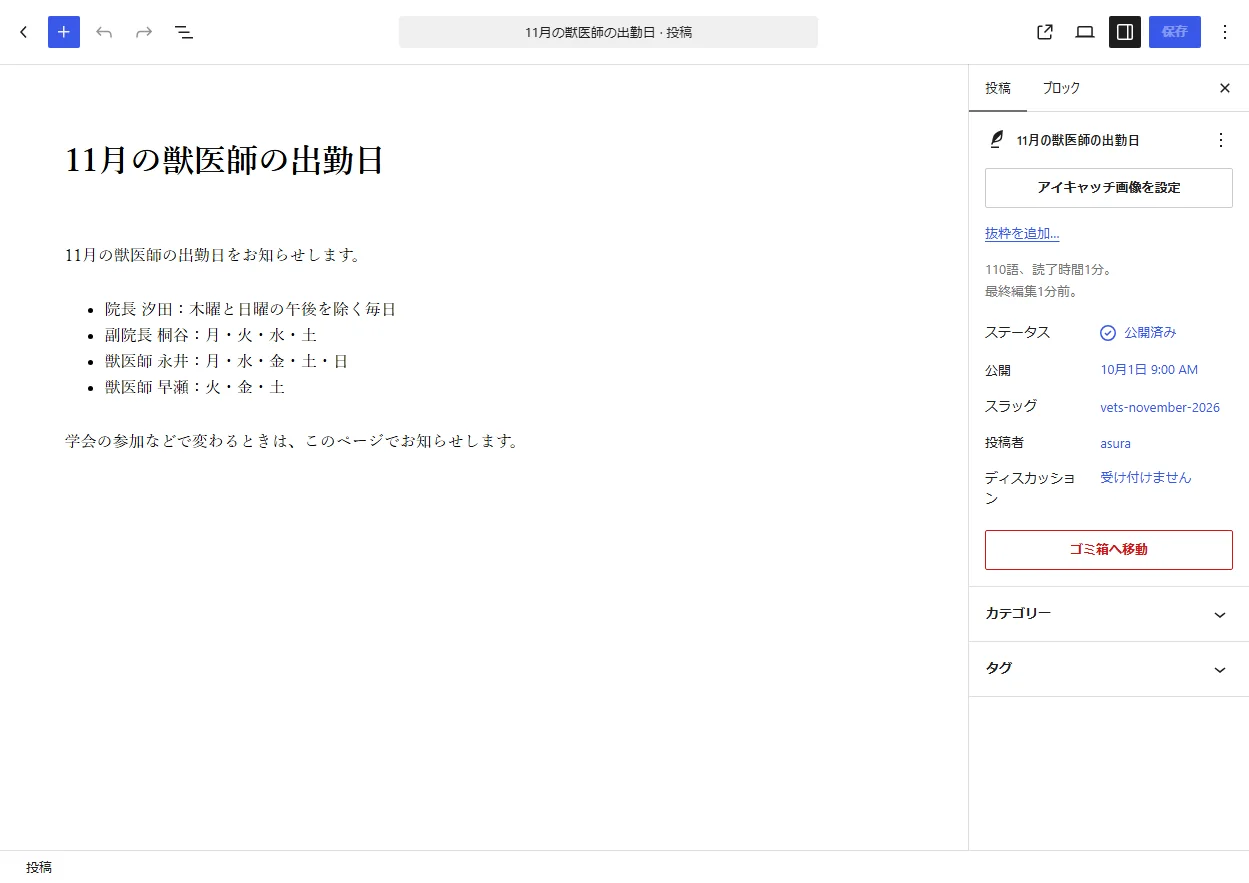
News items are WordPress posts, with six samples. Write one in the post screen and publish it, and it appears in the news list and in the latest-news section of the homepage (the newest three). Photos are uploaded to the media library and read from the parts' HTML.
The content can be rebuilt at any time from the project's repository with WP-CLI, and parts and news edited in the admin screens are written back to the repository. If a deploy is attempted before that, the deploy tool stops.
The phone button
always at the bottom.
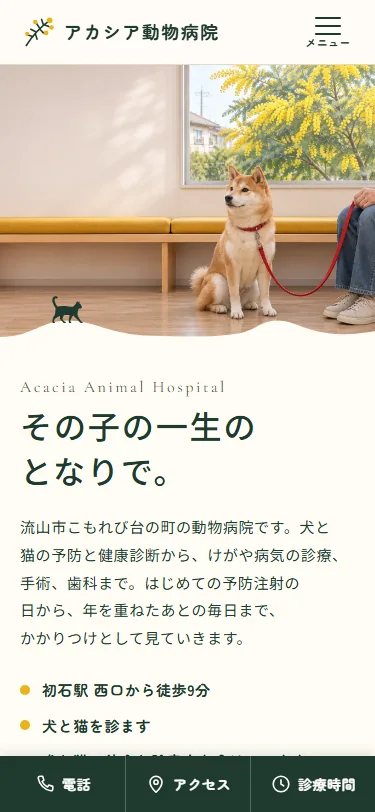
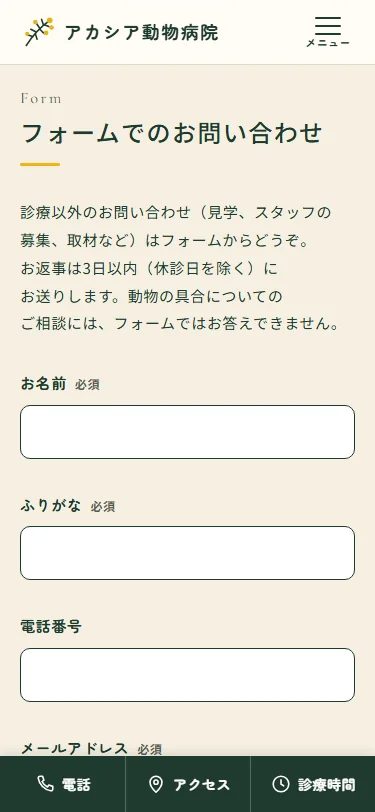
At 1200px and up, the header shows six links and the phone number. From 960 to 1199px it keeps only the phone number and a menu button. At 959px and below it keeps the menu button, and three buttons for phone, access and hours are fixed to the bottom of the screen, so someone with a sick animal can call from any page.
The contact form puts short fields such as name, reading of the name, phone and email in two columns at 600px and up, keeps only the message field full width, and stacks everything in a single column below that. Japanese text breaks at phrase boundaries in Chrome and Edge, so times like 11:45 and words like Sunday are not split in the middle.
Titles from page names
photos loaded as they near.
Page titles take the form of the page name followed by the clinic name, generated by WordPress. Search, date, author and category archives, which the site does not use, return the 404 page.
The 35 photos were saved as WebP in three sizes: 1536×1024 (landscape), 1024×1024 (square) and 1024×1536 (portrait). Only the first photo on each page loads up front, and the other 39 load as they come near the screen. As a portfolio piece, no page is listed in search results.
Project details
- Version
- 1.1.0
- Project type
- Fictional website
- Scope of work
- Design and build of a WordPress child theme and pages
- Tools
- WordPress (multisite) / SQLite / WP-CLI
Web parts plugin - Pages
- 8 pages, including the news list, and 6 news posts
- Languages
- Japanese
- Breakpoints
- 1200px and up / 960–1199px / 959px and below
The live site
beside the admin screens.
Five main features, each shown with the live site beside the WordPress admin screens.
-
01Page text and photos
Each of the eight pages is one web part. Open page-about or page-services from the parts list, rewrite the text in the part's HTML and register it, and that page changes. The header and footer are parts too, so a change to the menu or the address is made in one place.
Because parts are HTML, the shape of headings and paragraphs comes from the theme's CSS. Replacing the text keeps the colors and spacing consistent with the other pages.
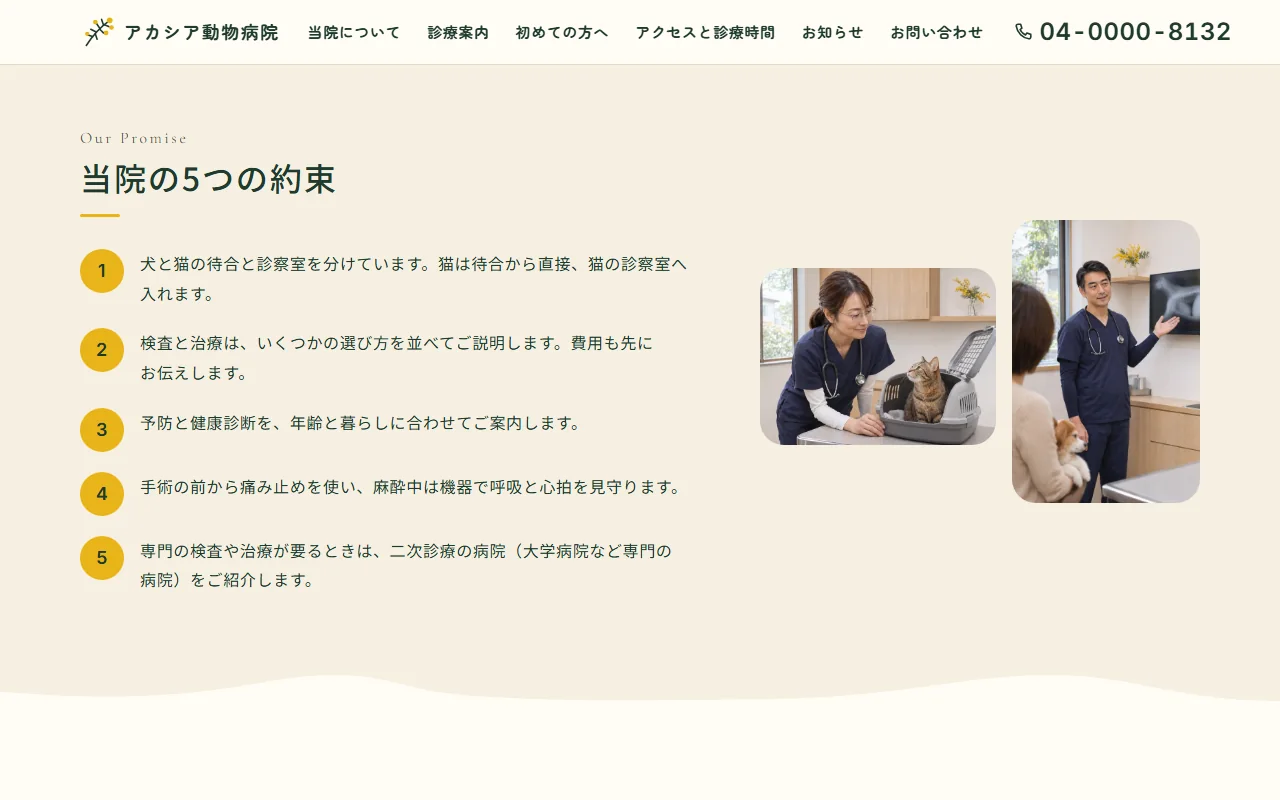
Live site 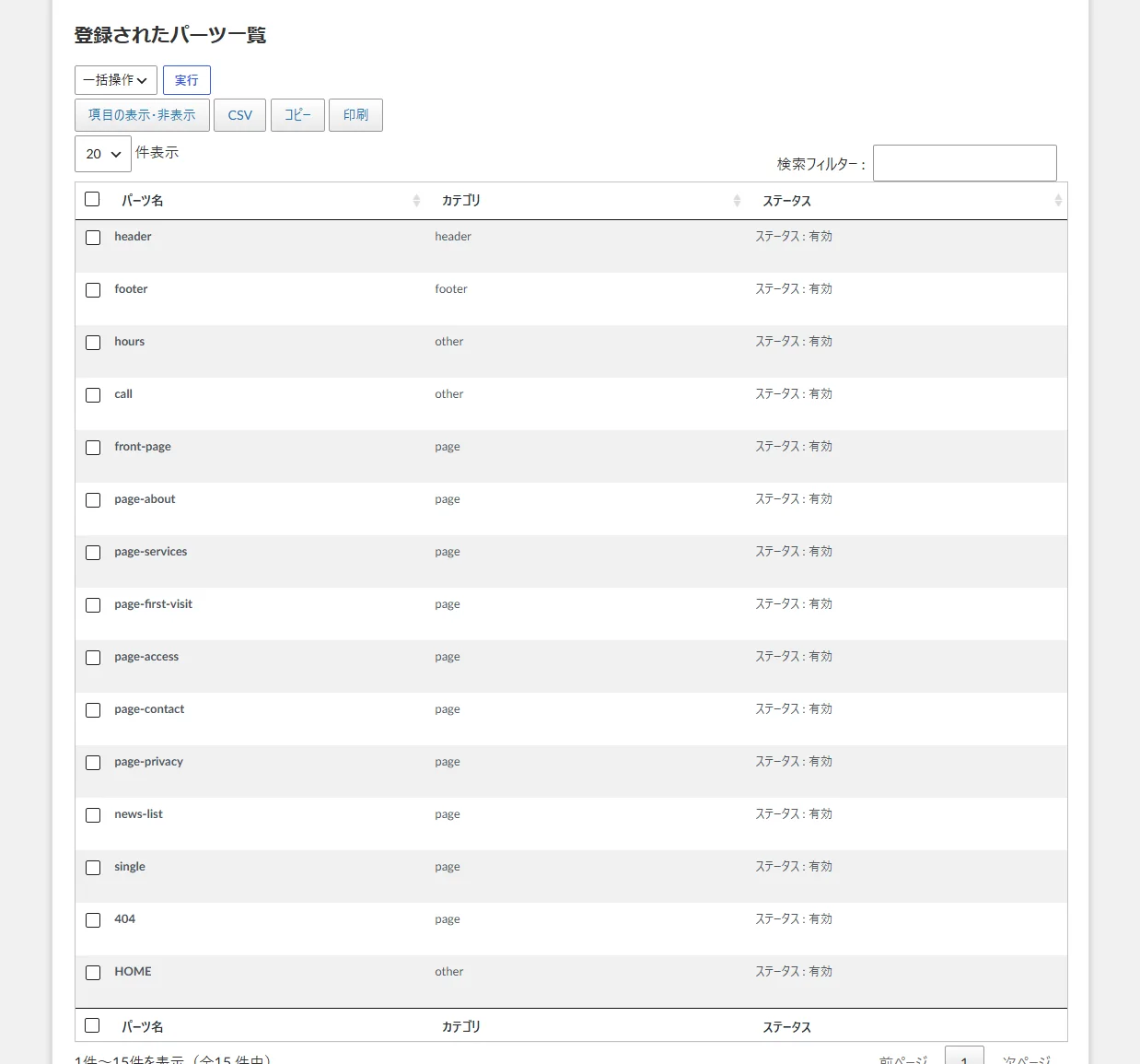
Admin (parts list) -
02Hours table
The hours table is a single part called hours, read by both the homepage and the access page. Rewrite the dots and dashes in the morning and afternoon rows, and the tables on both pages change together. The reception times and the note on closing days are in the same part.
Today's column is highlighted with a yellow dot, by Japan time. The day comes from each cell's data-day attribute in the part's HTML, so editing the table does not break the marker.
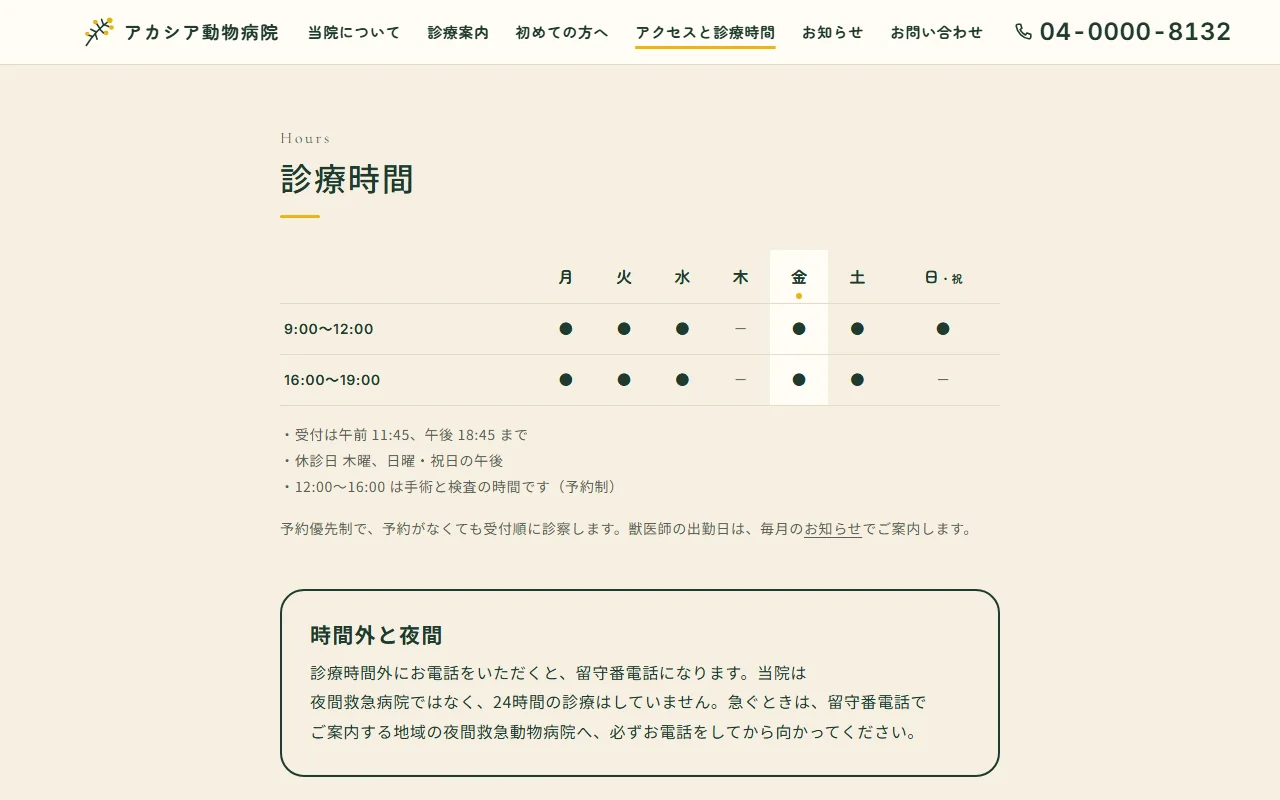
Live site 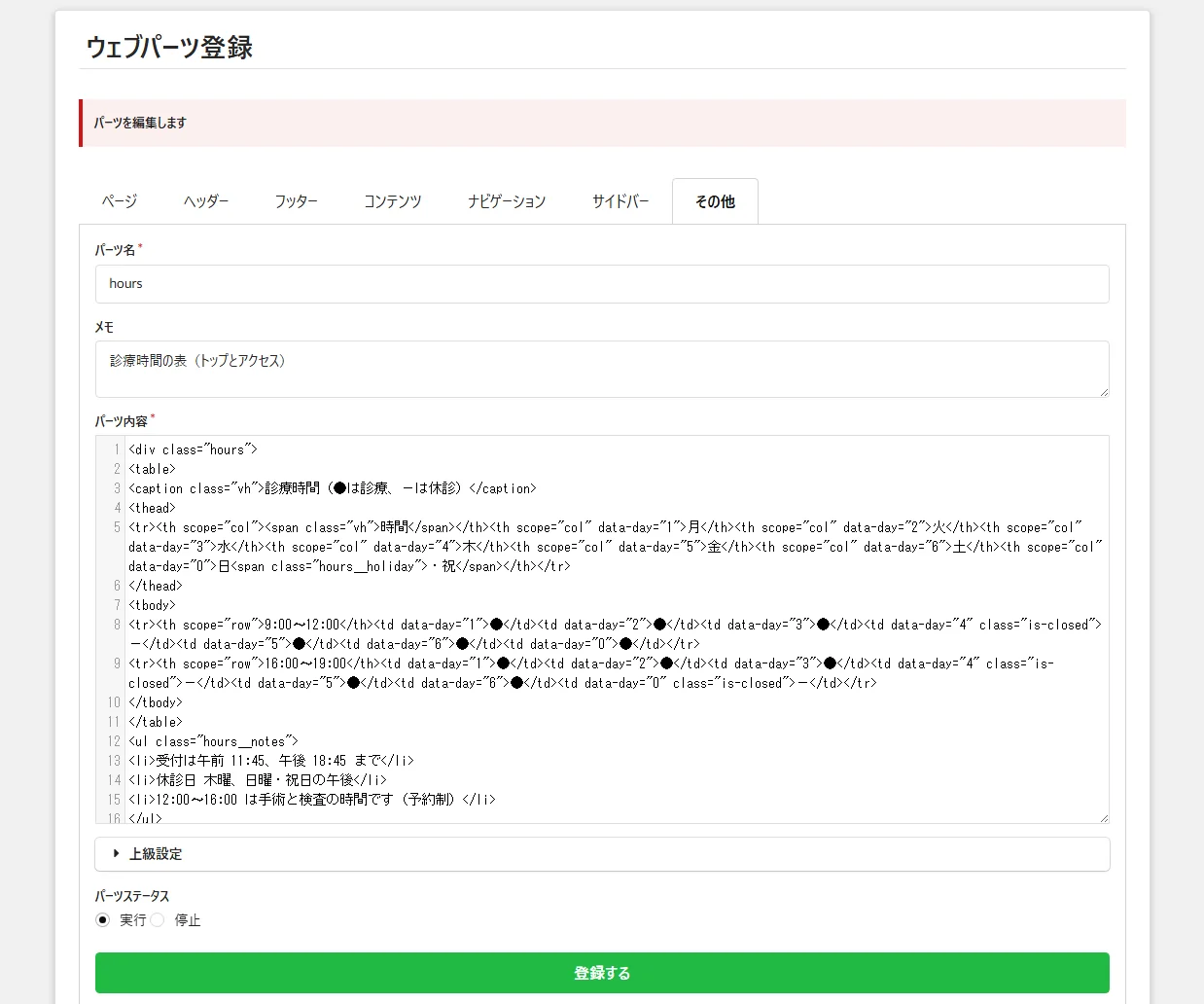
Admin (the hours part) -
03News
News items are WordPress posts. Write a title and body in the post screen and publish, and the item appears at the top of the news list and in the latest-news section of the homepage. There are six samples, such as year-end hours, a health check-up campaign and the veterinarians' schedule.
The post list is narrowed through Screen Options to title, author, category and date. Posts are listed newest first, so changing the publish date changes the order.
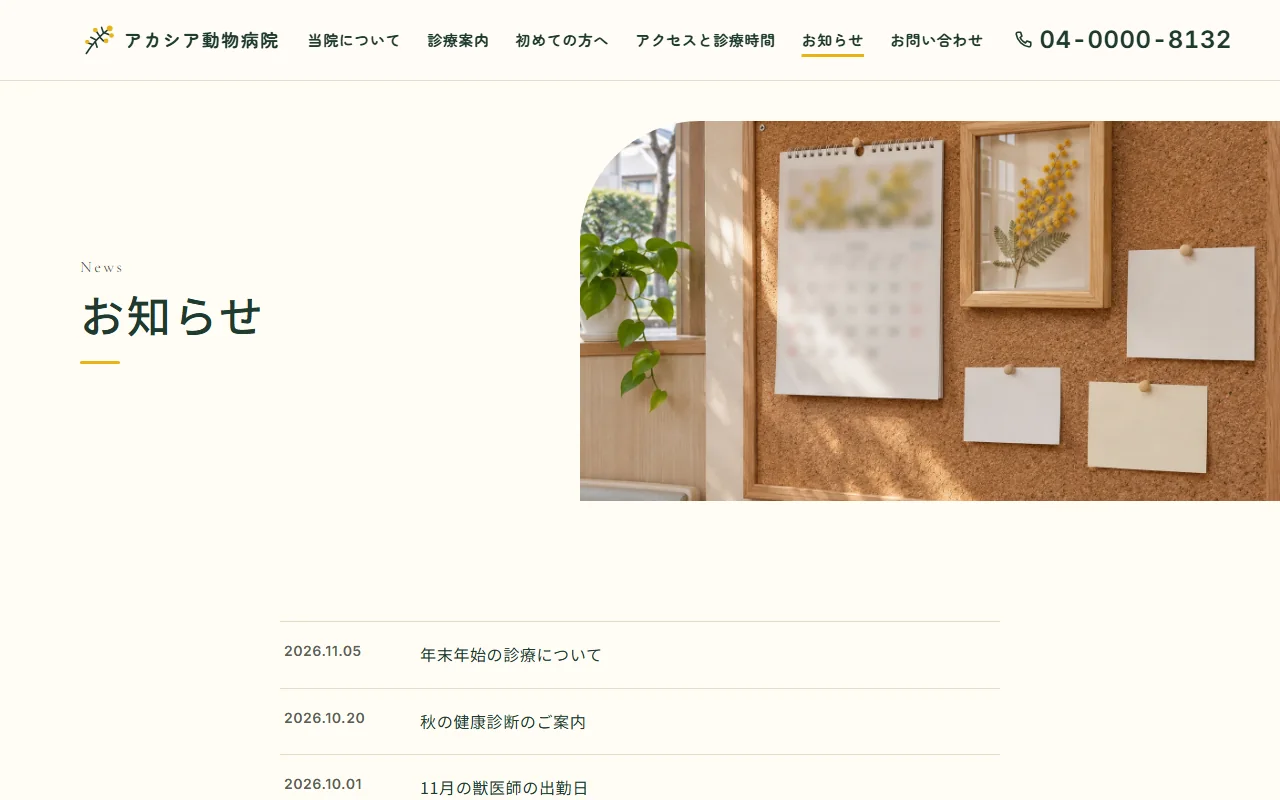
Live site 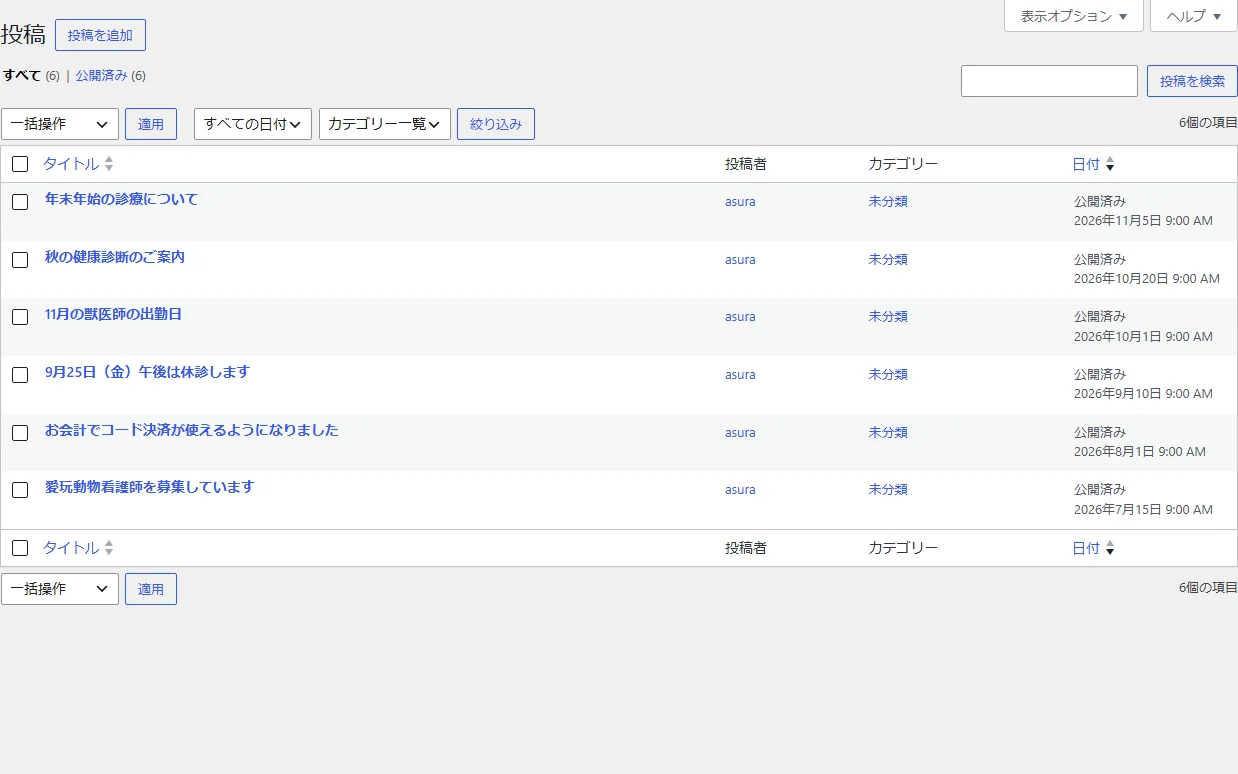
Admin (posts) -
04Photos
Photos are uploaded to the media library, and the images in a part's HTML are read by file name, such as vet-shioda. When the director's photo is retaken, upload the new photo and change the image name in the about page's part.
Each photo has alt text in the part's HTML describing what it shows, so people using a screen reader can also tell which veterinarian is in the picture.
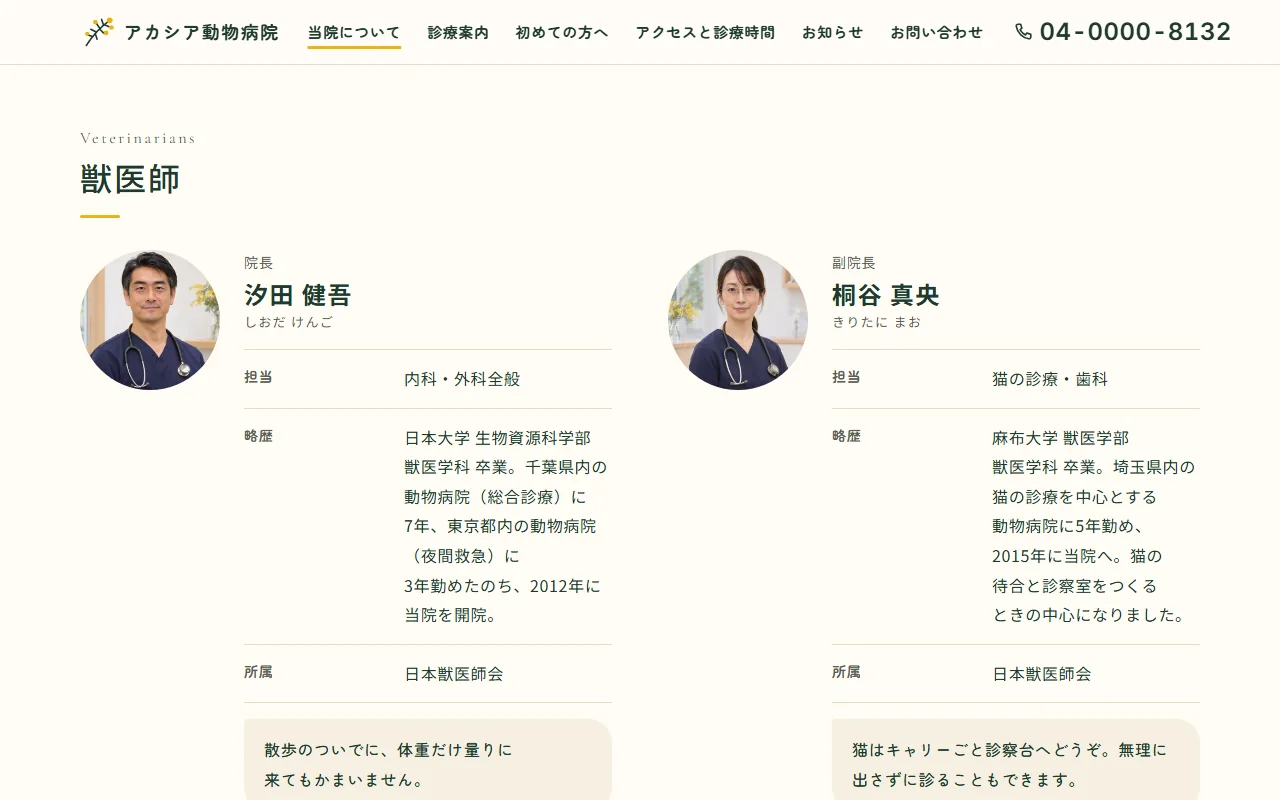
Live site 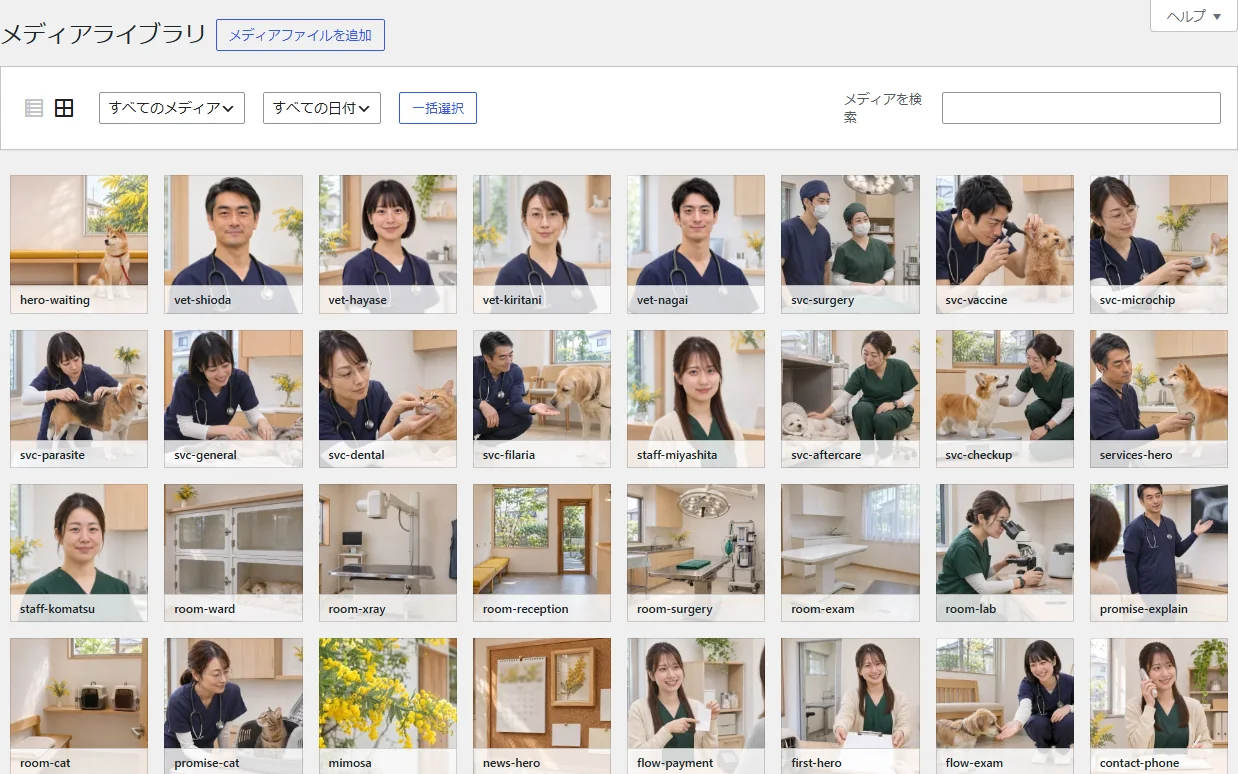
Admin (media library) -
05Contact form and mobile layout
The contact page has a large phone number at the top and, below it, a form for inquiries other than consultations. Short fields sit in two columns on desktop and stack in a single column on mobile. The phone, access and hours buttons at the bottom of the screen stay in the same place on every page.
On submit, the form checks the required fields and the email format, showing an error under a field if something is missing and a completion message when all is filled in. In this project it sends nothing. In production it would be connected to a form plugin so that messages reach the clinic's email.
Live site (mobile) 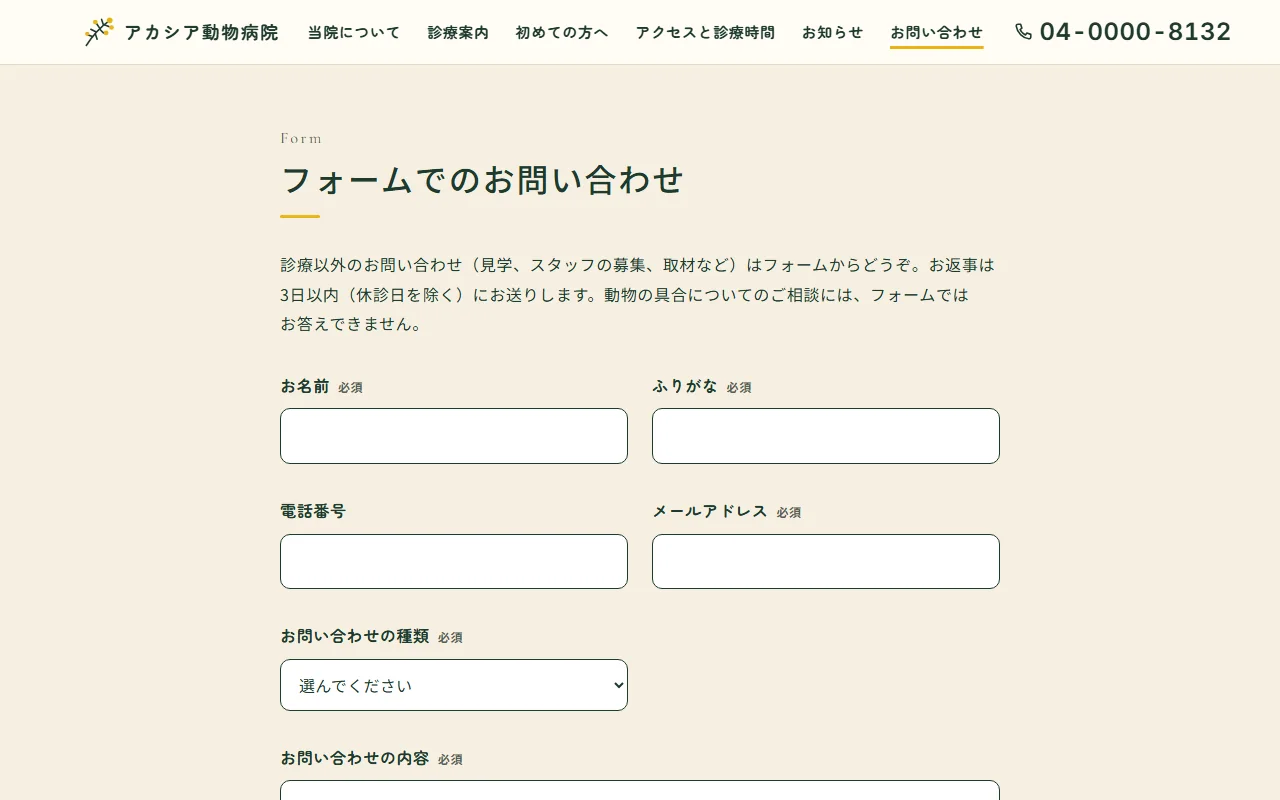
Live site (desktop)